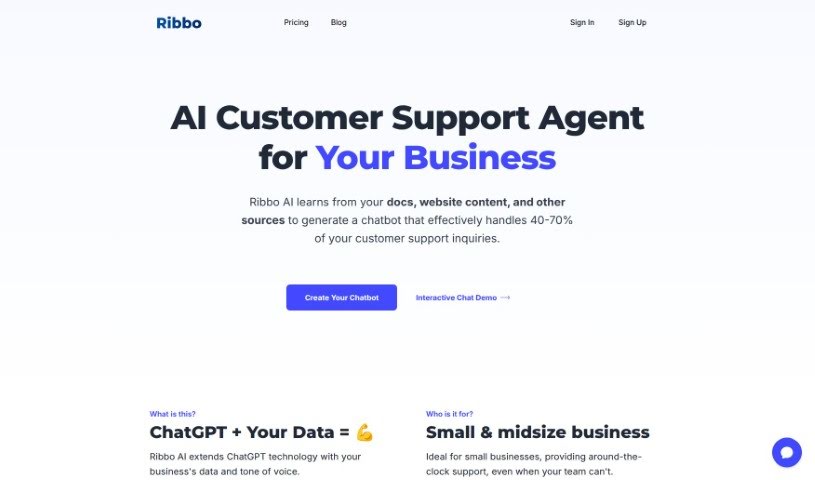
Screenshot of Ribbo AI

Ribbo AI

Discover what Ribbo AI is and how to use it effectively in 2025. We'll explore its features and see how it stacks up against other Customer Service Tools.

Screenshot

What is Ribbo AI?

Ribbo AI is a smart upgrade for ChatGPT, specifically tailored for businesses. It learns from your company’s own data and even adopts your unique tone of voice. This means it can handle a big chunk of your customer support questions really well. How? By training on things like your website content, blog posts, and past customer chat logs. Ribbo AI is a great fit for small and medium-sized businesses, offering support 24/7 and taking care of those simple, repetitive inquiries so your team doesn’t have to. You can also customize its look and how it speaks, and it’s super easy to add to your website as a live chat widget. Plus, Ribbo AI lets you switch from the AI bot to a human agent when needed, supports multiple languages, and you can cancel your subscription whenever you want.

Who created Ribbo AI?

According to reviews, Archiolidius is the company behind Ribbo AI. They specialize in enhancing ChatGPT with a business’s specific data and brand voice, offering AI-powered customer support solutions perfect for small and midsize businesses. Ribbo AI lets you customize a lot, integrates chatbots smoothly into websites, and supports many languages to connect with all sorts of customers.

What is Ribbo AI used for?

Ribbo AI helps businesses in many ways:

  • It cuts down on customer support costs.
  • It efficiently handles customer support queries.
  • It provides instant answers to customers.
  • It can be added to websites as a live chat widget.
  • It’s customizable to match your brand’s identity.
  • It allows for seamless handoff from an AI bot to a live operator.
  • It offers multilingual support for different languages.
  • It extracts data from various sources to train the AI model.
  • It fine-tunes the AI bot based on chat history.
  • It customizes the tone of speech to match your brand.
  • It trains the AI chatbot using your website content, blog posts, documentation, and historical customer support chat logs.
  • It uses various data sources for AI model training.
  • It allows for simple fine-tuning of chatbot responses.
  • It can be embedded into websites as a live chat widget.
  • It lets you customize the design and tone of speech.
  • It handles conversations by handing them off from the bot to live operators.
  • It provides multilingual support for communication and document uploads in different languages.
  • It offers customer support specifically for small and medium-sized businesses.
  • It handles simple or repetitive inquiries, freeing up your team to focus on complex issues and boost customer success.
  • It offers a Free plan so you can test its features before committing to a purchase.
  • It trains on your provided data to handle customer support queries effectively.
  • It handles simple or repetitive inquiries for small businesses.
  • It allows medium-sized businesses’ teams to focus on resolving complex issues and enhancing customer success.
  • It trains AI models using various data sources like website content, blog posts, documentation, and historical customer support chat logs.
  • It integrates seamlessly as a live chat widget on websites.
  • It allows customization of design and tone of speech to match your brand.
  • It provides around-the-clock support for small businesses.
  • It handles simple or repetitive inquiries for medium-sized businesses.
  • It trains AI models with various data sources.
  • It fine-tunes AI bot responses.
  • It integrates chatbots seamlessly into websites.
  • It customizes chatbot design and tone of speech.
  • It hands off conversations from bots to live operators.
  • It offers a Free plan for testing before purchasing.

Who is Ribbo AI for?

Ribbo AI is a great tool for:

  • Small Business Owners
  • Midsize business owners
  • Medium-Sized Business Owners
  • Customer Support Representatives

How to use Ribbo AI?

Using Ribbo AI is pretty straightforward. Just follow these steps:

  1. Data Integration: Start by giving Ribbo AI your data. This includes things like your website content, past chat logs, and anything else you want the AI model to learn from.
  2. Fine-Tuning: If the bot ever gives an incorrect answer, you can easily edit it. This helps ensure it provides accurate information in the future.
  3. Website Integration: You can add Ribbo AI to your website as a live chat widget. You get to choose if it appears as a small floating bubble or a full-size chat window.
  4. Customization: Make the chatbot truly yours by customizing its design and tone of speech so it perfectly matches your brand.
  5. Handoff Feature: If a conversation gets too complex for the AI, you can seamlessly transfer it to a live operator.
  6. Multilingual Support: You can upload documents in any language and communicate with the chatbot in various languages, making it accessible to a global audience.
  7. Message Credits: Understand how responses are charged. It’s based on units, and the cost depends on the AI model you select.
  8. Bot Models: You can choose between GPT-3.5 and GPT-4. They differ in cost, speed, accuracy, and how well they handle complex tasks.
  9. Free Trial: Take advantage of the Free plan to test out all the features before you buy. And remember, you can cancel your subscription anytime.

This guide covers the main steps to get the most out of Ribbo AI. It’s designed to help businesses improve their customer support and make interactions smoother for everyone.

Related AI Tools

Discover more tools in similar categories that might interest you

Stay Updated with AI Tools

Get weekly updates on the latest AI tools, trends, and insights delivered to your inbox

Join 25,000+ AI enthusiasts. No spam, unsubscribe anytime.