What is Retoucher?
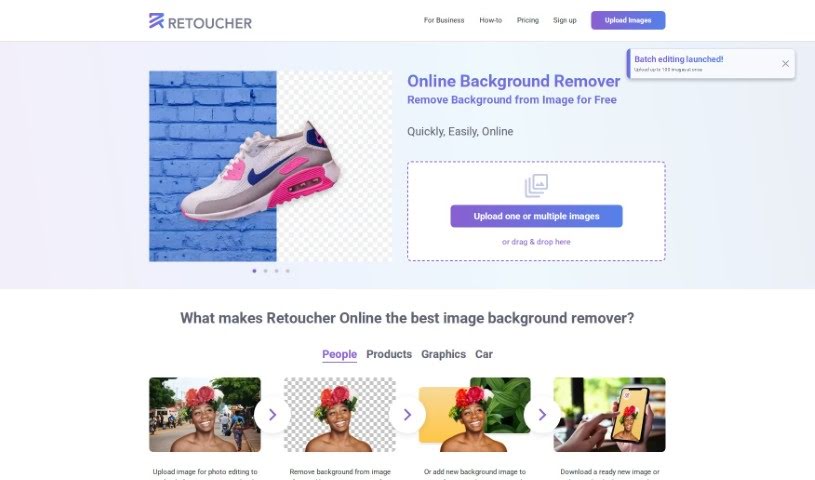
Retoucher Online is a really handy tool for editing your images, especially if you need to remove backgrounds. It lets you upload pictures and get them just right for social media platforms like Instagram, Facebook, TikTok, and YouTube, or even for passport photos. You can remove backgrounds from images for free, pop in new ones, create awesome profile pictures, and then download your finished image or tweak it further right there in the Retoucher editor. The tool automatically handles the background removal, keeping your main subject front and center. This makes it super useful for all sorts of things, like making product images for online stores look their best. Retoucher Online is designed to save you both time and money, offering an easy-to-use interface with features like automatic background removal, high-quality image generation, the ability to upload multiple images at once, and even API support.
Who created Retoucher?
Emma Cooper created Retoucher, launching it on June 17, 2024. Retoucher Online acts as a 3-in-1 image background remover. It offers automatic background removal, options for white, transparent, or custom backgrounds, photo editing capabilities, and delivers results with just one click. The company really focuses on making things convenient for users – you don’t even need to sign up! Plus, you get high-resolution downloads and support for what marketplaces need. It’s a great solution whether you’re editing photos for yourself or for your business.
What is Retoucher used for?
- You can automatically remove backgrounds from images, whether for personal use or for your business.
- Upload product photos and get different background options, perfect for eCommerce.
- Create really high-quality images for online marketplaces like Amazon, eBay, and Etsy.
- Edit logos and digital ads by removing backgrounds or adding new ones.
- Save time and money by using the tool for processing many images at once or testing out product photos.
- Effortlessly remove backgrounds from pictures of people, objects, and graphics.
- It supports adding shadows to images, making your subjects look more realistic.
- It’s super convenient because you don’t need to sign up for an account.
- It’s suitable for all sorts of marketplaces and meets their specific requirements.
- It’s a completely free tool for background removal and image editing.
- Use Retoucher to remove backgrounds from images specifically for online marketplaces.
- Use Retoucher to automatically create new versions of your product photos with different backgrounds.
- For online picture editing, use Retoucher to get high-quality images that look great on websites.
- Use Retoucher for removing backgrounds and editing jewelry photos for eCommerce sites.
- Quickly and easily create images with white or transparent backgrounds using Retoucher.
- Take advantage of Retoucher for bulk processing and testing product photos to potentially boost conversions.
- Use Retoucher to add shadows, making your product images look more realistic and appealing to potential buyers.
- Employ Retoucher to edit logos, design digital ads, and ensure your images meet marketplace requirements.
- Easily change the size, color, and aspect ratios of your images with Retoucher.
- Save time and money by using Retoucher, a tool that costs nothing for background removal and image editing.
- One user uploaded five photos of a toothbrush to get new backgrounds for it.
- Another user uploaded three photos of a table into the background remover app for online picture editing.
- A user uploaded ten images of jewelry to remove backgrounds and edit them.
Who is Retoucher for?
- Photographers
- Graphic designers
- Ecommerce sellers
- Marketing professionals
- Advertisers
- Jewelry sellers
- Product sellers
- E-commerce sellers
- Marketers
- Advertising professionals
- E-commerce professionals
- Online sellers
- Business owners
- E-commerce vendors
How to use Retoucher?
If you want to use Retoucher to remove backgrounds and edit your images, here’s a simple step-by-step guide:
- Start by taking a photo of your product. Make sure it’s against a clear, contrasting background and that the lighting is steady.
- Upload this photo to the Retoucher tool. You can just drag and drop it right into the tool.
- Next, decide what you want to do: remove the background, add a new one, make it transparent, or edit it further (like adding shadows or changing the color).
- If you need to fine-tune specific areas, like wisps of hair, you can use the manual background eraser tool.
- Once you’re happy with how it looks, just click ‘Download’. You’ll get your finished product in the resolution you need, usually as a PNG file.
- You can remove backgrounds, get transparent backgrounds, or add custom ones without paying anything or hitting any limits.
- The tool also lets you process multiple images at the same time for background removal.
- For business use, people have successfully used Retoucher for items like toothbrushes, tables, and jewelry. They’ve quickly generated different background versions for their online listings.
By following these steps, you can easily edit your images, remove backgrounds, and create really eye-catching visuals using Retoucher’s AI tools. It’s a convenient, user-friendly, and cost-effective way to handle all sorts of image editing tasks.