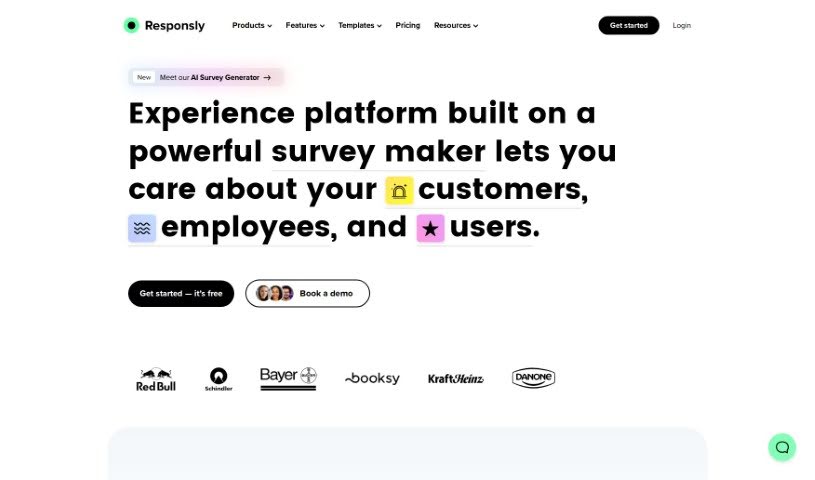
Screenshot of Responsly

Responsly

Discover Responsly in 2025! Learn what this AI-powered quiz and survey tool does, how to use its features effectively, and how it stacks up against other data analytics tools.

Screenshot

What is Responsly?

Responsly is a smart tool that uses AI to help you create quizzes, surveys, and forms. It’s great for all sorts of businesses, whether you’re in marketing, HR, product development, e-commerce, education, or healthcare. What’s really nice about it is how easy it is to use. Plus, it offers advanced analytics, connects smoothly with other tools you might already use, and has this cool AI Quiz Generator. This generator can whip up interactive quizzes super fast, just based on what you tell it you need. You can also personalize your quizzes with images and videos, make sure they look good on any device (phones included!), and really boost your brand recognition with custom themes. Need a quiz in a hurry? The AI can create one in about 30 seconds! You can even tell it how many questions you want and how difficult they should be. Responsly also lets you connect with platforms like Slack and Google Sheets, use smart skip logic so people only see relevant questions, collect user data to generate leads, and even link up with your CRM for better lead management.

Who created Responsly?

Responsly was actually built by a communication company that’s been working in the European market for over 14 years. They officially launched the platform on July 30, 2024. Their main focus with Responsly is to offer flexible survey solutions for a wide range of industries – think marketing, HR, product teams, e-commerce, education, and healthcare. The company really prides itself on making things simple and accessible, while still providing powerful business tools. They also make sure everything is super secure.

What is Responsly used for?

Responsly is pretty versatile! Here’s a rundown of what you can do with it:

  • Connect with Google Analytics
  • Create quizzes automatically
  • Use features to help prevent cheating
  • Gather information from your users
  • Access an API for more advanced integrations
  • Assign leads to specific sales reps
  • Integrate with the Intercom widget
  • Add a social share button
  • Save your data directly to Google Sheets
  • Send promotional codes through Gmail
  • Include an email field for sign-ups
  • Employ anti-cheating measures
  • Benefit from advanced API integration capabilities

Who is Responsly for?

Responsly is a great fit for professionals in:

  • Marketing
  • HR
  • Product Development
  • E-Commerce
  • Education
  • Healthcare

How to use Responsly?

Want to get the most out of Responsly? Here’s a simple guide:

  1. Sign Up and Log In: First things first, sign up for a free Responsly account. You won’t need a credit card, and the free plan has no time limits. Once you’re signed up, just log in to start exploring.
  2. Create Quizzes: Responsly has a really powerful builder that makes creating engaging quizzes a breeze. Just tell it the topic and details like the number of questions and difficulty level, and it can generate a dynamic quiz for you in mere seconds.
  3. Customize Quizzes: Make your quizzes your own! You can pick from different themes or create your own with your specific branding. Adding images or videos can make them even more engaging. Feel free to tweak the question types, how many questions there are, and the difficulty level.
  4. Generate Quizzes with AI: Responsly’s AI Quiz Generator is a game-changer. Just tell it the quiz topic and any specifics you have in mind, and it’ll automatically create a comprehensive quiz for you.
  5. Mobile-Friendly Design: Don’t worry about how your quizzes will look on different devices. Responsly ensures they’re all mobile-friendly and adapt seamlessly, no matter the screen size.
  6. Integrate with Other Platforms: Responsly plays well with others! You can connect it to platforms like Slack, Notion Forms, Intercom, MailChimp, and Google Sheets. This makes things much more flexible and helps you use your resources better.
  7. Boost Engagement and Get Insights: Expect high engagement thanks to interactive quizzes, real-time results, and automatic scoring. The smart skip logic is a nice touch too. You can really understand what your audience likes through comprehensive data collection and real-time insights.
  8. Promote Your Brand: Use Responsly to give your brand a boost. By adding your branding elements to quiz themes, you can effectively promote your brand identity and increase awareness.
  9. Generate Leads: Responsly is also a great tool for lead generation. You can collect user data as they participate in quizzes. Plus, it integrates with CRM tools like HubSpot and Salesforce, making lead management much smoother.
  10. It’s Easy to Use: Responsly was designed with you in mind. The AI Quiz Generator really simplifies the whole process, letting you create quizzes in seconds.

By following these steps, you can really make the most of Responsly. You’ll be able to create engaging quizzes, gather valuable insights, get your brand noticed, and generate leads for your business.

Related AI Tools

Discover more tools in similar categories that might interest you

Stay Updated with AI Tools

Get weekly updates on the latest AI tools, trends, and insights delivered to your inbox

Join 25,000+ AI enthusiasts. No spam, unsubscribe anytime.