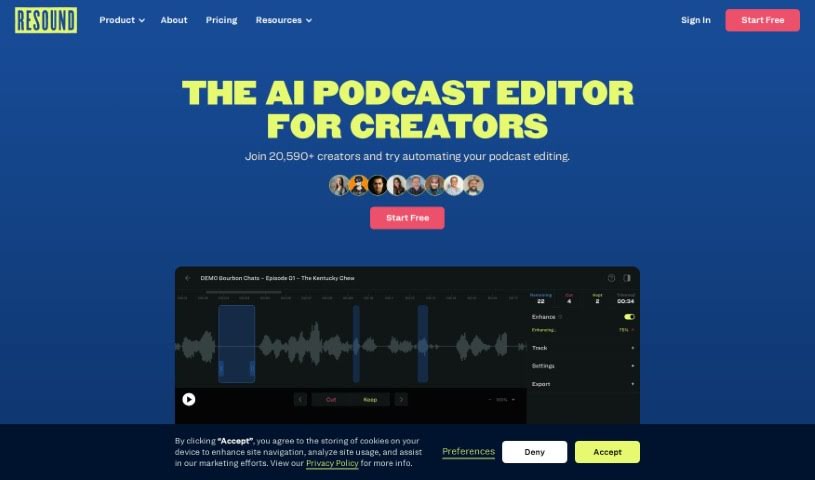
Screenshot of Resound

Resound

Discover what Resound is and how to use it effectively in 2025. We'll explore its features, compare it to other podcast tools, and show you how it can simplify your editing workflow.

Screenshot

What is Resound?

Resound is an AI-powered app designed specifically for podcasters to make editing much simpler. It is your smart assistant for podcast production. It’s built to speed up the editing process by automatically handling tasks like spotting filler words (you know, those ‘ums’ and ‘ahs’), cutting out long pauses, and generally making your audio sound better. The goal here is to let you, the creator, focus on what you’re saying and connecting with your audience, rather than getting bogged down in the technical side of editing. Resound uses clever machine learning to listen to your audio, find those common mistakes, and then suggest ways to fix them, saving you a ton of time. You’re still in charge, though – you can always check the suggested edits before they’re finalized. Plus, it’s designed to be easy to use, with automated features that work across different audio file types, making the whole podcast editing experience smoother.

They offer different plans to fit your needs, including a free option if you’re just starting out or don’t need many editing hours.

Who created Resound?

The team behind Resound actually came from Resonate Recordings. They launched this company in 2021 with a clear mission: to automate podcast editing using AI. The inspiration for this AI editing app for podcasters? None other than the German Physicist Ernst Chladni, often called “The Father of Acoustics.” The platform officially went live on March 28, 2022, after they’d successfully raised funds, expanded their team, and thoroughly tested their initial product (the MVP).

What is Resound used for?

Here’s a rundown of what Resound helps you do:

  • Easy to use: It’s got a really user-friendly interface.
  • Better sound: It helps enhance your audio quality.
  • Automated editing: It takes care of a lot of the podcast editing work for you.
  • Saves time: You’ll find it significantly cuts down the time you spend editing.
  • Cleans up filler words: It detects and removes those common filler sounds.
  • Manages silences: It automatically finds and deals with long pauses.
  • Simple trimming: You can trim your audio easily.
  • Audio enhancement: It offers various features to improve your sound.
  • Catches repeated words: It can identify words you might have said too many times.
  • Fixes mistakes: It helps with false starts and stumbles in your speech.
  • Interactive review: You can review the edits it suggests.
  • Flexible export: It supports exporting your audio in multiple formats.
  • Mixes and masters: It can handle mixing and mastering your podcasts.
  • Works with different tracks: It supports both single and multitrack audio files.
  • Consistent volume: It helps keep volume levels steady across all your tracks.
  • Improves experience: It makes things better for users by saving them time.
  • Personalization: Like many online tools, it uses cookies to personalize your experience and show relevant content or ads.
  • Noise reduction: It helps remove background noise from your recordings.

Who is Resound for?

Resound is a great tool for:

  • Podcasters of all levels
  • Freelancers working with audio
  • Podcast networks managing multiple shows
  • Business owners who use podcasts for marketing
  • Audio Engineers looking for efficiency
  • Content creators in general

How to use Resound?

Using Resound is pretty straightforward. Just follow these simple steps:

  1. First, you’ll need to create an account on the Resound platform.
  2. Next, upload your unedited audio files. You can just drag and drop them right into the designated upload area.
  3. Resound’s AI will then get to work, analyzing your audio. It’ll look for things like filler words and pauses, and suggest ways to improve the sound quality.
  4. After the AI makes its suggestions, you get to review them. You can decide exactly which edits you want to keep before finalizing anything.
  5. Once you’re happy with the edits, you can export your polished audio file. You can choose from common formats like WAV, MP3, or AAF.
  6. A nice feature is that you can often go back to your previous edits, make further changes, and re-export them without extra charge, depending on your plan’s specifics.

Resound offers a free plan that gives you about 1 hour of editing time each month. If you find yourself needing more, you can upgrade to a premium plan for $15 a month, which provides four hours of processing time. The tool is really designed to be user-friendly, so you don’t need any prior editing experience. It automates tasks like finding filler words, spotting silences, and trimming audio. Plus, Resound is planning to add even more helpful features soon, like better repeat word detection, more advanced filler word identification, video exports, and stutter detection, all aimed at making your experience even better and saving you more time.

Related AI Tools

Discover more tools in similar categories that might interest you

Stay Updated with AI Tools

Get weekly updates on the latest AI tools, trends, and insights delivered to your inbox

Join 25,000+ AI enthusiasts. No spam, unsubscribe anytime.