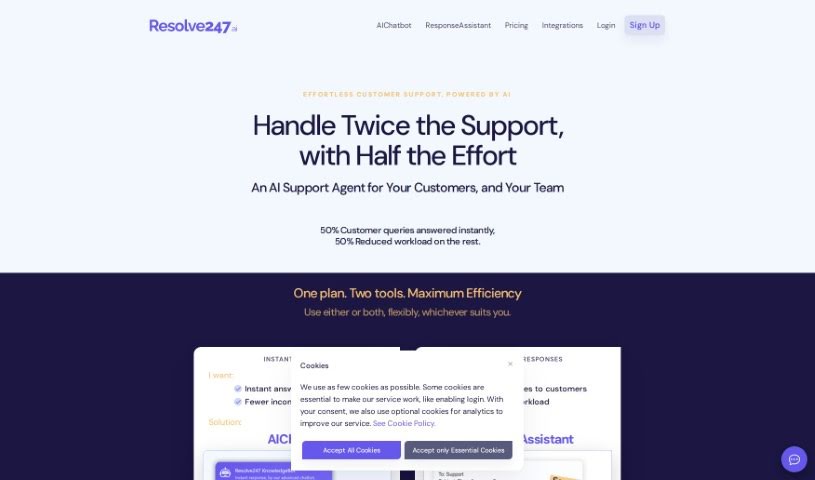
Screenshot of Resolve247

Resolve247

Discover Resolve247 in 2025! Learn what this AI customer service tool does, how to use its features, and how it stacks up against other customer service solutions.

Screenshot

What is Resolve247?

Resolve247 is an AI-powered platform designed to give customers instant answers to their questions. It’s built to cut down on the number of support tickets you receive by automatically handling those common, repetitive queries. It is your always-on support assistant! The platform easily connects with your current ticketing systems, lets you tweak its appearance to match your brand perfectly, and even translates responses automatically so you can help customers in any language. Getting Resolve247 up and running is super simple – you just add one line of code to your website or knowledge base. We also offer support throughout the setup process to make sure you have a smooth start.

Plus, Resolve247 comes with different plans, like Hobby, Standard, Pro, and Ultimate, each offering a unique set of features to fit what you need.

Who created Resolve247?

LiteSpeed Technologies Inc. is the company behind Resolve247. They launched it on March 3, 2024. Essentially, Resolve247 is a customer support platform that uses AI chatbots to provide immediate answers to customer questions. It offers a range of plans, from Hobby all the way up to Ultimate. These plans include handy features like auto-refresh, a way to audit past chats, and white-label customization so you can truly make it your own.

What is Resolve247 used for?

  • Always-on Customer Support: Provide help around the clock, 24/7.
  • Instant Responses: Customers get answers right away.
  • Knowledge Base Training: It learns from your existing information.
  • Website Integration: Easily add it to your site.
  • Automatic Repetitive Question Handling: The AI takes care of common questions.
  • Support Ticket System Integration: Works with your current tools.
  • Links to Relevant Source Material: Answers include links to where the information came from.
  • Automatically Includes Manual Responses: Can incorporate your own pre-written answers.
  • Brand Customizability: Make it look like your brand.
  • Deliver 24/7 High-Quality Answers: Keep customers satisfied with accurate, timely responses.
  • Help Customers Get Faster Answers: Speed up the process for your users.
  • Save Time with AI Chatbot: Let the chatbot handle repetitive questions so your team doesn’t have to.
  • Offer Instant Customer Support: Be there for your customers immediately.
  • Reduce Support Ticket Volume: Fewer tickets mean less work for your team.
  • Keep Customers Happy: Instant, accurate answers lead to happier customers.
  • Customize Appearance: Match your brand and website colors.
  • Direct Chat Widget Contact: Let customers reach out directly through the chat.
  • Automatic Translation: Respond in the customer’s language without extra effort.
  • Provide Links to Source Material: Each answer points back to the original content.
  • Reduce Support Ticket Volume: Again, less work for your support staff.
  • Handle Repetitive Queries Effectively: Efficiently manage common questions.
  • Decrease Support Ticket Needs: Customers can often find answers themselves.
  • Facilitate International Communication: Automatic translation helps global customers.
  • Send Human-Contact Messages: Get notified via email for important communications.
  • Include Source Material Links: Ensure answers are traceable.
  • Update Knowledge Base Automatically: Incorporate manual responses seamlessly.

Who is Resolve247 for?

  • Customer Support Representatives
  • Technical Support Agents
  • Help Desk Specialists
  • Customer Service Managers
  • Call Center Operators
  • Chat Support Agents
  • IT Helpdesk Professionals
  • Customer Support Agents (again!)
  • Customer Service Representatives (and again!)
  • Help Desk Staff
  • Support Team Members
  • IT Professionals
  • Business Owners
  • Entrepreneurs
  • E-commerce Managers
  • Sales Professionals

How to use Resolve247?

Here’s how you can get started with Resolve247:

  1. Quick Start: Begin by providing some basic information. This helps train your chatbot using your website or knowledge base content.
  2. Training: The chatbot learns from your content. This training process is quite fast, usually taking just a few seconds for one URL or a few minutes if you provide multiple.
  3. Copy & Paste: Integrating the chatbot is as simple as copying and pasting a single line of code onto your website. It’s a quick and easy setup.
  4. Customization: You can easily adjust the chatbot’s look and feel to perfectly match your brand and website’s color scheme.
  5. Support: Don’t worry about setup; we offer plenty of support. We’re here to help with everything from adding the code to answering any questions you might have.
  6. Multilingual Support: Thanks to its automatic translation feature, Resolve247 can handle queries in many different languages.
  7. Repetitive Query Handling: The AI chatbot independently manages common customer questions, which means less manual work for your team.
  8. Integration: Resolve247 connects smoothly with your existing ticketing system, ensuring your customer support process is seamless.
  9. Cost: You can choose from various pricing plans, ranging from $14 to $349 per month. These plans offer different features to suit your specific business needs.
  10. Money-back Guarantee: If you’re not satisfied with the service, you can request a refund thanks to Resolve247’s money-back guarantee.

Following these steps will ensure you have a smooth onboarding experience and can use Resolve247 effectively for your 24/7 customer support needs.

Related AI Tools

Discover more tools in similar categories that might interest you

Stay Updated with AI Tools

Get weekly updates on the latest AI tools, trends, and insights delivered to your inbox

Join 25,000+ AI enthusiasts. No spam, unsubscribe anytime.