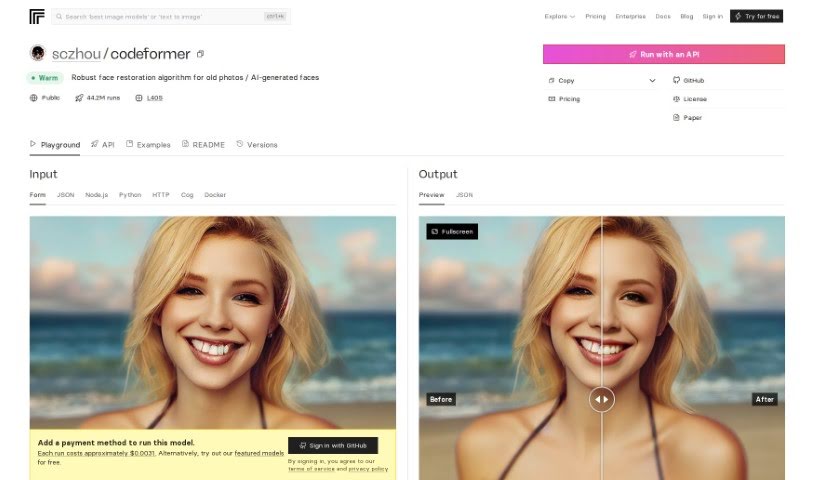
Screenshot of Replicate AI CodeFormer

Replicate AI CodeFormer

Learn what Replicate AI CodeFormer is and how to use it effectively in (2025). Explore its features and how it compares with other Image Generators.

Screenshot

What is Replicate AI CodeFormer?

CodeFormer is a really solid face restoration algorithm. It’s designed to make old photos look better or to improve faces that were generated by AI. It is a tool for enhancing image quality and making sure everything looks just right. This algorithm was developed for research purposes, and it uses something called a Codebook Lookup Transformer. This fancy name basically means it’s really good at finding and restoring faces reliably, especially when dealing with images created using stable-diffusion generation. It’s open source, which is great because it means you can run it on your own computer. You can even use Docker to get it set up, making it super accessible for all sorts of projects where you need to work with images and restore them.

Who created Replicate AI CodeFormer?

CodeFormer was actually created by Shangchen Zhou. He developed it as a robust face restoration algorithm, perfect for breathing new life into old photos or refining AI-generated faces. His main focus was on improving the quality of images produced by stable-diffusion generation. You can find all the details about the project on GitHub; he goes by the username “sczhou” over there.

How to use Replicate AI CodeFormer?

So, you want to use CodeFormer? It’s pretty straightforward, and there are a few ways to go about it. Here’s a breakdown of the steps:

  1. Import the Client:

    • If you’re working with Python, the first thing you’ll want to do is import CodeFormer. You can do this by simply adding this line to your code: import replicate.
  2. Run CodeFormer using Replicate’s API:

    • You can use Replicate’s API to run CodeFormer. This is a great way to integrate it into your own applications. You’ll want to refer to the model’s schema to get all the specifics on the inputs and outputs you can use.
  3. Install Cog (Optional, but helpful!):

    • If you’re on a Mac, you can install Cog using Homebrew. Just run brew install cog. If you’re not using a Mac or prefer a different method, don’t worry! There are other installation options available, and you can find all the details in the Cog documentation.
  4. Pull and Run CodeFormer using Cog:

    • Once Cog is installed, you can pull and run CodeFormer right on your local machine. You’ll execute the command cog predict and provide the necessary input parameters. This will download the model and get it ready to go in your own environment.
  5. Run CodeFormer using Replicate’s API (Again, for clarity!):

    • To use the API, you’ll send a POST request. Make sure you include all the required parameters. This includes specifying the version of CodeFormer you want to use, the input image you’re working with, the upscale value you desire, whether you want face_upsample enabled, the background_enhance setting, and the codeformer_fidelity level.
  6. Run CodeFormer using Docker (Another great alternative!):

    • If you prefer using Docker, you can pull and run CodeFormer with GPU support. You’ll need to run the appropriate Docker command for this. After that, you can send a POST request to your local environment, just like you would with the API.

These steps really give you a comprehensive way to use CodeFormer effectively. For even more in-depth information, it’s always a good idea to check out the specific documentation provided by Replicate. They’ve got all the nitty-gritty details you might need.

Related AI Tools

Discover more tools in similar categories that might interest you

123RF AI Image Generator

Creative Image Generation
Learn More

Stay Updated with AI Tools

Get weekly updates on the latest AI tools, trends, and insights delivered to your inbox

Join 25,000+ AI enthusiasts. No spam, unsubscribe anytime.