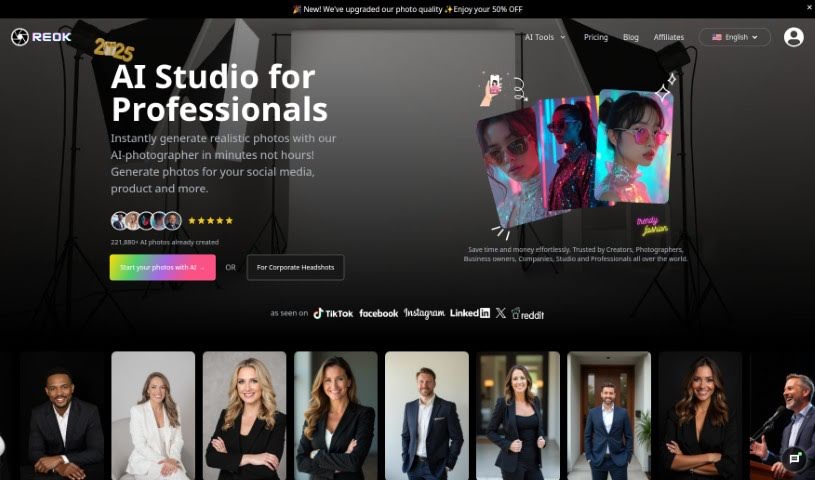
Screenshot of Reok Pro

Reok Pro

Discover what Reok Pro is and how to use it effectively in 2025. We'll explore its features, compare it to other headshot generators, and show you how to get professional-looking photos in a snap.

Screenshot

What is Reok Pro?

Reok Pro is an online tool that uses powerful AI technology to help you quickly create professional headshots. Forget about traditional photo shoots; you can snap headshots in seconds! You can also customize styles and backgrounds, remove backgrounds, and boost photo quality before you post them on social media platforms like Facebook, Instagram, and TikTok. It costs 5 credits for a headshot photo, and 2 credits to remove a background or unblur an image. Plus, your designs are stored permanently in the cloud. For details on how they handle your data, it’s always a good idea to check out their privacy policy. There’s no subscription needed – you just buy credits as you need them for one-time use. Reok Pro really focuses on privacy and making headshot creation efficient, whether you’re an individual or a business.

Who created Reok Pro?

“Reok Pro” comes from a company dedicated to offering online professional photo services powered by AI. They launched the service on November 18, 2023, giving users a fast way to get high-quality headshots without the hassle of traditional shoots. This company is committed to keeping your personal information and design data secure while providing affordable solutions for professional photos.

What is Reok Pro used for?

  • You can quickly create beautiful, professional, and stylish photos perfect for work or social media platforms like Facebook, Instagram, and TikTok.
  • It helps you remove blurs, enhance, and improve photo colors before you post them.
  • You can accurately remove backgrounds from your images.
  • It efficiently generates headshots using AI technology.
  • It’s super convenient – you can upload just one selfie to generate multiple headshots.
  • Your headshot designs are stored permanently on the cloud.
  • It’s a cost-effective alternative to traditional photo shoots.
  • You’ll save time and money by using AI for your professional photos.
  • It’s great for rendering high-quality headshots for companies or remote teams.
  • You don’t need multiple photos or FaceID to create headshots.

Who is Reok Pro for?

  • Companies
  • Remote teams

How to use Reok Pro?

Ready to take professional photos with Reok Pro? Just follow these simple steps:

  1. Upload Photo: Start by uploading a selfie or picking a photo from your gallery where your face is clearly visible.
  2. Customize Settings: Next, choose your gender and how many photos you’d like the AI to create.
  3. AI Processing: Reok Pro’s AI technology will then quickly and accurately process your request.
  4. Download: Once it’s done, you’ll receive your professionally created headshots, ready for download.
  5. Photo Enhancement: Need to fix a blurry photo or boost colors? Use the photo upscaler to enhance and improve your images.
  6. Background Removal: Removing any background is easy and only costs 2 credits.
  7. Storage: Your designs are stored permanently on the cloud, as long as the service is up and running.
  8. Cost: Each headshot photo costs 5 credits. Honestly, it’s a pretty cost-effective option when you compare it to traditional photo shoots.
  9. Refund Policy: Since these are high-cost AI services, refunds aren’t typically provided. We recommend using any complimentary credits you might get first to try it out.
  10. Privacy: Reok Pro is serious about keeping your personal information and design data secure, using strong security protocols to protect it.

Related AI Tools

Discover more tools in similar categories that might interest you

123RF AI Image Generator

Creative Image Generation
Learn More

Stay Updated with AI Tools

Get weekly updates on the latest AI tools, trends, and insights delivered to your inbox

Join 25,000+ AI enthusiasts. No spam, unsubscribe anytime.