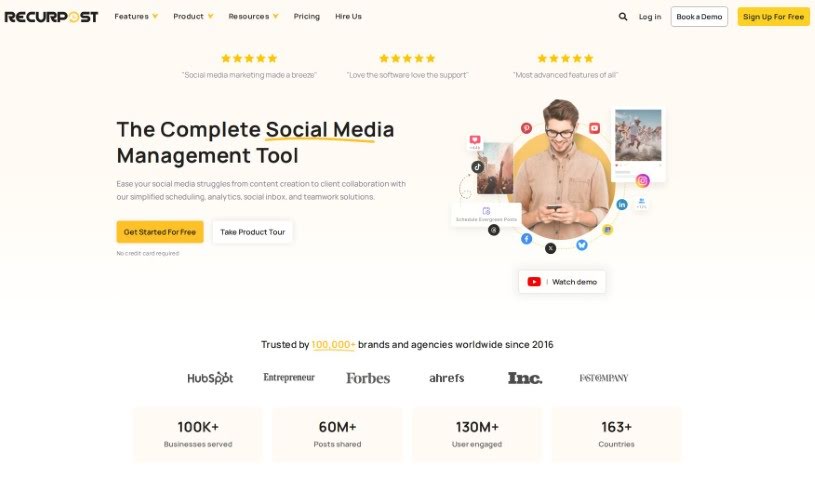
Screenshot of RecurPost

RecurPost

Discover RecurPost in 2025! Learn what this social media management tool is, how to use its features like scheduling and AI content generation, and how it stacks up against other options.

Screenshot

What is RecurPost?

RecurPost is a really solid tool for managing your social media, designed to help you get more people involved and make your whole social media strategy run much smoother. It’s packed with features for automating your posting schedule, and it works with all the big platforms you probably use – think Facebook, Instagram, Twitter, LinkedIn, and Pinterest. What’s great is its bulk scheduling, which saves a ton of time, plus a handy social calendar to keep your content planning organized. You can also use evergreen content marketing to keep drawing people in. Plus, it connects with Canva, ChatGPT, and Zapier, opening up tons of ways to create and share content. You can even sign up for free and join a community of over 100,000 businesses worldwide who are already using it.

Who created RecurPost?

The person who started RecurPost actually ran into social media challenges with his own small business before he built this platform. He really wanted a way to reuse content that might have been forgotten, to really boost his social media presence. That’s what led him to create RecurPost and its unique features, like The Content Reviver. Basically, RecurPost is a complete social media management solution. It handles scheduling automation, lets you schedule lots of posts at once, offers a social calendar, integrates with Canva, and even uses AI for content creation via ChatGPT. It supports all the major social media platforms – Facebook, Instagram, Twitter, LinkedIn, and Pinterest – and it’s already helping over 100,000 businesses around the globe to boost engagement and make their social media efforts much more efficient.

How to use RecurPost?

To really get the most out of RecurPost, here’s a simple breakdown of how to use it:

  1. Get Started with Your Account: First, create your RecurPost account. Then, connect all your social media profiles to the platform. This makes managing everything from one place super easy.
  2. Works with Your Favorite Platforms: You can manage all your different social profiles – like those on Facebook, Instagram, Twitter, LinkedIn, and others – right through RecurPost’s scheduling tools.
  3. Schedule Lots of Posts at Once: Want to save time? Use the bulk scheduling feature to plan and schedule many posts all at the same time. It really helps keep your posting consistent.
  4. Plan with the Social Calendar: Keep your content strategy organized and on track with the helpful social calendar. It’s a great way to visualize your plan.
  5. Create Graphics with Canva: Making eye-catching posts is a breeze thanks to the built-in integration with Canva, perfect for all your graphics and images.
  6. Get Content Ideas with AI: Need help writing posts? You can use ChatGPT for AI-powered content generation, which is a fantastic way to keep your social media feed interesting.
  7. See How You’re Doing: Keep an eye on your progress easily through the dashboard. It helps you track what’s working and fine-tune your strategy.
  8. Bring Back Old Content: Make your past content work harder for you with the Content Reviver. It’s a smart way to strengthen your social media presence and attract new visitors.
  9. Boost Engagement: You can attract more active followers, get better leads, and create more sales opportunities by consistently sharing valuable and engaging content.
  10. Connect with Your Audience: Encourage interaction and build a strong online community by sharing content that your audience will find relevant and interesting.

By following these steps, you can really use RecurPost to simplify your social media strategy, get more people interacting with your content, and effectively drive sales. You’ll be joining over 100,000 businesses worldwide who are already making their social media management better with RecurPost’s complete set of tools and features.

Related AI Tools

Discover more tools in similar categories that might interest you

Stay Updated with AI Tools

Get weekly updates on the latest AI tools, trends, and insights delivered to your inbox

Join 25,000+ AI enthusiasts. No spam, unsubscribe anytime.