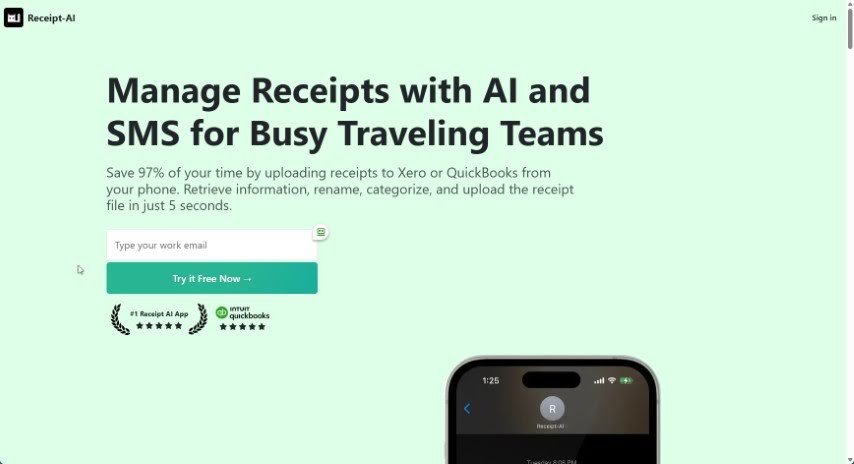
Screenshot of Receipt AI

Receipt AI

Discover what Receipt AI is and how to use it effectively in 2025. We'll explore its features and see how it stacks up against other Data Analytics Tools.

Screenshot

What is Receipt AI?

Receipt AI is a really smart app designed to make managing your receipts much simpler, using artificial intelligence and the ease of SMS. What makes it special is how you can upload receipts just by texting a picture. You simply send a photo of your receipt via text, and the app automatically pulls out the data, sorts it, and stores it safely. Receipt AI is perfect for businesses, finance teams, and even individuals who need to keep track of and organize receipts efficiently. It’s especially handy for teams that are often on the move or working on-site.

The app handles various receipt file types and can connect with software like QuickBooks and Xero to help with your financial tracking. Plus, your data is kept secure with encryption. You can also upload receipts via email. Receipt AI offers a central place to manage all your receipts, quick links to your financial software, smart folders to keep things organized, clear visual breakdowns of your expenses, and even works offline so you can stay productive anywhere.

Using Receipt AI can save you a ton of time and boost your productivity. In fact, it’s calculated that it reduces repetitive work time by 97% compared to the old ways of uploading receipts.

Who created Receipt AI?

The founders of Receipt-AI haven’t been publicly named. This company is all about making receipt management smoother with cool features like sending receipts via SMS. They also connect with popular financial software such as QuickBooks and Xero, and they make sure your data is securely encrypted. The app is built for businesses, finance departments, and individuals who want a more efficient way to organize receipts and track expenses, especially for those who travel a lot for work.

What is Receipt AI used for?

  • It helps you manage receipts more smoothly using artificial intelligence.
  • You can boost your productivity by saving 97% of the time you’d normally spend uploading receipts.
  • You can manage receipts even when you don’t have internet access, just by texting them in.
  • It acts as a central hub for all your receipts, no matter where they come from.
  • You can easily connect Receipt-AI with Xero or QuickBooks to upload receipts super fast.
  • It helps you organize receipts efficiently by sorting them into smart folders.
  • You get clear insights into your spending with visual charts.
  • You can text receipts to the app in just seconds, even without an internet connection.
  • Workflow efficiency gets a boost, with over 968+ receipts already uploaded by users.
  • There’s an accessible dashboard that makes your workflow much more efficient.
  • It’s great for expense reporting for businesses.
  • It simplifies receipt management for finance teams.
  • It helps individuals keep their receipts organized.
  • It’s ideal for tracking receipts efficiently for teams that travel.
  • It’s useful for managing receipts for professionals working on-site.
  • It streamlines how you organize expenses.
  • It enhances productivity by saving time on receipt uploads.
  • It automatically extracts and categorizes data from your receipts.
  • Receipts are stored and managed securely.
  • It integrates with accounting software.
  • Centralized Receipt Hub: You can add receipts from any source, whether physical or digital, into one convenient spot using Email and SMS.
  • Quick Software Integration: Easily link Receipt-AI with Xero or QuickBooks for fast, hassle-free receipt uploads.
  • Smart Folder Categorization: Organize your receipts efficiently by letting the app prompt you to categorize them into folders.
  • Visual Expense Insights: Get a clear picture of your spending with just one click, using pie, column, and bar charts for easy analysis.
  • Offline Functionality: Text receipts to the app in seconds, even without an internet connection, ensuring you can stay productive.

Who is Receipt AI for?

  • Businesses
  • Finance teams
  • Individuals
  • Business owners
  • Anyone who handles expense reporting

How to use Receipt AI?

To get the most out of Receipt-AI, just follow these simple steps:

  1. Upload Receipts: Use the SMS feature by texting a picture of your receipt. Receipt-AI will automatically pull out the data, sort it, and store it securely. This means you can access it easily without needing extra apps or an internet connection.
  2. Supported File Formats: Receipt-AI can handle many receipt file types, including JPEG, PNG, PDF, TIFF, WEBP, HEIC, and HEIF.
  3. Technologies Used: The tool uses email and SMS to collect receipts, AI algorithms to extract the data, and connects with software like QuickBooks and Xero for your financial tracking.
  4. Data Security: You can be confident that all your receipts and account information in Receipt-AI are encrypted and secure.
  5. Memo Inclusion: When you text a receipt, you can add a text message along with the photo. If you upload via email, just add a memo in the subject line.
  6. Receipt Organization: Finding your uploaded receipts in Xero and QuickBooks is straightforward. Just follow the specific steps provided by the tool.
  7. Multiple Receipts: You can send several receipt photos in one message, or across multiple messages. Each photo will be treated as a separate receipt.
  8. No Message Requirement: While you don’t have to send a message, you can if you want to. The system automatically pulls out key info like the date, vendor name, and total amount.
  9. Global Support: Right now, phone numbers work for the US and Canada, but email uploads are available worldwide. They’re planning to add more countries soon.
  10. Productivity Calculation: Receipt-AI saves you 97% of your time by making the receipt upload process much smoother than traditional methods, as explained in the tool.

By following these steps, you’ll be able to manage and track your receipts efficiently with Receipt-AI, which really helps boost your productivity and financial organization.

Related AI Tools

Discover more tools in similar categories that might interest you

Stay Updated with AI Tools

Get weekly updates on the latest AI tools, trends, and insights delivered to your inbox

Join 25,000+ AI enthusiasts. No spam, unsubscribe anytime.