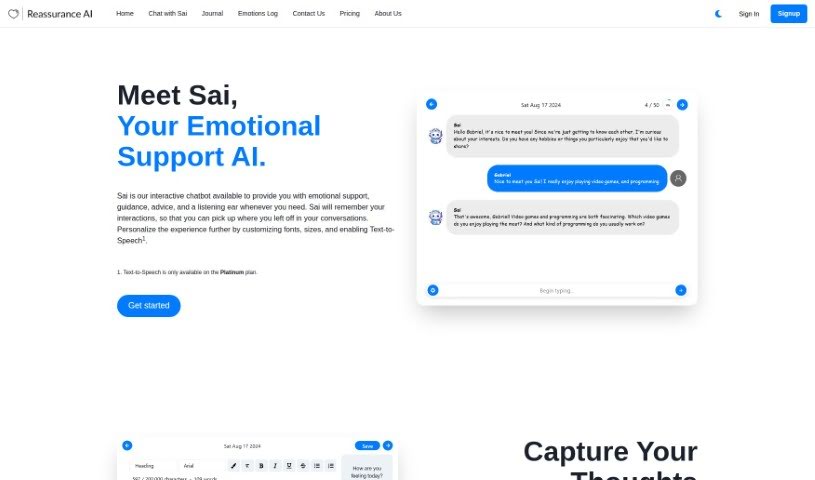
Screenshot of Reassurance AI

Reassurance AI

Discover what Reassurance AI is all about and how you can make the most of it in 2025. We'll cover its features and see how it stacks up against other chatbots.

Screenshot

What is Reassurance AI?

Reassurance AI is a mental health service that lets you chat with an AI called Sai, designed to be an Emotional Support Chatbot. Sai is a friendly companion you can turn to for advice, guidance, and support when you’re dealing with emotional or mental health concerns. It’s not just about talking, though. You also get a virtual personal journal where you can write down your thoughts and worries. This is great for looking back on later and understanding yourself better. Reassurance AI really cares about your privacy. They only store, process, and share your data if you say it’s okay, and they promise to use it only to make their services better – they’ll never sell it. You’re always in charge of your information; you can easily delete journal entries, chat history, or even reset Sai’s memory of your conversations.

Plus, Reassurance AI is proud to be GDPR compliant, making accessible mental health support available through affordable subscription plans.

Who created Reassurance AI?

Reassurance AI was developed by a company focused on mental health services. At its heart is an Emotional Support AI Chatbot named Sai. You can chat with Sai to get advice, guidance, and that all-important emotional support. On top of that, there’s a virtual personal journal available for you to express yourself and reflect on your experiences. This service first launched on December 24, 2023, and offers different subscription levels. There’s even a free Bronze tier if you want to try it out with limited interactions and journal access.

How to use Reassurance AI?

To get the most out of Reassurance AI, here’s a simple guide:

  1. Chat with Sai: Your first step is to start a conversation with Sai, the Emotional Support AI Chatbot. Sai’s there to offer guidance, advice, and support for your emotional and mental wellbeing whenever you need it.
  2. Use Your Personal Journal: Take advantage of the personal journal feature. It’s a great place to jot down your thoughts, concerns, or anything else you want to remember. You can even make it your own by choosing different fonts, colors, and text styles to personalize your entries.
  3. Manage Your Privacy Settings: It’s important to know that Reassurance AI takes your data privacy seriously. Your information is stored, processed, and shared only with your explicit consent, all aimed at improving the services. You have complete control over your data right in your account settings. This means you can delete journal entries, chat logs, or reset Sai’s memory profile whenever you choose.
  4. Pick a Subscription Plan: You can select a subscription plan that best fits what you need. They offer a free Bronze tier, as well as paid plans that come with different limits on interactions and extra features, like access to the virtual journal and Text-to-Speech capabilities.
  5. Check the FAQs: If you have questions, the Frequently Asked Questions section is a good place to start. You’ll find answers to common queries about using Reassurance AI for your mental health support.

By following these steps, you can really make the most of Reassurance AI for emotional support and guidance, all while keeping your data private and your interactions under your control.

Related AI Tools

Discover more tools in similar categories that might interest you

Stay Updated with AI Tools

Get weekly updates on the latest AI tools, trends, and insights delivered to your inbox

Join 25,000+ AI enthusiasts. No spam, unsubscribe anytime.