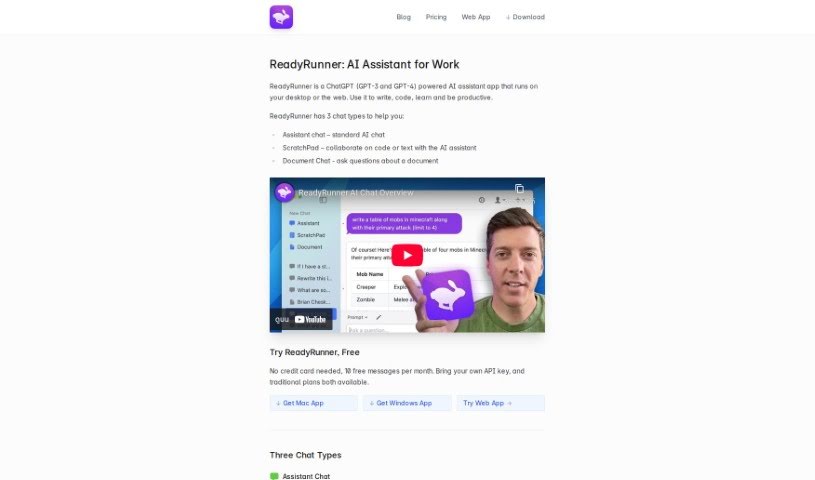
What is ReadyRunner?
ReadyRunner is a desktop application that brings the power of OpenAI’s GPT models right to your computer. It is your personal AI assistant, ready to help you write, edit, and brainstorm all sorts of things. Whether you’re trying to craft an email, polish a document, fix grammar mistakes, come up with new ideas, or even tackle tricky technical tasks like writing or debugging code, ReadyRunner has got your back. It’s available on Web, Mac, and Windows, and it’s designed with a clean, user-friendly interface. Plus, it includes a handy prompt library so you can get just the AI responses you need, and it’s great for handling those more technical jobs.
Who created ReadyRunner?
ReadyRunner was developed by an independent team who wanted to create a powerful desktop tool for interacting with OpenAI’s GPT models. It’s built to be a versatile AI assistant, perfect for writing, editing, and brainstorming. The company officially launched ReadyRunner on May 1, 2023. One of its standout features is the quick access you get through an instant hotkey, making it super convenient. It also boasts a clean user interface and is capable of handling complex technical tasks, including writing and debugging code. While the founders’ specific details aren’t shared, it’s clear they aimed to build a robust and accessible AI tool.
What is ReadyRunner used for?
ReadyRunner is a fantastic tool for a variety of AI-powered tasks:
- AI Chat: It lets you chat with OpenAI’s GPT models, giving you access to advanced AI.
- Writing & Editing: It acts as a helpful assistant for all your writing needs, from drafting to refining.
- Brainstorming: Stuck for ideas? ReadyRunner can help you brainstorm and generate creative concepts.
- Technical Tasks: It’s equipped to handle coding, debugging, and answering technical questions.
- Grammar & Style: Need to fix grammar or improve your writing style? ReadyRunner can assist.
- Collaboration: Use ScratchPad to work on code or text alongside the AI.
- Document Analysis: With Document Chat, you can upload long or complex documents and ask the AI questions about their content.
- Dedicated AI Space: It offers a focused environment purely for your AI conversations.
- Advanced Models: It supports both GPT-3.5 Turbo and GPT-4 AI models for powerful results.
- User Experience: Enjoy quick access via a hotkey and a clean, easy-to-navigate interface.
- Customizable Responses: The prompt library lets you tailor AI responses to your specific needs.
Who is ReadyRunner for?
ReadyRunner is designed for anyone looking to boost their productivity and creativity with AI. This includes:
- Writers: To help with drafting, editing, and idea generation.
- Coders: For writing, debugging, and understanding code.
- Learners: To get explanations, answers, and study assistance.
- Productive Individuals: Anyone who wants to streamline tasks and get more done.
How to use ReadyRunner?
Getting started with ReadyRunner is straightforward. Here’s a breakdown of how to make the most of it:
- Explore the Chat Types:
- ReadyRunner offers three distinct chat modes to suit different needs: Assistant Chat, ScratchPad, and Document Chat.
- Assistant Chat is your go-to for general AI assistance, and you can even customize its behavior with system prompts.
- ScratchPad is perfect for collaborative work, letting you and the AI work together on code or text.
- Document Chat is a game-changer for understanding lengthy documents; just upload your file, and the AI can scan it to answer your questions.
- Make Use of Key Features:
- You’ll appreciate the clean user interface, which makes navigating the app a breeze. Plus, the Global Hotkey Access means you can bring ReadyRunner up instantly whenever you need it.
- The System Prompt Library is a real asset, allowing you to set up customized AI responses for all sorts of tasks.
- Messages appear neatly streamed in from the top, making them easy to follow.
- The Assistant Memory feature clearly shows you what context the AI is currently working with, and you can easily clear it if needed.
- Composing messages is also made easier with a multi-line composer that keeps a history of your messages.
- Switch Between AI Models:
- ReadyRunner gives you the flexibility to switch between GPT-3 and GPT-4 models right within your conversations, so you can choose the best model for the task at hand.
- Select Your Plan:
- ReadyRunner offers several plans to fit different usage levels, including Dev, Plus, and Pro. Each plan has its own monthly message limits and pricing.
- The Dev Plan is particularly useful if you already have your own OpenAI developer API key, giving you maximum control over model access and usage.
- Access ReadyRunner:
- As a desktop application, ReadyRunner is designed for quick access via its hotkey. You won’t need to log into a web platform to use it.
- Remember, it’s great for technical tasks like writing code, debugging, fixing grammar, and brainstorming ideas.
- Download ReadyRunner:
- You can easily download ReadyRunner from their official website. It’s available for Web, Mac, and Windows, and you can start using it for free without needing a credit card.
By following these steps, you’ll be well on your way to effectively using ReadyRunner for all your AI-powered needs, whether it’s for writing, coding, learning, or just boosting your overall productivity.