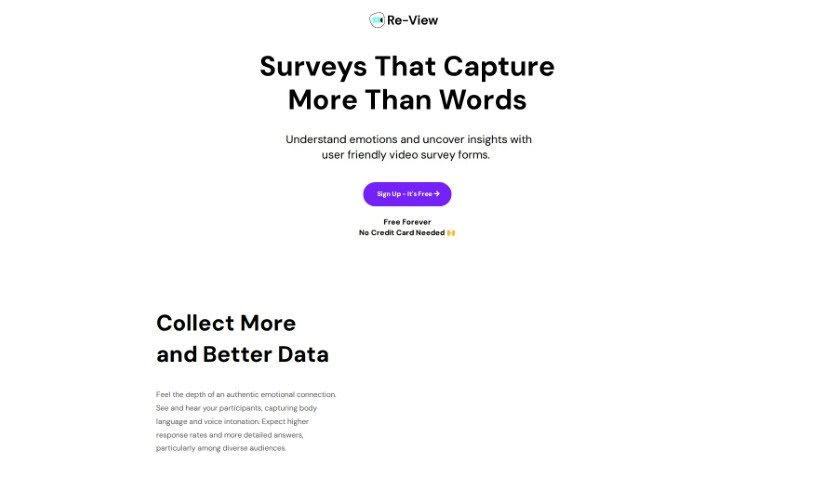
What is Re_View?
Re_View is a platform that lets people record their answers to video survey questions. This way, you can really see and hear how they feel, capturing their body language and voice tone for much deeper insights. It uses AI to help analyze these responses, giving you clear transcripts and detailed reports. Basically, Re_View is designed to make research easier and faster, thanks to its automatic insights and AI-powered analysis. Plus, they really care about keeping your data safe. They use advanced encryption for data both when it’s being sent and when it’s stored, all on secure servers that get regular security checks and updates. They also follow global privacy rules to make sure everything stays confidential and protected.
Who created Re_View?
Re_View was built by a team of pros who wanted to shake up how we collect data, using innovative video surveys powered by AI analysis. The company focuses on making surveys that are super easy for everyone to use, whether you’re a UX researcher, product manager, founder, HR person, marketer, or creator. While they haven’t shared who the founder is specifically, the company’s main goals are clear: offer fair pricing, provide strong research tools, and make sure the user experience for gathering meaningful feedback through video surveys is smooth and straightforward.
What is Re_View used for?
- Product feedback
- Collect More and Better Data: Use video surveys to get rich feedback, both spoken and visual, that helps you connect emotionally with participants.
- Efficient Research. Automatic Insights: Save valuable time with AI-assisted analysis that quickly provides transcripts and research reports.
- Stunning Simplicity: Keep participants engaged with beautifully designed, easy-to-use surveys.
- Powerful Research. Practical Pricing: Get deep insights without breaking the bank, thanks to modern and affordable research solutions.
- Get Started Quickly: You can set up surveys in just minutes, customized for all sorts of professional needs.
- Participant Screening
- Beta Testing
- Stakeholder Interviews
- Brand Awareness Research
For Specific Roles:
- UX Researchers: Collecting testimonials, validating concepts, testing names.
- Founders: Gathering testimonials, validating ideas, testing brand names.
- HR Professionals: Screening job applicants, conducting stakeholder interviews, getting 360-degree feedback.
- Marketers: Researching brand awareness, measuring customer satisfaction, testing messages.
- Creators: Collecting testimonials, getting website feedback, understanding customer needs.
Key Use Cases:
- Collecting testimonials
- UX research
- Concept validation
- Job applicant screening
- Customer satisfaction research
- Message testing
- Name testing
- 360-degree feedback
More on What You Get:
- Collect More and Better Data: Video surveys help you capture authentic emotional connections and rich feedback.
- Efficient Research. Automatic Insights: Save time with scalable research and AI analysis that swiftly delivers transcripts and reports.
- Stunning Simplicity: Beautifully designed, user-friendly surveys keep participants engaged for better results.
- Powerful Research. Practical Pricing: Get deep insights affordably with Re-View’s modern solutions.
- Get Started Quickly: Launch surveys in minutes, tailored to your professional goals.
Who is Re_View for?
- UX Researchers
- Product Managers
- Founders
- HR Professionals
- Marketers
- Creators
How to use Re_View?
Ready to dive in? Here’s how to get the most out of Re_View:
- Sign Up: It’s free to register on Re_View, and you don’t even need a credit card to start.
- Create Surveys: Design your video survey forms. You can capture participants’ body language and voice tone to really understand their responses.
- Engage Participants: Share your survey links! They’re designed to be simple and look good, which really helps encourage people to respond and give you better data.
- Collect Data: Use these video surveys to capture genuine emotional connections and get detailed feedback from all sorts of people.
- Save Time with AI Analysis: Let Re_View’s AI do the heavy lifting. It analyzes responses for you, quickly providing transcripts and research reports.
- Ensure Data Security: Rest easy knowing your data is protected with advanced encryption and that Re_View follows all the global privacy standards.
- Explore Features: Enjoy how easy research can be, get automatic insights, and appreciate the simple beauty of well-designed surveys.
- Tailor Surveys: Quickly customize surveys for whatever you need – maybe UX research, product feedback, or stakeholder interviews.
- Upgrade Plans: You can choose from Free, Starter, or Pro plans, and switch between them whenever you like.
- Discounts for Non-Profits and Educational Institutions: If you qualify, you can get special discounted rates. Just reach out to their support team for help.
By following these steps, you’ll be able to efficiently use Re_View to gather great feedback and conduct insightful research for all your professional needs.