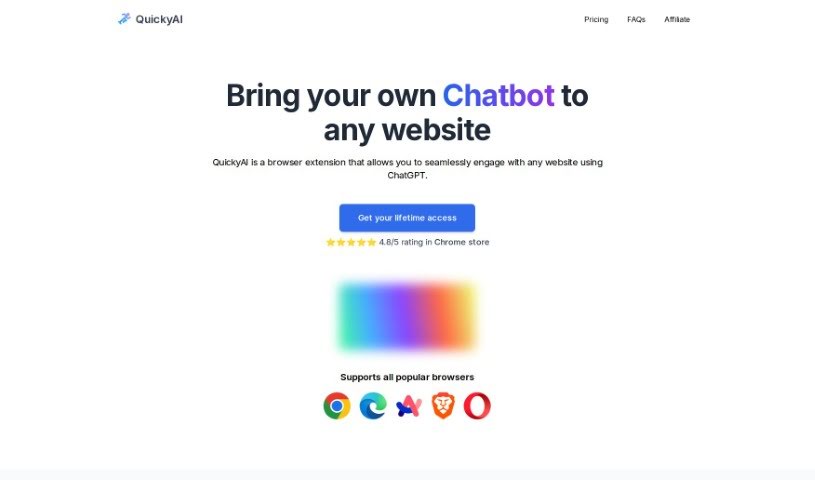
Screenshot of Quicky AI

Quicky AI

Discover what Quicky AI is and how to make the most of it in 2025. We'll look at its features and how it stacks up against other automation tools.

Screenshot

What Exactly is Quicky AI?

QuickyAI is a handy browser extension that works hand-in-hand with ChatGPT. It’s designed to boost your productivity by letting you tap into AI’s power right as you browse the web. What can it do? Well, it integrates instantly with ChatGPT, makes summarizing articles or web pages super simple, lets you create and save your own custom prompts, and keeps your chat history organized. You can pick between a Basic or Premium plan, and they even throw in a 7-day free trial. Basically, it lets you use ChatGPT on pretty much any website you visit, letting you tailor your AI interactions to whatever you need. It’s a really flexible tool, perfect for solopreneurs, developers, content creators, and project managers alike.

Who’s Behind Quicky AI?

Quicky AI was actually started by Radha Radhakrishnan and Shripal Soni. Radha is connected with WebNamaste, and Shripal is a content creator himself. Quicky AI is a browser extension that really makes it easy to chat with any website using ChatGPT. It offers features like immediate access to ChatGPT, the ability to chat with any webpage, quick summarization, support for different GPT models, and more. People seem to really like it, often mentioning how much time it saves and how easy it is to use.

What Can You Actually Do with Quicky AI?

Here’s a breakdown of what Quicky AI helps you achieve:

  • Chat with Any Website: You can easily interact with any website using ChatGPT.
  • Quick Summaries: Get summaries of articles or web pages with just one click or a keyboard shortcut.
  • Custom Prompts: Create and save your own ChatGPT prompts for whatever tasks you have.
  • Instant Access: Use ChatGPT on any website without delay.
  • Screenshot & Ask: Take screenshots from websites and then ask questions about them.
  • Command ChatGPT: Get instant access to ChatGPT commands.
  • Boost Productivity: Save time by using ChatGPT on any site you’re on.
  • Effortless Summaries: Generate summaries without breaking a sweat.
  • Streamline Your Work: Make your workflow smoother by using ChatGPT directly on any website.
  • Browser Compatibility: Access ChatGPT across all your favorite browsers.
  • Seamless Web Use: It’s designed for using ChatGPT on any website smoothly with the browser extension.
  • One-Click Summaries: Summarize any article or web page with just a single click or shortcut.
  • Personalized Prompts: Create and save your own ChatGPT prompts for any task you can think of.
  • Accessible History: Keep all your ChatGPT interactions handy with saved chat history.
  • Flexible Plans: Choose between Basic or Premium plans, which include a 7-day free trial.
  • Productivity on Any Site: Access ChatGPT on any site to boost your productivity and save valuable time.
  • All-in-One Functionality: Generate summaries, create custom prompts, and tell ChatGPT what to do right on the page you’re working on.
  • Efficient Workflows: Make workflows more efficient, especially for solopreneurs, developers, content creators, and project managers.
  • Top Features: It offers great features like Instant Integration and Custom Prompts.
  • Revolutionary Chrome Extension: This Chrome extension truly changes how users interact with web content.
  • Use ChatGPT Anywhere: Seamlessly use ChatGPT on any website with the browser extension.
  • Summarize Instantly: Summarize any article or web page with just one click or shortcut.
  • Save Your Prompts: Create and save your own ChatGPT prompts for any task.
  • Keep History Accessible: Keep all your ChatGPT interactions accessible with saved chat history.
  • Trial Included: Choose from Basic or Premium plans with a 7-day free trial included.
  • Broad Browser Support: It supports all popular browsers.
  • Multiple GPT Models: You can use multiple GPT models.
  • Screenshot and Query: Take a screenshot from the website and ask any questions.
  • Anytime, Anywhere Prompts: Create your own prompts to use them anywhere and anytime.
  • Text Selection Prompts: Select text on any website and choose a desired prompt to let ChatGPT work on your current page.

Who is Quicky AI Designed For?

Quicky AI is a great tool for:

  • Solopreneurs
  • Developers
  • Content creators
  • Project managers

How Do I Get Started with Quicky AI?

Using QuickyAI is pretty straightforward. Just follow these simple steps:

  1. Installation:
    • First, add QuickyAI as a browser extension. It works with all the popular browsers you likely use.
  2. Getting Started:
    • You can kick things off with a 7-day free trial to explore all the features it offers.
  3. Key Features to Explore:
    • Instant Integration: You can use ChatGPT seamlessly right on any website you visit within your browser.
    • Summarization: Need a quick rundown? Summarize articles or web pages with just a single click.
    • Custom Prompts: Go ahead and create and save your own ChatGPT prompts for all sorts of different tasks.
    • Chat History: It’s easy to access all your saved ChatGPT interactions whenever you need them.
    • Multiple GPT Models: You have the option to choose from various GPT models, including the very latest GPT-4o.
  4. Choosing a Plan:
    • You can opt for the Basic plan, which requires your own OpenAI API key, or you can choose the Premium plan for a more complete experience.
  5. Need Help?
    • If you have any questions or suggestions, don’t hesitate to reach out to QuickyAI’s excellent support team via email.

By following these steps, you’ll be able to boost your productivity with QuickyAI. You can seamlessly use the power of ChatGPT across different websites. Enjoy simpler summarization, creating custom prompts, and quickly accessing ChatGPT commands while you browse the web.

Related AI Tools

Discover more tools in similar categories that might interest you

Stay Updated with AI Tools

Get weekly updates on the latest AI tools, trends, and insights delivered to your inbox

Join 25,000+ AI enthusiasts. No spam, unsubscribe anytime.