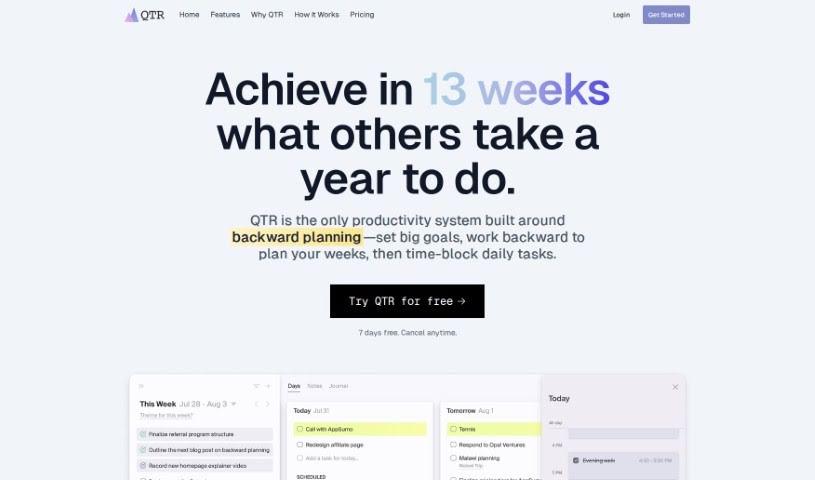
Screenshot of Qtr

Qtr

Discover what Qtr is and how to use it effectively in 2025. Explore its features and see how it stacks up against other project management tools.

Screenshot

What is Qtr?

QTR is a really smart quarterly planner. It helps you bridge the gap between your big-picture, long-term goals and your day-to-day tasks. With QTR, you can set clear goals for the quarter and then break them down into super-detailed daily plans. It is organizing your entire life into weekly sprints, time-blocking your tasks so you know exactly when you’ll do them, keeping journals for reflection, planning out your projects, and keeping a close eye on your progress. It’s basically an all-in-one productivity tool designed to help you actually reach your ambitions.

Who created Qtr?

Qtr was actually developed by someone who felt frustrated with typical to-do apps. They noticed these apps focused too much on just listing tasks, not on helping people be truly effective. So, they created Qtr with the idea that managing your tasks and your time well is key to hitting those bigger, long-term goals. It’s a pretty advanced quarterly planner that blends long-term vision with detailed daily planning. You can set goals, organize your work into weekly sprints, block out time for specific tasks, journal your thoughts, plan projects, and track your progress. The whole point is to give you a complete toolkit for boosting your productivity and making sure you achieve what you set out to do.

What is Qtr used for?

Here’s a look at what you can do with QTR:

  • Organize your life: Break down your year into manageable weekly sprints.
  • Plan your days with precision: Know exactly what you need to do and when.
  • Achieve your dreams: Make real progress on your goals, 13 weeks at a time.
  • Journal your thoughts: Keep separate journals for daily, weekly, quarterly, and even yearly reflections.
  • Structure your tasks: Organize your to-dos and priorities with focused, structured methods.
  • Master time-blocking: Use dedicated time slots for your tasks to plan your days accurately.
  • Track your goals: Define clear timeframes, link them to specific projects, and monitor how you’re doing.
  • Plan your projects: Use various brainstorming tools to map out your projects.
  • Combine long-term and daily planning: See how your daily actions contribute to your bigger picture.
  • Align tasks with your schedule: Slot tasks into your calendar and sync them up.
  • Advanced quarterly planning: It’s designed for this specific, powerful planning style.
  • Organizing and planning life in weekly sprints: A core function for managing your time effectively.
  • Combining long-term planning with daily planning: Connecting your big goals to your daily actions.
  • Setting goals for the quarter: Clearly define what you want to achieve in the next three months.
  • Planning days in precise detail: No more guessing what to do next.
  • Organizing tasks and priorities in weekly sprints: A structured way to manage your workload.
  • Time-blocking feature for planning days with precision: Allocate specific times for each task.
  • Maintaining separate journals for reflections: Capture insights from your daily, weekly, quarterly, and yearly activities.
  • Supporting project planning with brainstorming tools: Tools to help you map out your projects.
  • Tracking goals, defining timeframes, and monitoring progress: Keep tabs on your ambitions.
  • Organizing life in weekly sprints: A key method for managing your time.
  • Planning days with precision: Knowing exactly what to do and when.
  • Setting and tracking goals: Define and monitor your objectives.
  • Time blocking tasks: Scheduling specific times for your to-dos.
  • Syncing tasks with calendars: Integrate your plans with your existing schedule.
  • Maintaining separate journals for reflections: Document your thoughts and progress.
  • Supporting project planning with various brainstorming tools: Tools to help you map out your projects.
  • Defining timeframes for goals: Setting deadlines for your objectives.
  • Linking goals to projects: Connecting your ambitions to specific initiatives.
  • Monitoring progress towards goals: Keeping track of how you’re advancing.

Who is Qtr for?

QTR is a great tool for:

  • Smart, busy professionals: Those who need to manage demanding schedules.
  • Busy Professionals: Anyone juggling multiple responsibilities.
  • Engineers: Often dealing with complex projects and deadlines.
  • Individuals seeking a comprehensive tool: If you want one place to manage your ambitions and achieve your goals effectively.

How to use Qtr?

To get the most out of QTR, try following these simple steps:

  1. Start with your end goal: Think about the single most important task that would make your day feel successful. What’s that one thing?
  2. Work backward from there: Figure out all the smaller tasks you need to complete to reach that main daily goal. Add these to your to-do list.
  3. Schedule tasks like appointments: Treat your to-do items as if they were important meetings. Assign specific time slots on your calendar for each one.

QTR really shines as a quarterly planner because it uniquely blends setting those big, long-term goals with the practicalities of daily planning. It lets you organize your entire life into weekly sprints, plan out your tasks with great precision by simply dragging them into time slots, and even syncs with your calendars. Plus, it includes a journaling feature for daily, weekly, quarterly, and yearly reflections, tools for project planning with various brainstorming options, and robust goal tracking capabilities. Because it offers such a complete way to plan, is so flexible, and brings together so many useful features, QTR stands out as a fantastic all-in-one productivity tool that genuinely helps people achieve their ambitions efficiently.

Related AI Tools

Discover more tools in similar categories that might interest you

Stay Updated with AI Tools

Get weekly updates on the latest AI tools, trends, and insights delivered to your inbox

Join 25,000+ AI enthusiasts. No spam, unsubscribe anytime.