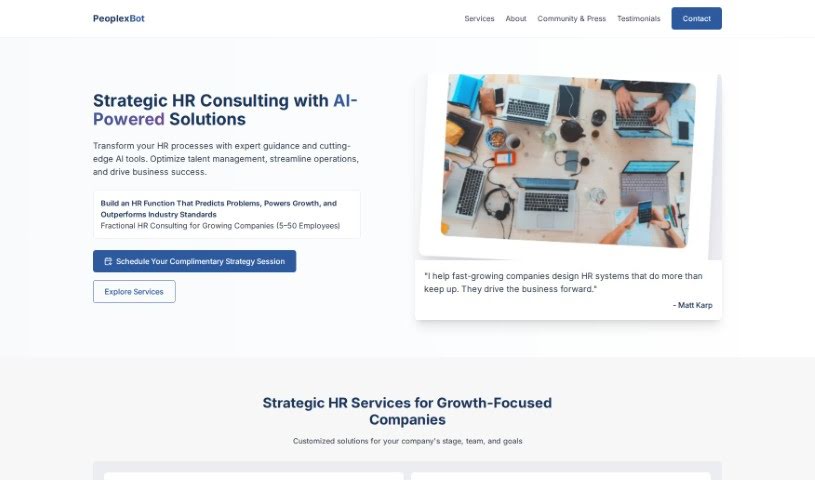
Screenshot of PxBot

PxBot

Discover what PxBot is and how to use it effectively in 2025. We'll explore its features and see how it stacks up against other employee tools.

Screenshot

What is PxBot?

PxBot, which stands for People Experience Bot, is a custom chatbot tool built specifically for businesses. It is a smart assistant that learns from your company’s own data to give accurate answers. It’s designed to replace those bulky SOP binders and endless FAQ pages, making information much easier to find. PxBot really helps boost engagement, keeps your data safe, and you can tailor it to fit your specific business needs. It uses advanced GPT technology for its chat responses and even supports 92 languages, meaning it can translate and summarize materials for a global audience.

Getting PxBot up and running is quick, and it handles your user data securely with encryption. Importantly, your bot’s data stays private – it’s not shared with other bots. You can train it using all sorts of company materials, like your website content, PDFs, Word docs, and even PowerPoint presentations. PxBot prioritizes privacy in how it handles data and can easily be embedded right into your company’s intranet. It’s a great way to improve learning and development by making information readily available, and it can even help draft corporate communications or social media posts.

Plus, PxBot saves a ton of time by automating answers to those common, repetitive questions. It provides a secure space for information and gives both employees and customers instant access to what they need. You can try it out for free, and they offer different pricing plans, including options for an Intranet Bot or a Company Website Bot. Keep an eye out for their upcoming app, which promises to add even more capabilities.

Who created PxBot?

PxBot was actually created by Matt, who is the founder and CEO of the company. It officially launched on July 18, 2023. As we mentioned, PxBot is designed to give accurate chat responses by using Generative Pre-trained Transformer (GPT) technology. The whole idea is to customize it for businesses, making engagement better, replacing those old SOP binders, and ensuring data security.

What is PxBot used for?

Here’s a look at what PxBot can do:

  • Easier Access to Info: Helps customers and employees find important information quickly.
  • Better Interactions: Instantly answers questions in many languages, complete with citations.
  • Content Creation: Helps you quickly write corporate communications and social media posts, matching the style of your previous announcements.
  • Customization: You can create chatbots specifically for your business, trained on your own data.
  • Boosted Engagement: Improves how customers and employees interact with your company by giving them instant access to needed information.
  • Multilingual Support: Offers help in 92 different languages.
  • Fast Implementation: Bots can be set up and ready to go in as little as a day.
  • Top-Notch Security: User data is handled securely with encryption, and bots are completely self-contained.
  • Handles Various Formats: It can process data from websites, PDFs, Word documents, PowerPoint presentations, and even YouTube videos.
  • Improves Resource Accessibility: Makes company resources easier to get to.
  • Enhances Information Availability: Ensures information is readily accessible.
  • Replaces Old Systems: Steps in for SOP binders and FAQ pages.
  • Accurate Responses: Provides chat answers based on your business’s specific data.
  • Custom Chatbot Search: Creates personalized search engines using your business data.
  • Automates Communications: Helps write social media posts or corporate messages in your established voice.
  • Learning & Development: Makes business materials more accessible for employee training.
  • Sales Support: Helps save time and handle informational queries for sales teams.
  • Integration: Can be embedded into intranets and websites via live chat, embed scripts, and API.
  • AI Awareness: It’s important to remember that AI has limits, and users should always verify information from reliable sources.

Who is PxBot for?

PxBot is a great tool for:

  • Heavy Lifters (likely referring to roles handling significant workloads)
  • Learning and Development Associates
  • Chief Technology Officers (CTOs)
  • Product Managers
  • Sales Professionals

How to use PxBot?

Using PxBot is pretty straightforward. Here’s how you get started:

  1. Share Your Materials: Securely provide your company’s materials to the PxBot team. This is how your bot learns.
  2. Training & Setup: The PxBot team will train your custom bot using your materials and help you get everything set up.
  3. Instant Answers: Your private bot will then be ready to give instant, cited answers to user questions in their preferred language.
  4. Boost Learning: PxBot helps employees get the information they need, when they need it, improving learning and development.
  5. Quick & Secure: It’s fast to implement, customizable, offers multilingual support, and keeps your data secure.
  6. Versatile Applications: Use it to improve customer and employee engagement, automate communications, and answer those common sales questions.
  7. Flexible Pricing: Options range from a free trial to custom plans tailored to your business.
  8. On-the-Go Access: Look out for the upcoming PxBot app, which will make business data accessible via SMS.
  9. Easy Integration: You can embed it on your website, use share links, live chat, or integrate with an API for a seamless experience.

Related AI Tools

Discover more tools in similar categories that might interest you

Stay Updated with AI Tools

Get weekly updates on the latest AI tools, trends, and insights delivered to your inbox

Join 25,000+ AI enthusiasts. No spam, unsubscribe anytime.