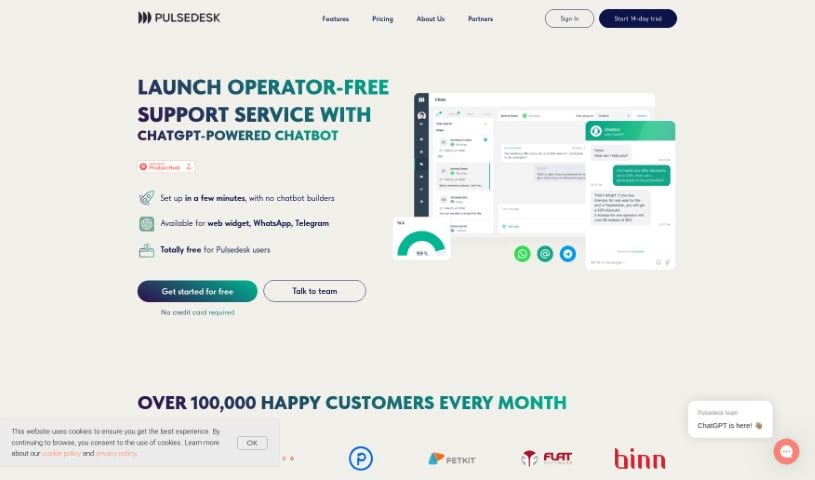
Screenshot of Pulsedesk

Pulsedesk

Discover what Pulsedesk is and how to use it effectively in 2025. We'll explore its features and see how it stacks up against other customer service tools.

Screenshot

What is Pulsedesk?

Pulsedesk is a help desk solution designed to make customer support much simpler. It comes packed with features like ticket management, live chat, automation tools, a knowledge base builder, a client portal, and the ability to connect with various IT systems. The main goal of Pulsedesk is to streamline how you handle customer inquiries, automate routine tasks, and boost customer satisfaction, even using tools like ChatGPT for client service. Plus, it makes it easy to pass customer questions to the right support agents, lets you see the status of tasks in real-time, and offers website chat widgets to make customer interactions smoother. Pulsedesk offers different pricing plans with varying features, all aimed at providing an efficient and cost-effective way to manage customer support.

Who created Pulsedesk?

Pulsedesk was founded by a team of professionals who have spent over 10 years creating digital products focused on improving client services and business processes. They specialize in CRM systems and help desk solutions. The company is based in both London, UK, and Dubai, UAE. Their corporate culture is built on mutual empowerment, openness, a commitment to continuous learning, and genuinely valuing their people.

What is Pulsedesk used for?

Here’s a look at what you can do with Pulsedesk:

  • Assign Customer Queries: Easily hand off customer questions to support agents with just a few clicks, making it clear who’s responsible for what.
  • Monitor Progress: Keep an eye on who’s working on what and the real-time status of every query. This helps you make smarter decisions.
  • Customer Communication: Offer live online chat and pop-up widgets on your website so customers can easily reach out.
  • Automate Workflows: Speed up your work and create faster responses by using Pulsedesk’s flexible trigger system and pre-made templates.
  • Knowledge Base: Build a knowledge base so clients can find answers themselves. You can also link to it from your website.
  • Track Metrics: Keep tabs on customer service performance, like how quickly you respond and resolve issues, to improve overall satisfaction.
  • Client Portal: Give customers their own portal to submit requests and check the status of their issues through their personal account.
  • Mobile Access: Stay connected with clients no matter where you are. The Pulsedesk mobile app lets you view requests from all channels, respond, update statuses, and assign tasks on the go.
  • Integrations: Connect Pulsedesk with your other IT systems and software easily, thanks to its open API and integration capabilities.
  • AI-Powered Support: Enhance your customer service by blending automated and human responses, especially with AI tools like ChatGPT.
  • Clear Accountability: Assigning customer queries to support agents ensures clear ownership and accountability for each one.
  • Real-time Oversight: Monitor work status and query status in real-time, which is crucial for making informed decisions and prioritizing tasks.
  • Direct Customer Interaction: Provide live online chat and pop-up widgets for direct communication with your customers.
  • Boost Productivity: Automate work processes and increase efficiency using the flexible trigger system and templates.
  • Self-Service Answers: Create a convenient knowledge base where clients can find answers on their own.
  • Performance Tracking: Keep track of key customer service metrics to identify areas for improvement.
  • Customer Request Management: Set up a client portal for customers to submit requests and monitor their progress.
  • Anytime, Anywhere Interaction: Interact with clients whenever and wherever you need to, using the mobile app.
  • System Integration: Integrate with various IT systems through the open API and available integrations.
  • Multi-Channel Inquiry Handling: Receive and process inquiries from email and chat, supported by a built-in Knowledge Base.

Who is Pulsedesk for?

  • CRM developers
  • Customer Support Agents
  • Business owners
  • CRM system developers

How to use Pulsedesk?

To get the most out of Pulsedesk, here’s a simple guide:

  1. Assign Queries to Agents: Make sure each customer query is assigned to a specific support agent. This ensures clear accountability and ownership for every ticket.
  2. Monitor Progress: Use the platform’s 360-degree view to keep track of each query’s real-time status. This helps you make informed decisions and prioritize tasks effectively.
  3. Customer Communication: Install Live Online Chat and Pop-Up widgets on your website. This gives customers an easy way to contact you, send messages, or find answers in the Knowledge Base.
  4. Automate Workflows: Take advantage of Pulsedesk’s trigger system to automate processes. You can also create templates to respond to requests much faster.
  5. Knowledge Base Creation: Build a Knowledge Base for your clients. This allows them to find answers independently, which can really boost customer satisfaction.
  6. Client Portal: Set up a client portal where customers can submit their own requests and track their status through a personalized account. It’s a great way to manage communication efficiently.
  7. Mobile App Access: Stay connected with your clients no matter where you are. Pulsedesk’s mobile app lets you view requests, respond, update statuses, and assign tasks on the go.
  8. Open API and Integrations: Seamlessly connect Pulsedesk with your other IT systems. Its open API makes integration straightforward, helping to improve your overall operational efficiency.
  9. Analytics and Reporting: Keep an eye on customer service metrics, like how quickly you respond and resolve issues. Tracking these helps you improve performance and make customers happier.
  10. Support Features: Take advantage of features like Gmail integration, the client portal, WhatsApp support, and live chat. They all work together to provide a comprehensive solution for managing customer inquiries.

By following these steps, you’ll be able to streamline your customer support, boost efficiency, and ultimately improve customer satisfaction with Pulsedesk.

Related AI Tools

Discover more tools in similar categories that might interest you

Stay Updated with AI Tools

Get weekly updates on the latest AI tools, trends, and insights delivered to your inbox

Join 25,000+ AI enthusiasts. No spam, unsubscribe anytime.