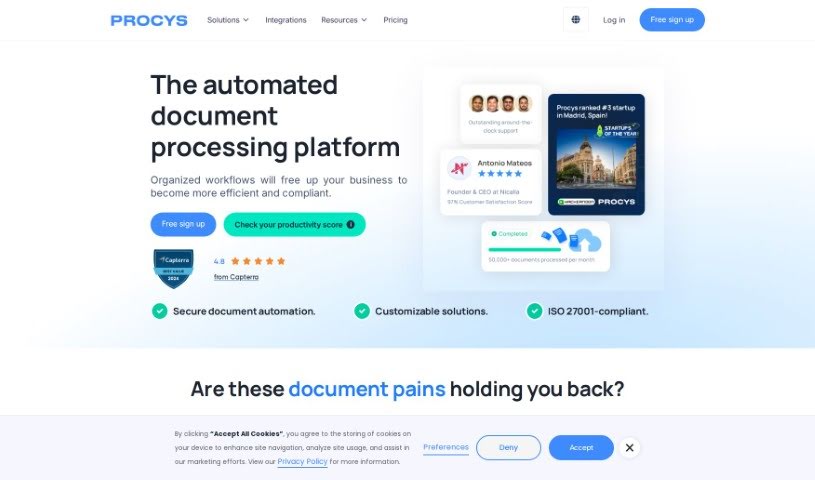
Screenshot of Procys

Procys

Discover what Procys is and how to use it effectively in 2025. We'll explore its features and see how it stacks up against other productivity tools.

Screenshot

What is Procys?

Procys is an AI-powered tool designed to automatically pull data from all sorts of documents. Think invoices, receipts, ID cards, and passports – it handles them all. What makes it stand out is its self-learning engine, which gets smarter over time. It also syncs up with your ERP systems, uses an AI-powered OCR API, is ready for UBL, and lets you customize exactly what data it extracts. Plus, it plays nicely with other leading tools, giving you processed data in easy-to-use formats like CSV and UBL. And you can rest easy knowing your data is safe; Procys is ISO 27001 certified, meaning they’re serious about protecting your information and your clients’.

Procys offers flexible pricing plans to fit different needs. There’s a starter plan perfect for freelancers and small to medium-sized businesses, all the way up to an enterprise plan that provides completely customized workflows. You can even set it up to automatically import documents from your email or cloud storage. Key features include extracting lines and tables, and classifying documents. Procys also emphasizes enterprise-grade security, supporting SOC 2 and GDPR compliance, and provides detailed audit trails along with role and user management.

Who created Procys?

Procys was started by an entrepreneur who’s been in the internet business for nearly 30 years, with a track record of launching and selling companies. He’s really passionate about automating business processes and genuinely enjoys the creation side of building a company. On top of running Procys, he also leads the main company, Openprovider. He also spends time mentoring other entrepreneurs and colleagues, and he’s an active investor in tech startups and the stock market.

What is Procys used for?

  • Automating Data Extraction: It efficiently pulls data from various documents like invoices, receipts, ID cards, and passports.
  • Saving Time: It cuts down on the hours you’d normally spend processing documents manually.
  • Streamlining Workflows: It helps make your business processes run more smoothly.
  • Self-Learning Engine: This engine ensures data extraction becomes more accurate and efficient the more it’s used.
  • ERP System Sync: It connects with your ERP systems for seamless data integration and automated workflows.
  • AI-Powered OCR: It uses advanced OCR technology driven by AI for quick data extraction.
  • UBL Support: It’s ready for the Universal Business Language (UBL) standard, making data export straightforward.
  • Custom Data Extraction: You can tailor it to capture specific data fields based on your unique requirements.
  • Integrations: It connects with leading platforms you likely already use.
  • Structured Data Output: It provides processed data in formats like CSV, UBL, or via an API.
  • More on Document Handling: It excels at extracting data from invoices, receipts, ID cards, and passports.
  • ERP Synchronization: It syncs with ERP systems for better data flow.
  • AI OCR API: It uses an AI-powered OCR API for fast data capture.
  • UBL Standard: It supports the Universal Business Language (UBL) standard for easy data export.
  • Specific Data Capture: You can set up custom data extraction to get exactly the fields you need.
  • Platform Integrations: It integrates with leading platforms.
  • Top-Notch Security: It boasts ISO 27001 certification for excellent data security.

Who is Procys for?

  • Accounting professionals
  • Self-employed individuals

How to use Procys?

Using Procys is pretty straightforward. Here’s how you can get started:

  1. Upload Your Documents: First, just load your documents into Procys. You can use PDFs, images, or scanned files, and you can pull them from places like cloud storage, email, or directly via an API.
  2. Let Procys Process: Procys uses its advanced OCR technology to quickly extract and organize your data, making sure it’s accurate and efficient.
  3. Export Your Data: Once processed, you can share the information in whatever format works best for you, which really simplifies data management and your overall workflow.

Procys really focuses on data security, creating a safe space for all your information. The software also offers integrations with various tools and services, which can add even more functionality.

By following these simple steps, you can efficiently extract and process data from all sorts of documents using Procys’ AI technology. This helps streamline your workflow and saves you a lot of time on manual document processing. Remember, the software features a self-learning engine, syncs with ERP systems, uses an AI-powered OCR API, is UBL-ready, and allows for custom data extraction, making it a really versatile and valuable tool for businesses of any size.

Related AI Tools

Discover more tools in similar categories that might interest you

Stay Updated with AI Tools

Get weekly updates on the latest AI tools, trends, and insights delivered to your inbox

Join 25,000+ AI enthusiasts. No spam, unsubscribe anytime.