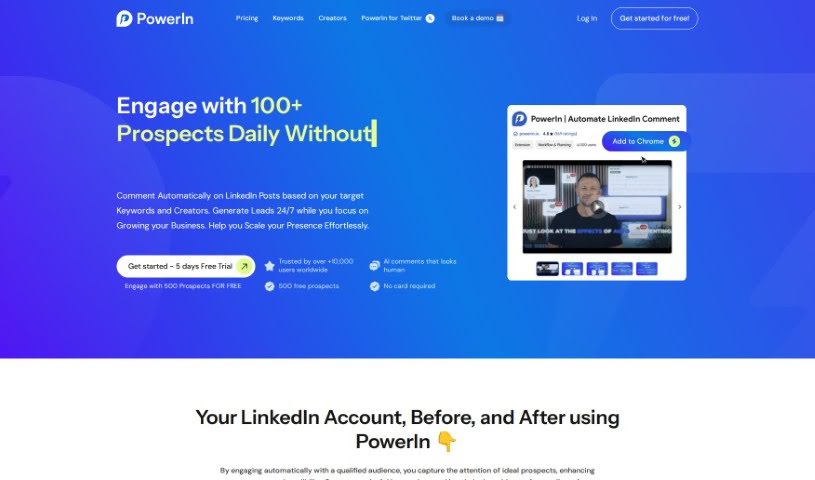
Screenshot of PowerIn

PowerIn

Discover what PowerIn is and how to use it to boost your LinkedIn presence in 2025. We'll cover its features, compare it to other LinkedIn tools, and show you how to get started.

Screenshot

What is PowerIn?

PowerIn is a smart tool that uses AI, specifically ChatGPT, to automate and improve how you interact on LinkedIn. It is your assistant for LinkedIn, helping you generate comments automatically. Its main goal is to help you and your brand become more visible, increase your online presence, drive sales, and gain more subscribers on LinkedIn. The tool is designed to automatically comment on posts from LinkedIn’s Top Voices, which saves you a ton of time and helps boost your engagement by creating comments that sound like they were written by a real person. PowerIn also prioritizes your safety by handling your LinkedIn activities securely. Plus, it’s flexible with different subscription options and supports comments in various languages.

PowerIn’s AI is pretty sophisticated. It uses advanced natural language processing to make sure the comments it generates are not only relevant but also genuinely engaging. It actually looks at what each LinkedIn post is about and then crafts comments that fit the context, are specific to your industry, and actually add something to the conversation. This technology is great because it mimics how a person would naturally interact, helping you avoid looking like spam and staying within LinkedIn’s rules for automation.

Using PowerIn for automated comments brings a lot of benefits. You’ll see more consistent engagement, which naturally expands your reach. It’s a huge time-saver, helps keep your brand’s voice consistent, makes it easier to spot new opportunities, and can lead to more followers on LinkedIn. By automatically engaging with the right people and focusing on specific keywords and creators, you can really boost your visibility, grow your network, and find more chances for sales through comments that feel personal and are consistently posted.

Who created PowerIn?

PowerIn was developed with the specific goal of automating and enhancing LinkedIn activities, especially by generating comments using ChatGPT. It first launched on April 5, 2023, and since then, it’s been helping individuals and brands boost their online presence, visibility, sales, and subscriber numbers. The tool has some neat features, like automatically commenting on posts from LinkedIn’s Top Voices, offering language support for those comments, ensuring secure automation, and using AI to create human-like comments that can even target what your competitors are posting. PowerIn was founded because many users were looking for ways to expand their reach on LinkedIn. It offers flexible subscription plans, free trial periods so you can test it out, and the ability to export your data, all without any setup fees.

What is PowerIn used for?

PowerIn is incredibly versatile and can help you with a variety of LinkedIn tasks:

  • Save Time: It handles repetitive tasks so you can focus on other things.
  • Brand Consistency: Ensures your brand’s voice stays consistent across all your LinkedIn interactions.
  • Automate & Enhance LinkedIn Activity: It streamlines and improves how you use LinkedIn.
  • Boost Online Presence: Helps you achieve your business goals by increasing your visibility.
  • Autopilot Growth: Lets you put your LinkedIn growth on autopilot.
  • Generate Comments: Creates automatic comments using ChatGPT.
  • Increase Engagement & Visibility: Drives more interaction and makes your profile more noticeable.
  • Targeted Commenting: Lets you focus your automatic comments on specific LinkedIn accounts or keywords.
  • Multilingual Support: Generates comments in multiple languages.
  • User Safety: Prioritizes your account’s security with safe automation practices.
  • Advanced Analysis: Uses the GPT 3.5 turbo API to analyze posts.
  • For Individuals & Brands: Caters to anyone looking to expand their reach on LinkedIn.
  • Boost Online Presence: Automatically comments on posts to enhance your profile’s visibility.
  • Engage Qualified Audiences: Automates interaction with the right people to capture attention and build credibility.
  • Connect with Prospects: Creates interactions with potential clients through automated comments.
  • Expand Network & Visibility: Targets specific keywords and creators to grow your network and reach.
  • Save Time on Responses: Automates replies to relevant posts, freeing up your time.
  • Identify Opportunities: Helps you find networking, collaboration, and business development chances through automated comments.
  • Follower Growth: Boosts your profile’s visibility and helps you gain more followers.
  • Enhance Personal Brand: Builds trust and strengthens your personal brand through consistent engagement.
  • Drive Sales & Network Expansion: Increases exposure to create more opportunities for sales and networking.
  • Consistent Engagement: Keeps your profile active and engaging.
  • Expanded Reach: Helps your content and profile be seen by more people.
  • Opportunity Identification: Makes it easier to spot potential business or networking connections.
  • Follower Growth: Supports the expansion of your audience.

Who is PowerIn for?

PowerIn is designed for a range of users on LinkedIn:

  • Individuals: Whether you’re a freelancer, job seeker, or looking to build your personal brand.
  • Brands: Companies of all sizes aiming to improve their LinkedIn marketing and sales efforts.
  • Individuals seeking to boost their online presence: If you want to be more visible and recognized on LinkedIn.
  • Brands aiming to increase visibility, sales, and subscribers: For businesses looking to leverage LinkedIn for growth.
  • Anyone on LinkedIn: If you’re looking to make your LinkedIn activity more efficient and effective.

How to use PowerIn?

Using PowerIn effectively on LinkedIn is straightforward. Here’s a step-by-step guide:

  1. Sign Up: Start by signing up for PowerIn on their official website.
  2. Trigger Interactions: You can engage with up to 200 prospects each day by using the AI-powered automated comments.
  3. Targeted Engagement: Focus your efforts by automatically commenting on LinkedIn posts that contain specific keywords you’re interested in.
  4. Expand Your Network: Actively create new connections and engage with key players in your industry or market.
  5. Set Your Limits: You can target up to 3 keywords and 50 specific creators, while commenting up to 150 times daily.
  6. Try It Free: Take advantage of a 5-day free trial to experience what PowerIn can do before you decide on a plan.
  7. Drive Results: Use the tool to engage, book meetings, and ultimately make sales by capitalizing on the interactions your automated comments generate.
  8. Enjoy the Benefits: Experience consistent engagement, expanded reach, save valuable time, maintain brand consistency, identify new opportunities, and foster follower growth.
  9. Ensure Relevance: PowerIn’s AI analyzes each LinkedIn post to generate comments that are always relevant and engaging.
  10. Personalize Your Approach: You can customize the tone of your comments, choose whether to include emojis and hashtags, and even set up manual comment approval for a more personal touch.
  11. Save Time & Stay Consistent: Utilize PowerIn’s automated comments feature to save time and keep your engagement consistent on LinkedIn.
  12. Choose Your Plan: Select a subscription plan that best fits your needs and budget to access all of PowerIn’s features.

By following these steps, you can effectively use PowerIn to automate and enhance your LinkedIn activities, ultimately boosting your online presence and helping you achieve your business objectives.

Just a heads-up, these steps are based on the information available in the PowerIn documentation.

Related AI Tools

Discover more tools in similar categories that might interest you

Stay Updated with AI Tools

Get weekly updates on the latest AI tools, trends, and insights delivered to your inbox

Join 25,000+ AI enthusiasts. No spam, unsubscribe anytime.