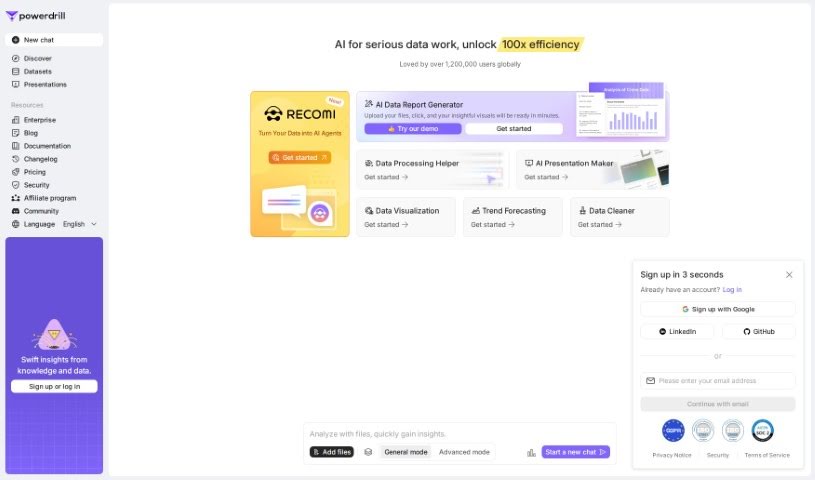
Screenshot of Powerdrill

Powerdrill

Discover what Powerdrill is and how to use it effectively in 2025. We'll explore its features and see how it stacks up against other Data Analytics Tools.

Screenshot

What is Powerdrill?

Powerdrill is a platform designed to make integrating your data with OpenAI’s powerful Large Language Models (LLMs) super simple, all without needing to write any code. It is your go-to tool for building smart Q&A systems and interacting with your data in new ways. It also makes sharing datasets with others a breeze.

Who created Powerdrill?

While the specific founder or founding team behind Powerdrill isn’t detailed in the information we have, we know the company is focused on providing services that let you connect your data with OpenAI LLMs using a no-code approach. This allows for intelligent Q&A and smoother interactions within your data ecosystem, including easy dataset sharing. Unfortunately, we don’t have more details on the founder’s background right now.

What is Powerdrill used for?

  • Asking intelligent questions using OpenAI LLMs
  • Interacting with your data ecosystem
  • Connecting data without any coding required
  • Sharing datasets with others

How to use Powerdrill?

Getting started with Powerdrill is pretty straightforward. Here’s a simple guide:

  1. Sign Up: First, create an account on Powerdrill. This gives you access to the platform where you can start integrating your data and OpenAI LLMs for intelligent Q&A and ecosystem interactions, all without coding.
  2. Explore Features: Take some time to look around the platform. You’ll find features like dataset sharing, which makes it really easy to collaborate and share your data with anyone you choose.
  3. Get Familiar with the Interface: Powerdrill boasts a no-code interface. This means you can seamlessly connect your data and use OpenAI LLMs to build advanced Q&A capabilities without needing programming skills.
  4. Import Your Data: Bring your datasets into Powerdrill. Once they’re in, you can start analyzing them and interacting with OpenAI’s language models.
  5. Build Q&A Systems: Use the no-code tools provided to create intelligent Q&A systems. You’ll be using your own data combined with the power of OpenAI LLMs available right there on the platform.
  6. Test Your Models: After you’ve set up your Q&A models, it’s important to test them within the Powerdrill environment. This helps ensure they’re working just the way you expect.
  7. Collaborate and Share: Make the most of the dataset sharing feature. Share your datasets and any insights you’ve gained with colleagues or your community.
  8. Give Feedback: We love hearing from users! Providing feedback on Powerdrill helps us improve its features and lets others in the community know about your experience.

By following these steps, you’ll be well on your way to effectively using Powerdrill for all your data integration, Q&A system building, and ecosystem interaction needs.

Related AI Tools

Discover more tools in similar categories that might interest you

Stay Updated with AI Tools

Get weekly updates on the latest AI tools, trends, and insights delivered to your inbox

Join 25,000+ AI enthusiasts. No spam, unsubscribe anytime.