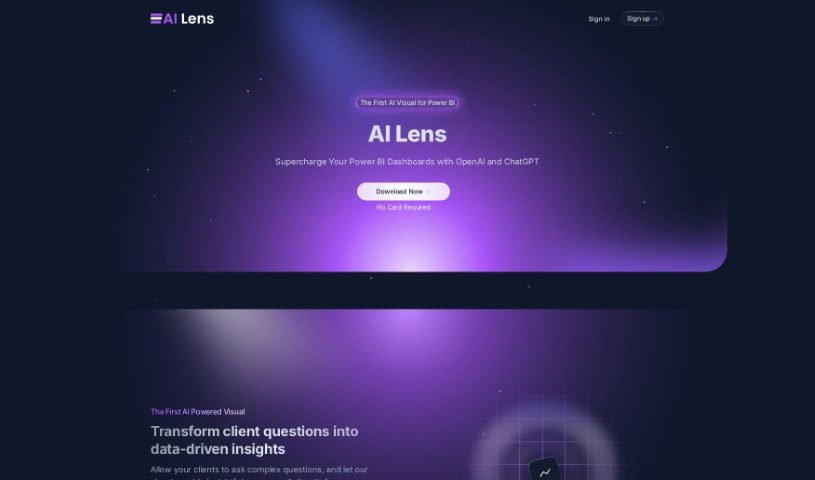
What is Power BI AI Lens?
Power BI AI Lens is a neat third-party visual tool for Microsoft Power BI. It brings the power of OpenAI and ChatGPT right into your Power BI dashboards, making them much more interactive. Essentially, it lets you ask complex questions directly within Power BI and get insightful answers in real-time. It is having a natural language conversation about your data. The tool fits right into your existing Power BI projects, and you can even customize it to match your brand’s look and feel. Plus, you get fine-grained control over which data sources it can access, which is great for privacy and security.
What’s really good about AI Lens is its commitment to data privacy. It doesn’t store, log, sell, or monitor your data at all. All memory from your session stays right there in Power BI, keeping your information private. They’re also planning to integrate GPT-4 in the future, which should make it even more powerful. You’ll find flexible pricing options too, including a free tier, and then plus and enterprise plans that offer more features, higher usage limits, and even lifetime plan options.
Who created Power BI AI Lens?
Power BI AI Lens was brought to life by Mark Lamprecht and Jessie Pietrasiak. Mark is the CEO & Co-founder, and Jessie is the CTO & Co-founder of the company behind it. They launched the tool on June 18, 2024, aiming to provide that natural language interaction and real-time, insightful answers directly within Power BI dashboards. As we mentioned, data privacy is a big deal for them – they don’t store, log, sell, or monitor any data, making sure you’re always in control of your information.
What is Power BI AI Lens used for?
- Keeping your data secure and private: This is a top priority.
- Boosting your Power BI dashboards: It adds AI-powered insights to make them smarter.
- Talking to your data naturally: You can have conversations within Power BI.
- Getting quick, smart answers: It tackles complex questions and gives you clear responses.
- Matching your brand: You can customize its look to fit your brand aesthetics.
- Controlling your data: You have detailed control over which data sources it uses.
- High privacy standards: They really focus on keeping your data safe.
- No data tracking: Your data isn’t stored, logged, sold, or monitored.
- Working with live data: It connects dynamically with up-to-date data sources.
- Future GPT-4 integration: They’re planning to add even more power.
- Context-aware insights: Expect smarter, more relevant answers as it learns.
- Easier report enhancement: Make your reports better without a lot of extra work.
- Seamless Power BI integration: It fits right into your existing projects.
- Customization for branding: Tailor its appearance to your company’s style.
- Granular data source control: You decide exactly what data it can access.
- Real-time analysis: Get insights from your data as it’s updated.
- Context-aware insights: It understands the context of your questions better.
- Help Center: Get guidance and support when you need it.
- Turning questions into insights: Transform client queries into data-backed answers.
- Effortless data-driven decisions: Make choices based on clear data insights.
- Supercharging Power BI: Give your dashboards a significant boost.
- Natural language conversations: Interact with your data using everyday language.
- Brand aesthetic matching: Ensure it looks like part of your brand.
- High data privacy: Your information is kept secure.
- Granular data control: You manage data source access.
- Seamless integration: Works smoothly with current data sources.
- Effortless AI enhancement: Improve reports easily with AI.
- Flexible pricing: Options to suit different needs and budgets.
- Direct Q&A in Power BI: Ask complex questions right within the tool.
Who is Power BI AI Lens for?
- Data Scientists
- Product Developers
- Front-end Engineers
- Senior Data Scientists
- Data Analysts
- Business Analysts
- Data Engineers
- Data Visualization Specialists
- Business Intelligence Analysts
How to use Power BI AI Lens?
Using Power BI AI Lens effectively is pretty straightforward. Here’s a breakdown of the steps:
- Integration with Power BI:
- AI Lens connects smoothly with Power BI. It works with your latest data sources in real-time, giving you relevant insights.
- Customization:
- You can tailor AI Lens to match your brand’s aesthetics. This helps create a professional and consistent look for your Power BI dashboard.
- Data Control:
- AI Lens gives you detailed control over your data sources. This means you can grant access only to specific sources, which is great for privacy.
- Data Security and Privacy:
- They maintain high standards here. Your data isn’t stored, logged, sold, or monitored. After each session, all data memory stays locally within Power BI, ensuring your privacy.
- Pricing Plans:
- There are flexible pricing plans available. You can start with a free option, or choose plus, enterprise, and even lifetime plans that come with different features and costs.
- Upgrade and Support:
- They’re planning future upgrades to GPT-4 to make the tool even better. For support, there’s basic help available, and enterprise subscribers get specialized support.
- AI Lens Functionality:
- AI Lens lets you have natural language conversations, get insightful answers, and perform real-time analysis. This helps you make data-driven decisions directly within Power BI.
- Sign-up and Interaction:
- You can sign up on the AI Lens website. Even if you’re using a free version of Power BI, you can still effectively use AI Lens features.
- Data After Session:
- Your data stays secure after each session. AI Lens doesn’t store or log any of your user data.
By following these steps, you can really make the most of AI Lens to improve your Power BI dashboards efficiently and effectively.