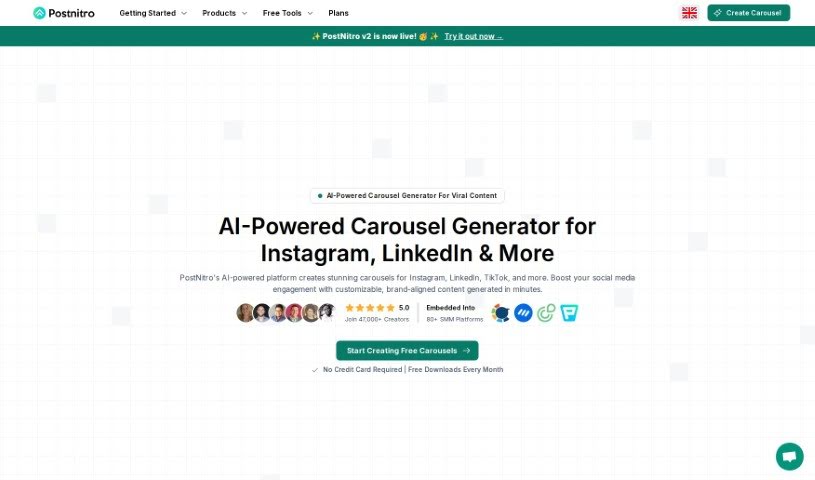
What is PostNitro?
PostNitro is an AI Carousel Post Generator, a platform designed to help you create eye-catching, brand-aligned carousels for social media. Think Instagram, LinkedIn, TikTok, and more. It uses AI to make the whole design process much simpler. You just give it your ideas, then you can preview and tweak everything until it’s just right. Once you’re happy, you can easily export and publish your carousels. The main goal here is to save you time and help you get more people interacting with your content by giving you AI-generated posts that are perfect for different social platforms.
Basically, PostNitro, the AI Carousel Post Generator, takes the hassle out of making engaging carousel posts. It automates a lot of the work, which is a huge plus for marketers, agencies, small business owners, and anyone creating content. If you want to produce high-converting content that really connects with a broad audience across social media, this tool is designed to help.
Who created PostNitro?
PostNitro - AI Carousel Post Generator was developed by Artem Konovalov. He’s the Founder and leads Spellar AI. PostNitro itself is an AI platform that’s really good at making social media carousel creation straightforward. People have been praising it for how efficient it is, its customization options, and how easy it is to use. Users especially like that it saves them time, letting them focus more on their content strategy instead of getting bogged down in design details. All in all, PostNitro’s fresh take on creating carousels has definitely made a positive mark on the market.
What is PostNitro used for?
PostNitro is incredibly versatile and can help you with a lot of different content creation tasks:
- Multi-language support: Create carousels in various languages.
- Team headshots: Easily integrate team photos to build trust.
- Team collaboration: Work together with your team to ensure consistent messaging.
- Repurposing content: Turn viral tweets and entire threads into shareable carousels for wider reach across platforms.
- Transforming long-form content: Convert lengthy articles or posts into engaging, bite-sized carousels with just one click.
- Idea to Carousel: Take any idea or concept and turn it into a compelling multi-slide presentation.
- Custom Text to Visuals: Convert your own text into visually appealing carousels that are ready to post.
- Boosting Engagement: Create carousels that really capture your unique brand essence, helping you stand out on Instagram, LinkedIn, and other platforms.
- Visual Enhancement: Improve your visuals with AI-suggested font and color combinations, or use your own custom choices.
- Brand Consistency: Upload your own fonts and apply your exact brand colors to every carousel you create.
- Effortless Professionalism: Create professional-looking carousels easily with a user-friendly editor.
- Organized Workflow: Keep your carousel creation process organized using dedicated project workspaces.
- AI Content Generator: Let AI help you create content ideas.
- Twitter Thread to Carousel Transformer: Quickly convert Twitter threads into carousel format.
- Article to Carousel Converter: Turn articles into engaging carousels.
- Topic-Based Carousel Generator: Create carousels based on specific topics you choose.
- Custom Text to Carousel Maker: A straightforward way to turn any text into a carousel.
- Font & Color Palettes: Access pre-made palettes for perfect visuals.
- Upload Custom Fonts: Ensure your brand’s typography is consistent.
- Custom Color Palette: Apply your specific brand colors precisely.
- Font & Color Palettes for perfect visuals: Get the right look and feel for your content.
- Team Headshots integration for trust-building: Add a human touch to your brand’s online presence.
- Upload Custom Fonts for brand consistency: Maintain your brand’s visual identity across all posts.
- Project Workspaces for organized creation process: Keep your projects tidy and manageable.
- Team Collaboration for consistent messaging: Ensure everyone on your team is on the same page.
- Multi-Format Export for flexible sharing: Download your carousels in various formats.
- Zapier integration: Connect PostNitro with other tools you use to automate your workflow.
- Team Headshots Integration: A specific feature for adding team photos.
- Smart Design Presets: Use intelligent presets to speed up your design process.
Who is PostNitro for?
PostNitro is a great tool for:
- Marketers looking to create engaging social media content efficiently.
- Agencies that need to produce high-quality carousels for multiple clients.
- Small Business Owners who want to enhance their social media presence without a large design team.
- Content creators aiming to make their posts more visually appealing and shareable.
- Creators in general who want to save time on design and focus on their message.
How to use PostNitro?
Using PostNitro - AI Carousel Post Generator is pretty straightforward. Here’s a step-by-step guide:
- Start Creating Free Carousels: First off, head over to the platform. You can start using their wide range of AI-generated, customizable templates right away. They’re perfect for platforms like Instagram, LinkedIn, and many others.
- Streamline Your Carousel Design Process: PostNitro offers a really user-friendly editor that makes creating professional carousels a breeze. You can easily mix AI-generated content with pre-designed templates, font pairings, and color schemes to get the look you want.
- Input Your Idea: This is where you tell PostNitro what you want. You can enter a topic, paste a URL (like an article or a Twitter thread/post), or just provide your own text. You also get to choose how many slides you want for your carousel.
- Preview & Customize: After the AI generates your carousel content, you’ll get to preview it. This includes checking the templates and any brand elements. You can then adjust and fine-tune everything until it perfectly matches your vision.
- Export & Publish: Once you’re happy with your creation, you can download the carousel as ready-to-share images or even a PDF. Then, it’s easy to share your engaging content across platforms like Instagram, LinkedIn, Twitter, and TikTok.
- Utilize Advanced Features: Don’t stop there! You can also explore more advanced options. For instance, you can turn viral tweets and threads into carousels, convert long-form content into shorter, more digestible versions, and generate carousels based on specific topics.
- Customize Fonts & Colors: Make your brand stand out by using custom font and color combinations. This not only enhances visual appeal but also helps maintain brand consistency effortlessly.
- Collaborate & Automate: If you’re working with a team, you can organize your projects using dedicated workspaces. This helps with collaboration and ensures brand consistency. Plus, you can automate your workflows by integrating with Zapier.
- Explore Premium Features: PostNitro offers a freemium model, so you can start creating carousels for free. If you need more advanced capabilities or multi-format exports, you can explore their premium features.
By following these steps, you’ll be able to efficiently create really captivating carousel content using PostNitro’s AI-powered platform. It’s a great way to boost your social media engagement without all the usual hassle.