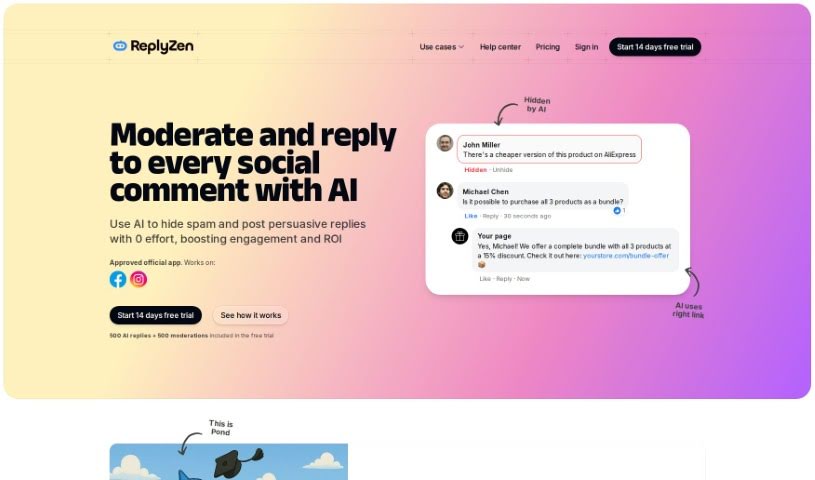
Screenshot of Postguard

Postguard

Discover what Postguard is and how to use it effectively in 2025. We'll explore its features and see how it stacks up against other social media management tools.

Screenshot

What is Postguard?

PostGuard is an AI-powered tool designed to help businesses manage their social media comments. It is your 24/7 social media assistant! It can automatically reply to comments, let you review them before they go live, hide anything inappropriate, and even analyze the sentiment behind what people are saying. It’s built to adapt to your brand’s voice and social media strategy, making it suitable for businesses of all sizes. Right now, it works with Facebook, but they’re planning to add Instagram support soon. It’s also multilingual, which is handy, and you’ll need a subscription to use it, with different plans available to fit what you need.

Who created Postguard?

Postguard was developed by a team of talented developers, with its founder leading the charge, though their name isn’t specifically mentioned in the documents we have. The company officially launched on August 31, 2023. At its core, Postguard is an AI tool built to automate and manage social media comments for businesses. It can help by drafting replies, setting up auto-replies, analyzing sentiment, and generally making social media interactions much smoother. It’s great for keeping your online space positive and engaging because it can spot and hide inappropriate comments. Postguard is designed for businesses of any size, works around the clock, and can even handle multiple Facebook pages at once. You can access its features through various subscription plans, each tailored to different business requirements.

What is Postguard used for?

Postguard helps you with a bunch of things to make social media management easier:

  • It automates the process of moderating your social media comments.
  • It can automatically reply to comments.
  • You can set it up to manually review comments before they’re published.
  • It acts as an automated comment management system.
  • It automatically hides comments that aren’t appropriate.
  • It provides advanced sentiment analysis to understand what people are feeling.
  • It can guide user actions on your posts.
  • You can customize it to match your brand’s specific tone.
  • It helps you adjust your social media strategy.
  • It’s designed to help you get the most out of your social media efforts (maximize ROI).
  • It operates 24/7, so you’re always covered.
  • It actively promotes user engagement on your posts.

Who is Postguard for?

Postguard is a versatile tool that can benefit a wide range of people and businesses:

  • Social media managers
  • Digital marketers
  • Brand managers
  • Small business owners
  • Executives at large enterprises
  • Customer support teams
  • Marketing professionals
  • Business owners in general
  • Customer service representatives
  • Digital marketing specialists
  • Public Relations specialists
  • Brands and businesses of all sizes
  • Those new to managing social media
  • Growing businesses that handle multiple social media pages
  • Large businesses looking for broad insights and advanced management capabilities

How to use Postguard?

Getting started with PostGuard is pretty straightforward. Here’s a simple breakdown of the steps:

  1. Import Your Facebook Pages: First, you’ll need to connect your Facebook pages to PostGuard. You do this using the official Facebook app that Meta has approved.
  2. Set Up How It Behaves: You can tell PostGuard exactly how you want it to handle comments, using plain language. For example, you can decide if it should publish replies automatically or if you prefer to give them a quick look first.
  3. Use All the Features: Take full advantage of what PostGuard offers! Features like the auto-reply system, advanced sentiment analysis, and automated comment management are there to really boost your social media interactions.
  4. Match Your Brand’s Tone: Make sure PostGuard sounds like you. You can customize its responses to fit your brand’s tone and overall social media strategy, ensuring consistent and personal engagement with your audience.
  5. Pick the Right Plan: Choose a subscription plan that fits your business. There’s a Starter plan for those just beginning, a Small Business plan for growing companies, and an Enterprise plan for larger businesses with more complex needs.
  6. Watch and Interact: Keep an eye on how PostGuard manages your comments. Jump in for important interactions, and enjoy the benefits of better ROI and increased user engagement.

By following these steps, you can really make the most of PostGuard to automate and improve your social media presence on Facebook.

Related AI Tools

Discover more tools in similar categories that might interest you

Stay Updated with AI Tools

Get weekly updates on the latest AI tools, trends, and insights delivered to your inbox

Join 25,000+ AI enthusiasts. No spam, unsubscribe anytime.