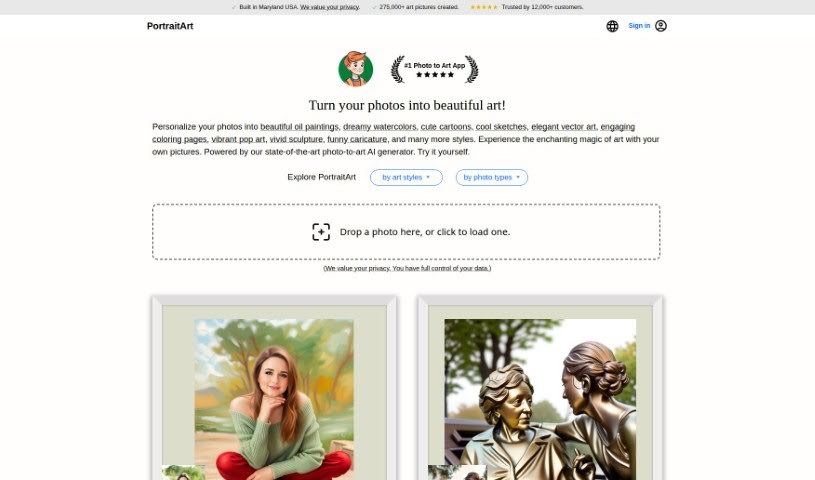
Screenshot of PortraitArt

PortraitArt

Discover what PortraitArt is and how to use it effectively in 2025. We'll explore its features and see how it stacks up against other image generators.

Screenshot

What is PortraitArt?

PortraitArt is a neat AI tool that takes your portrait photos and turns them into all sorts of different art styles. It’s really easy to use – you just upload your picture, pick the art style you like, and let it do its magic. What’s cool is that it’s not just for single people; it handles group shots and wedding photos too! You’ve got a huge selection of styles to choose from, like cartoons, sketches, oil paintings, watercolors, classic paintings, illustrations, 3D cartoons, and even sculptures. The main focus here is portraits, and it works best when you give it a high-quality photo with good lighting and a simple background. PortraitArt is actually a product from PhotoFairy, a company built by a team with solid experience in AI research and creating great products.

Who created PortraitArt?

PortraitArt was actually started by a team of really talented people who have a ton of experience in AI research and product development. Before they founded PhotoFairy, the company behind PortraitArt, these team members had worked at places like Google, Brown University, GE, and various startups. Their whole goal is to bring a bit of artistic flair, imagination, and pure joy into creating personalized art, all powered by the latest AI technology. PhotoFairy is really committed to making sure everything is high quality, paying close attention to every little detail, and helping people tap into their own creativity using PortraitArt’s features and its easy-to-use platform.

Who is PortraitArt for?

  • Artists
  • Graphic designers
  • Photographers
  • Illustrators
  • Wedding Planners
  • Designers
  • Content creators
  • Creative professionals

How to use PortraitArt?

Using PortraitArt is pretty straightforward. Here’s how you can get started:

  1. First, head over to the PortraitArt website and find the tool.
  2. Next, upload a good quality portrait photo. Make sure it has nice lighting and a simple background for the best results.
  3. Now, pick from the many art styles available. You can go for cartoons, sketches, oil paintings, watercolors, classic paintings, illustrations, 3D cartoons, sculptures, and lots more.
  4. After that, just let PortraitArt work its magic using advanced AI to transform your photo into the style you picked.
  5. You’ll need to wait a bit for the rendering to finish. Don’t worry, they’ll send you an email notification as soon as it’s done.
  6. Finally, you can easily and intuitively turn your photos into amazing artistic masterpieces.

PortraitArt is designed to be super user-friendly, and it’s great for group and wedding photos, not just individual portraits. It really encourages you to play around with different artistic ideas and even offers tips for the best possible outcomes. Just remember, PortraitArt is specifically for portrait photos, and it performs best with high-quality images. It’s a versatile tool that works well for all sorts of occasions and purposes, and you can even use it for professional photo editing.

On top of that, PortraitArt offers credit packages if you want to buy art pictures. They have options like Basic, Standard, and Premium packages, and the credits you buy are good for a whole year from when you purchase them. For the smoothest experience and to make sure the PortraitArt app runs perfectly, it’s a good idea to have JavaScript enabled in your browser.

Related AI Tools

Discover more tools in similar categories that might interest you

123RF AI Image Generator

Creative Image Generation
Learn More

Stay Updated with AI Tools

Get weekly updates on the latest AI tools, trends, and insights delivered to your inbox

Join 25,000+ AI enthusiasts. No spam, unsubscribe anytime.