What is Polymer?
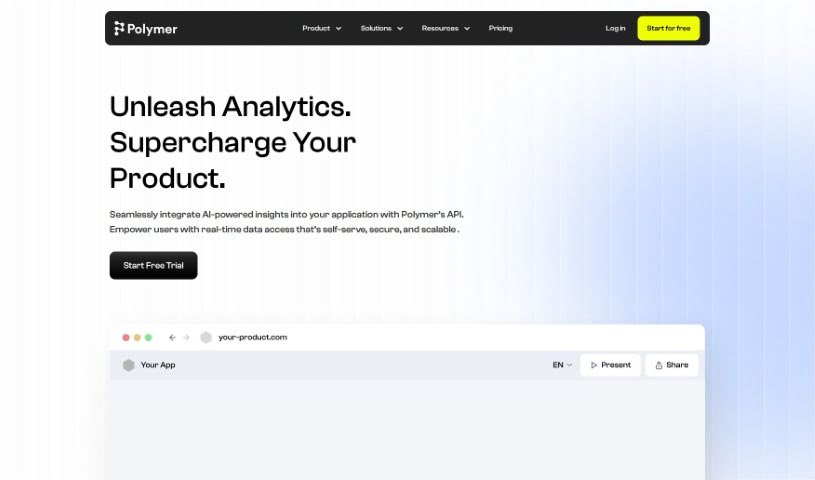
Polymer is your go-to tool for making Business Intelligence simple. It lets you build dashboards, visualize your data, and create reports without needing to be a tech whiz. What’s really neat is its AI-driven analytics, interactive reports, and ways to share feedback with your team. Plus, you can even embed its analytics right into your own applications. Polymer is designed for everyone – businesses in E-commerce, Marketing, and Sales, and even educators and students can use it for free. They offer templates for different industries, connect easily with tools like Shopify and Google Sheets, and make sharing your data insights a breeze.
Polymer’s AI feature is a real game-changer. It automatically analyzes your data and builds dashboards for you, giving you valuable insights that speed up your decision-making. It also plays nicely with other platforms you might already use, like Google Analytics, Salesforce, and Facebook Ads. For E-commerce businesses, Polymer helps you see customer trends and buying habits clearly, so you can make smarter, data-backed choices. If you’re in Sales, it helps you track how your team is doing, get everyone on the same page, and close those performance gaps.
This tool really shines when it comes to teamwork. You can easily share dashboards with colleagues, use handy templates to quickly see key numbers, and keep everyone in the loop with real-time insights. Polymer’s main goal is to put the power of data directly into the hands of business users, helping them answer important questions and avoid the usual headaches of complex data tools. They focus on making it accessible, fast, and good-looking, so analyzing data feels natural and efficient, even if you’re not a tech expert.
Who created Polymer?
Polymer was built with a clear mission: to help every business person work directly with their data, no fancy tools or extensive training needed. The company has some great backing from supporters and investors, including Vlad Tenev, who co-founded Robinhood, among others. Polymer really aims to simplify Business Intelligence by offering easy, no-code access, super-fast data processing, and a really nice-looking interface.
What is Polymer used for?
- User-friendly interface: You don’t need to be a data analyst to build dashboards and create interactive reports with AI-driven insights.
- Data visualization: It makes seeing your data easy and intuitive.
- Dashboard construction: Build custom dashboards to track what matters most.
- Promotes data visualization: Encourages the use of visual data to understand trends.
- Allows interactive reports: Create reports that users can explore and engage with.
- Tailored for E-commerce, Marketing, and Sales: Specific features and templates designed for these industries.
- Operations data visualization: Helps visualize operational data for better understanding.
- Automated insights extraction: The AI automatically finds valuable insights for you.
- Quick data sharing: Easily share your findings with others.
- Sophisticated dashboard creation: Build advanced dashboards with ease.
- Templates: Provides ready-to-use templates for E-commerce, Marketing, and Sales to visualize key metrics and make data-driven decisions.
- Interactive reports: Build these effortlessly with a user-friendly interface and AI analytics.
- Embedded analytics feature: Integrate Polymer’s insights directly into your own applications.
- Collaborative tool for feedback: Share dashboards and gather feedback from team members.
- Regular reports setup: Easily configure and share routine reports.
- Data embedding: Integrate your data sources smoothly.
- Marketing goals: Identify top-performing ads, manage ad budgets effectively, impress stakeholders, and adjust campaigns based on data analysis.
- Education: Makes data analysis and visualization concepts accessible for educators and students, aiding in teaching and learning.
- Enterprise-level benefits: Build dashboards, gain insights, and run ad-hoc analysis without needing code or technical setup.
- E-commerce specifics: Visualize customer trends and purchase patterns, integrate with Shopify for valuable insights to boost your business.
- Sales industry focus: Track performance, collaborate, and visualize key metrics and trends to help bridge the gap between top performers and the rest of the team.
- Ad-hoc analysis: It can even predict questions you haven’t asked yet and offer insights beyond what you initially requested.
- Data presentation anywhere: Share your data insights wherever they’re needed.
- Enhancing collaboration: Fosters better communication and teamwork within your team.
- Reveals customer trends: Clearly shows patterns in customer behavior.
- Reveals purchase patterns: Helps understand how customers buy.
- Ad performances insights: Provides clear insights into how your ads are performing.
- Optimizes operational alignment: Helps align operations for better efficiency.
- Spreadsheet data innovation: Brings new ways to work with data from spreadsheets.
Who is Polymer for?
Polymer is a great fit for:
- Businesses that use data visualizations for E-commerce, Marketing, and Sales.
- Students and Educators looking for accessible data tools.
- E-commerce professionals wanting to understand customer behavior and sales.
- Marketing professionals aiming to optimize campaigns and ad spend.
- Sales professionals focused on tracking performance and team collaboration.
- Business analysts needing efficient ways to explore data.
- Data scientists who can leverage its speed and integrations.
- Educators teaching data concepts.
- Students learning about data analysis and visualization.
- Business Intelligence Professionals seeking streamlined workflows.
- Data Analysts looking for user-friendly tools.
- Data visualization specialists wanting intuitive creation methods.
- E-commerce Managers focused on growth and customer insights.
- Business Intelligence Analysts needing quick, actionable insights.
How to use Polymer?
Here’s a simple guide to get the most out of Polymer:
- Accessing Polymer: Start by signing up for a 14-day free trial on the Polymer website. This lets you explore all its features and see what it can do for you.
- Creating Dashboards: Jump into the user-friendly dashboard creation tool. Polymer’s AI will help analyze your data automatically and even suggest insights, making it easy to build visually appealing dashboards.
- Utilizing Templates: Polymer offers helpful template examples for sectors like E-commerce, Marketing, and Sales. You can customize these to perfectly visualize the key metrics that matter most to your specific industry.
- Enhancing Collaboration: Make teamwork even better by inviting your colleagues and stakeholders. You can share dashboards easily and set up regular reports right within the dashboard for smoother communication.
- Constructing Reports: Building interactive reports is straightforward, even without data analyst skills. Polymer’s feature-rich platform and AI-driven analytics really simplify the whole process.
- Exploring Integrations: Polymer connects with platforms you likely already use, such as Shopify, Google Sheets, and various social media advertising platforms. This means sourcing your data and keeping your workflow consistent is seamless.
By following these steps, you can really make the most of Polymer for data visualization, collaboration, and making informed decisions, all without needing any technical expertise.