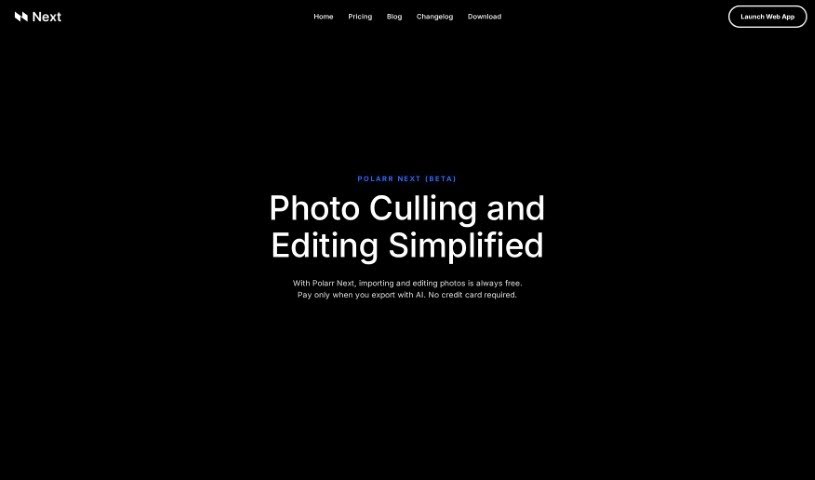
Screenshot of Polarr Copilot Next

Polarr Copilot Next

Discover Polarr Copilot Next in 2025! Learn what it is, how to use its features effectively, and how it stacks up against other photo editors.

Screenshot

What is Polarr Copilot Next?

Polarr Copilot Next is a web-based photo editing tool designed to make your editing process faster and better. What really sets it apart is its smart AI system. This AI learns your unique editing style as you work, applying your preferences in real-time. This means less manual work for you and immediate feedback on every change you make. It’s built to quickly import lots of RAW files while keeping them secure and offline. Plus, you get pre-trained AI styles, direct help from real people, and an easy-to-use interface that doesn’t take long to learn, making it a great choice whether you’re a pro or just starting out.

Your files stay safe because all your editing and AI training data is stored right on your computer. You can easily back it up using any cloud storage you prefer. Even though you can see your photos in the browser app, they never get uploaded to the cloud, so your data stays private and secure. Polarr Copilot Next’s AI can even learn your preferred ways of using different masks, like radial, gradient, subject, and background masks. This means your editing experience becomes truly personalized, tailored exactly to what you like and how you adjust things.

All in all, Polarr Copilot Next offers a really smooth editing experience. Its standout features—like AI-powered learning, an instant feedback loop, and efficient RAW file processing—make it a fantastic tool for photographers and anyone who edits photos. It’s perfect for streamlining your workflow and getting consistent, high-quality results every time.

Who created Polarr Copilot Next?

The company behind Polarr Copilot Next is Polarr. They’ve been creating photo and video apps since 2015, with a clear mission: to help everyone create beautiful content. Polarr Copilot Next itself was launched on November 11, 2023. It’s a web-based editing platform that gives you real-time feedback on your edits, cuts down your workload, and delivers personalized results. For the best experience, you’ll need Google Chrome. The tool’s standout feature is its AI system, which gradually learns and adapts to your specific editing style over time.

What is Polarr Copilot Next used for?

  • It learns and mimics your personal editing style.
  • You get real-time feedback as you edit.
  • It significantly REDUCES your workload.
  • Your edits are instantly applied based on your style.
  • It imports RAW files very quickly.
  • It uses a secure web processing engine.
  • It can suggest which photos you might want to edit.
  • It applies reference edits to your photos.
  • It learns from the small tweaks you make on the fly.
  • It gets smarter the more you use it.
  • It learns and applies your aesthetic preferences in real-time.
  • You can import a huge number of RAW files at an impressive speed.
  • Your RAW files stay offline during import, keeping them secure.
  • It can automatically edit photos using its adaptive AI system.
  • You can apply reference edits to all your photos.
  • It can cut down your photo editing workload by up to 80%.
  • It offers personalized AI training to get the results you want.
  • You get live human support for any troubleshooting needs.
  • It supports all global and local adjustment parameters.
  • It’s suitable for both professional editors and beginners.
  • It provides consistent solutions for photo editing.
  • Its adaptive AI system learns your aesthetic preferences.
  • It instantly incorporates your modifications.
  • It handles RAW file imports very fast.
  • The file import process is secure.
  • It supports various masks, including radial, gradient, subject, and background masks.
  • It comes with pre-trained AI styles.
  • It achieves an 80% workload reduction.
  • It offers cross-platform compatibility.
  • It learns and mimics your aesthetic editing style.
  • It provides an instant feedback loop for your edits.
  • You can import a vast number of RAW files at impressive speed.
  • Your files are kept offline during import for security.
  • You can apply pre-trained AI styles for consistent results.
  • It offers adaptive learning for different mask types.
  • It can cut down your photo editing workload by 80%.
  • It supports professionals and enthusiasts with a user-friendly interface.
  • It works with Google Chrome for cross-platform compatibility.
  • It personalizes results and boosts your creative potential.

Who is Polarr Copilot Next for?

  • Professional photographers
  • Photo editing hobbyists

How to use Polarr Copilot Next?

Using Polarr Next is pretty straightforward. Just follow these steps:

  1. Select Folder: Start by importing your RAW files. Polarr Next’s web processing engine handles this very quickly, and importantly, the files stay offline for security.
  2. Edit References: The tool will suggest photos for you to edit, or you can pick from its pre-trained AI Styles.
  3. AI Edits: Take a look at the results right away. You can then adjust the edits to help the AI learn better. The more changes you make, the smarter the AI becomes.
  4. Enjoy: You’ll benefit from instant AI updates with every adjustment, super-fast browser imports, and adaptive learning for all your masks. It really makes your editing experience much better.
  5. Pre-Trained Styles: You can use the styles that are already trained, or you can train your own AI to master different lighting conditions. The tool is basically plug-and-play, meaning you won’t spend much time learning it.

Polarr Next is a great fit for both pros and enthusiasts. It promises to cut your editing workload by 80%, has a user-friendly interface, and even offers live human support if you run into any issues. It works best on Google Chrome and keeps your data stored locally, ensuring security and making backups easy. It’s a web-based application that prioritizes data security while also being compatible with Lightroom.

Related AI Tools

Discover more tools in similar categories that might interest you

123RF AI Image Generator

Creative Image Generation
Learn More

Stay Updated with AI Tools

Get weekly updates on the latest AI tools, trends, and insights delivered to your inbox

Join 25,000+ AI enthusiasts. No spam, unsubscribe anytime.