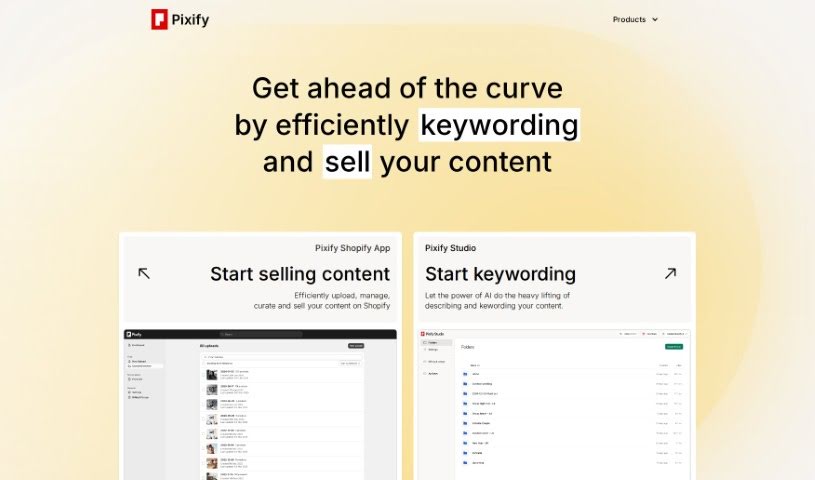
Screenshot of Pixify

Pixify

Discover what Pixify is and learn how to use it effectively in 2025. We'll explore its features, compare it to other product description generators, and guide you through its usage.

Screenshot

What is Pixify?

Pixify, also known as Pixify Studio, is a really handy tool built to make keywording images and videos much more efficient. It’s great because it can generate descriptions for your images, automatically pull out relevant keywords, and even connect smoothly with Shopify. Some of its standout features include options you can adjust to fit your needs, super-fast data access, support for video content, and secure storage using Amazon S3 cloud storage. What’s even better is that it’s completely free to use, doesn’t store your data, and you don’t need any coding skills to get started. However, it’s worth noting a few limitations: it only works with Shopify, it doesn’t store your data (which can be a pro or con depending on your needs), and the customization options are a bit limited. You’ll also need to manually edit keywords, and there isn’t an API provided, with everything relying on Amazon S3 for storage.

Just so you know, this version is written in a more human-friendly way, based on the information found in the Pixify Studio FAQs document.

Who created Pixify?

Pixify Studio is the company behind this AI Keywording Tool. They first launched it on February 21, 2023. Pixify Studio itself is known for offering a powerful AI keywording studio that really helps streamline the process of keywording both images and videos. They’ve packed it with features like credit-based image generation and support for video content. The whole design emphasizes user data privacy, with all content safely stored on Amazon S3 cloud storage. Plus, for those who are interested in getting in on the ground floor, Pixify Studio also offers an API for early access.

Who is Pixify for?

  • Stock Photographers

How to use Pixify?

If you want to get the most out of the AI Keywording Tool from Pixify Studio, here’s a simple breakdown of how to use it:

  1. Upload Your Files: You have the flexibility to upload individual files or even whole folders at once. If you prefer, you can also use FTP uploads, which can be quite convenient.
  2. Understanding the Credit System: When you generate keywords for an image, it uses up 1 credit per image. For videos, it’s 1 credit for every 5 seconds of footage.
  3. Secure Data Storage: Your files are kept safe and sound on Amazon S3 cloud storage. This setup ensures you can access your data quickly and reliably.
  4. Tailor It to Your Needs: The tool provides customization options, allowing you to adjust the keywording process to better suit your specific preferences.
  5. API Access is Available: There’s an API you can use, though it’s currently in early access. The pricing for the API follows the same credit system that the tool uses.
  6. Account Verification: To help prevent misuse and spam, accounts are verified using a phone number.
  7. Key Features to Note: The tool automatically creates descriptions for your images, extracts keywords, integrates smoothly with Shopify, and importantly, it supports video content.
  8. Weighing the Pros and Cons: While you get great benefits like free usage, no data storage (which can be a plus for privacy), and really fast data availability, there are a few drawbacks. You’ll need to manually edit keywords, and it relies on Amazon S3 for storage.

By following these straightforward steps, you should find it much easier to use the AI Keywording Tool effectively for all your image and video keywording tasks.

Related AI Tools

Discover more tools in similar categories that might interest you

Stay Updated with AI Tools

Get weekly updates on the latest AI tools, trends, and insights delivered to your inbox

Join 25,000+ AI enthusiasts. No spam, unsubscribe anytime.