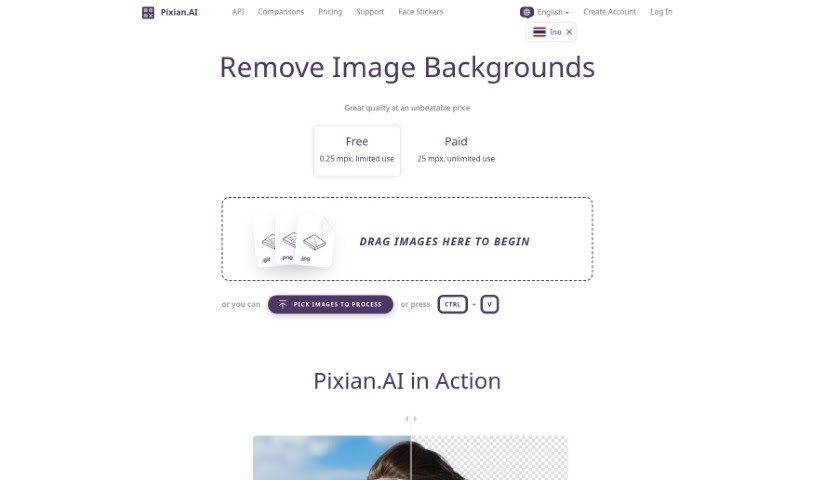
Screenshot of Pixian

Pixian

Discover what Pixian is and learn how to use it effectively in 2025. We'll explore its features and see how it stacks up against other background removers.

Screenshot

What is Pixian?

Pixian.AI is a really straightforward tool that lets you remove backgrounds from images for free. You can just upload your pictures without needing to sign up or subscribe to anything, and it promises high-definition results. Plus, it offers some neat extras like API integration for developers, ways to tweak your image output, and even a tool to compare its results with other services. Pixian.AI works with common file types like JPEG and PNG, which is super handy for all sorts of things – think eCommerce product shots, marketing materials, or even your latest social media posts. If you’re looking at pricing, it’s based on credits, calculated by image dimensions. Don’t worry, these credits don’t expire, but you do need to have made a purchase within the last two years to keep them active. The whole idea behind Pixian.AI is to offer a quality service at a good price by embracing how quickly AI technology is becoming more accessible.

Who created Pixian?

Pixian.ai was actually created by Cedar Lake Ventures, Inc. They’re a small company based near Minneapolis. The folks behind it include James Diebel, who got the ball rolling on the research that led to Cedar Lake Ventures’ first website, and Jacob Norda, who teamed up with James on this project. James has a background in Engineering Mechanics and Astronautics, while Jacob holds a Master’s in Electrical Engineering and Applied Physics. Cedar Lake Ventures really focuses on building web-based tools and APIs, always aiming to keep things high-quality and affordable.

What is Pixian used for?

  • Creating Marketing Materials
  • Crafting Social Media Posts
  • Enhancing eCommerce Listings

Who is Pixian for?

  • ECommerce Professionals
  • Marketing Professionals
  • Social Media Managers
  • Developers
  • Marketers in general

How to use Pixian?

Using Pixian.ai is pretty simple. Here’s a quick rundown:

  1. Remove Backgrounds Easily: Pixian.ai offers a free service that makes it super easy to remove backgrounds from your images. It’s perfect for things like eCommerce, marketing, and social media.
  2. No Signup Needed: You can use the service without creating an account or subscribing, especially during this beta phase. It’s designed to be a hassle-free experience.
  3. Integrate with API: If you’re a developer, you can easily plug Pixian.ai’s API into your own projects. This lets you add custom background removal features right where you need them.
  4. Get Creative with Options: You have control over how your images turn out. You can adjust settings like the file format, JPEG quality, crop margins, the final size of the result, how it aligns vertically, and even add a filename suffix.
  5. See How It Compares: Pixian.ai gives you a way to compare its results directly with those from other services. This helps make sure you’re happy with the image editing process.
  6. Works with Many File Types: Pixian.ai supports a good range of file formats for both uploading and downloading images, including JPEG, PNG, BMP, GIF, and WebP.
  7. Resolution Matters: For the free website service, you can upload images up to 250,000 pixels. If you’re using the paid service, the limit goes up to 25 megapixels.

So, to remove backgrounds with Pixian.ai, just upload your image, tweak any settings you like, and then download your finished picture with the background changed just how you want it. This tool really simplifies image editing with its easy-to-use interface and advanced features, making it a great choice whether you’re an individual or running a business.

For all the nitty-gritty details on pricing, how to customize things, API integration, and what they do with your data, it’s best to check out the Pixian.ai website and their FAQ section. That’ll give you the full picture of everything the tool can do and how to use it best.

Related AI Tools

Discover more tools in similar categories that might interest you

123RF AI Image Generator

Creative Image Generation
Learn More

Stay Updated with AI Tools

Get weekly updates on the latest AI tools, trends, and insights delivered to your inbox

Join 25,000+ AI enthusiasts. No spam, unsubscribe anytime.