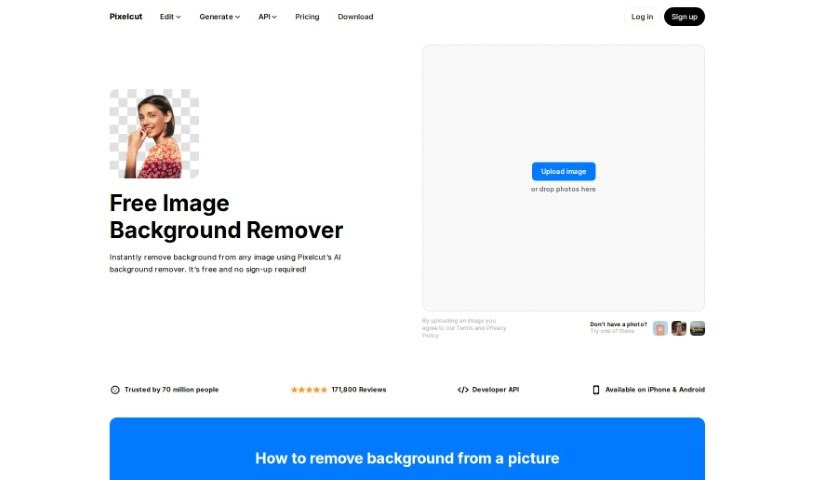
Screenshot of Pixelcut AI Background Remover

Pixelcut AI Background Remover

Discover what Pixelcut's AI Background Remover is all about and how you can use it effectively in 2025. We'll cover its features and even see how it stacks up against other Image Generators.

Screenshot

What is Pixelcut AI Background Remover?

Pixelcut’s AI Background Remover is a really neat tool that uses artificial intelligence to automatically zap backgrounds right out of your photos. Seriously, it can do it in under 3 seconds! Pixelcut developed this clever solution to ditch the frustrating, time-consuming process of manually editing out backgrounds. It’s super quick and accurate, leaving you with a perfectly transparent image. You just upload your picture, let the AI work its magic, and then save your cutout as a PNG file with no background. What’s cool is you can also add a new background, like a simple white one, or pick from a bunch of pre-selected options. Whether you’re a pro editor or just starting out, this tool makes background removal a breeze, ensuring great results every time. It’s all about making the process fast, easy, and efficient.

Who created Pixelcut AI Background Remover?

Pixelcut is the company behind this handy AI Background Remover. They’re known for creating AI-powered tools that make image editing simpler. While the specific founder’s details aren’t in the documents I have, it’s clear they’re focused on making powerful editing accessible.

Who is Pixelcut AI Background Remover for?

This tool is a lifesaver for a lot of people, including:

  • Photographers
  • Graphic designers
  • E-commerce entrepreneurs
  • Social media managers
  • Marketers
  • Web designers
  • Content creators
  • Advertising professionals
  • Real Estate Agents
  • Event Planners

How to use Pixelcut AI Background Remover?

Using a tool like Pixelcut’s AI Background Remover is pretty straightforward. Here’s a quick rundown:

  1. Upload Your Image: First things first, upload your photo. It works with JPG, PNG, or HEIC files. For the best results, try to pick an image where the main subject has pretty clear edges.
  2. Let the AI Work Its Magic: Pixelcut’s AI technology will automatically remove the background in less than 3 seconds. If you need to tweak it a bit after the initial removal, you can easily refine the cutout.
  3. Save or Add a New Background: Once the background is gone, you can download your cutout as a PNG file. You can then share it as is, or get creative by adding a new background – maybe a clean white one, or pick something from their curated collection of backgrounds.

Following these simple steps means you can quickly and easily get rid of backgrounds in your images with this AI tool.

Related AI Tools

Discover more tools in similar categories that might interest you

123RF AI Image Generator

Creative Image Generation
Learn More

Stay Updated with AI Tools

Get weekly updates on the latest AI tools, trends, and insights delivered to your inbox

Join 25,000+ AI enthusiasts. No spam, unsubscribe anytime.