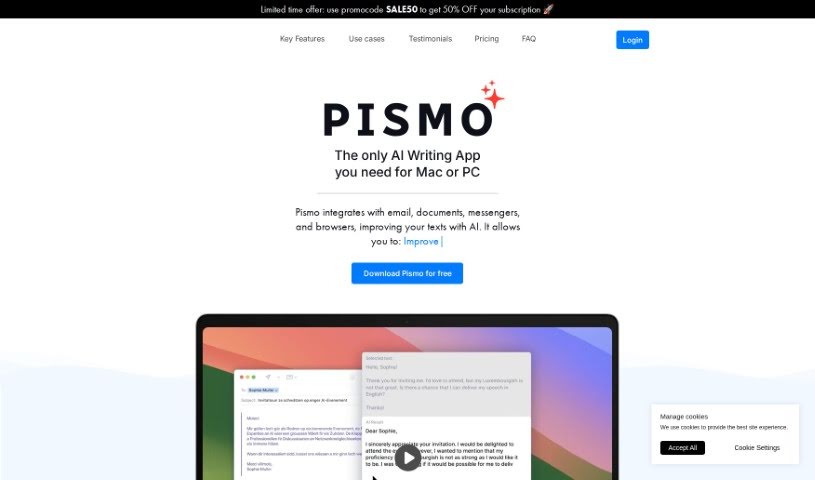
Screenshot of Pismo

Pismo

Discover what Pismo is and how to use it effectively in 2025. We'll explore its features and see how it stacks up against other writing tools.

Screenshot

What is Pismo?

Pismo is a smart writing assistant built for macOS. It is your go-to helper for making all sorts of writing better, whether it’s for everyday chats, important work emails, or even those big academic papers. It can proofread your work, help you adjust text length, tweak the tone and style to fit just right, translate into many languages, and it works smoothly with pretty much any app on your Mac. What’s really great is that Pismo takes your privacy seriously. It sends and stores your data securely, but it never keeps or processes your actual texts. This tool is designed to really boost your productivity. You get quick access to common tasks with hotkeys, language translation makes talking to people worldwide a breeze, and you can even set up custom prompts for specific jobs. Plus, people love how Pismo genuinely improves writing quality, makes communication more efficient, and helps you craft really engaging content, no matter if you’re writing for work, school, or just for yourself.

Who created Pismo?

Pismo was actually developed by Alexander, who’s the Chief Product Officer. It’s part of a really innovative writing assistant tool that first came out on October 11, 2023. It offers AI-powered help with writing, can translate into lots of different languages, and generally makes your written content much better. The company behind Pismo is really focused on user privacy, making sure text is transferred and stored securely without them ever accessing or keeping your texts. Pismo’s main goal is to help you get more done, make your writing clearer, and make global communication easier, no matter the situation or who you’re talking to.

Who is Pismo for?

  • Sales and Marketing Pros
  • Engineers
  • Venture Investors

How to use Pismo?

Using Pismo on your Mac is pretty straightforward. Here’s a quick rundown:

  1. First, download and install Pismo from its official website.
  2. Once it’s open, you can just start writing in the text editor.
  3. You’ll see AI-powered suggestions pop up – use these to make your writing clearer and better.
  4. Need to change the length, tone, or style? Pismo can help you adjust it to fit different situations and who you’re writing for.
  5. Want to reach people all over the world? The translation feature makes that easy.
  6. You can also set up custom prompts with hotkeys so you can use them quickly in any app.
  7. Just remember, Pismo operates securely and privately; it doesn’t store or process your texts.
  8. To really boost your productivity, make sure you’re using those customizable hotkeys for a smoother workflow.
  9. And for global communication, translating text helps you understand foreign news and articles too.
  10. You can easily create all sorts of content, like work emails, blog posts, marketing materials, and academic papers.

Don’t forget to play around with all the different things Pismo can do – like adjusting text, changing tones, and translating languages – to really get the most out of your writing and be more productive.

Related AI Tools

Discover more tools in similar categories that might interest you

Stay Updated with AI Tools

Get weekly updates on the latest AI tools, trends, and insights delivered to your inbox

Join 25,000+ AI enthusiasts. No spam, unsubscribe anytime.