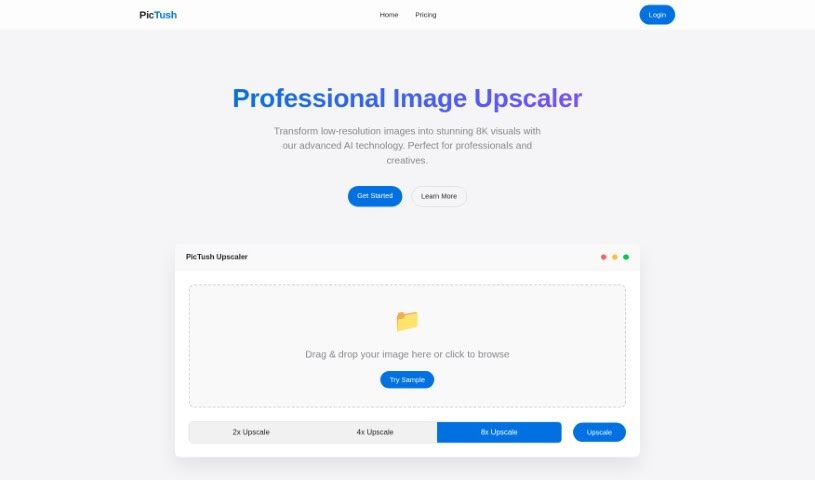
Screenshot of Pictush

Pictush

Discover Pictush, an AI-powered image enhancer. Learn how to use its features like upscaling, colorization, and restoration effectively in 2025, and see how it stacks up against other photo editors.

Screenshot

What is Pictush?

Pictush is a smart tool that uses AI to make your images better. It can do things like upscale pictures, add color to old black and white photos, and bring old pictures back to life. For instance, it can make your images up to 8 times bigger, which is pretty neat! Plus, its AI colorization feature adds really vibrant colors to monochrome photos, making them look brand new. If you’ve got old photos that are faded or damaged, Pictush can help restore them, improving their quality and keeping those special memories intact. It’s designed to be super easy for anyone to use, not just for old photos – you can use it on any image, no matter how old or what condition it’s in. They’re also offering a nice 50% discount on their Basic and Professional Packages, which makes it a lot more affordable.

Who created Pictush?

Pictush was developed by a founder who prefers to remain anonymous, and it first launched on April 29, 2023. The company focuses on AI-driven image enhancement services, including upscaling, colorization, and photo restoration. Pictush is built to enlarge images up to eight times their original size. It offers a full suite of tools for improving images, with a special emphasis on preserving the historical importance and sentimental value of photographs.

What is Pictush used for?

  • Making images up to 8x bigger
  • Restoring old photos
  • Automatically coloring black and white photos
  • Bringing old pictures back to life
  • Improving how clear photos are
  • Keeping the sentimental value of photos
  • Adding bright, lively colors
  • Turning black and white photos into color ones
  • Giving images a modern feel
  • Saving precious memories
  • Transforming visuals with AI
  • Adding vibrant hues to images

Who is Pictush for?

  • Photographers
  • Graphic designers
  • Historians
  • Archivists
  • Art restorers
  • Professional photo editors
  • Marketing professionals

How to use Pictush?

Here’s a simple guide to get the most out of Pictush:

  1. Sign Up: First, create an account on the Pictush website. This gives you access to all the tools and features.
  2. Upload Image: Pick the photo you want to improve, colorize, or restore and upload it to the Pictush platform.
  3. Select Enhancement: Choose what you’d like to do – upscale, colorize, or restore the image.
  4. Apply Enhancement: Let Pictush’s AI do its magic to enhance your image based on the mode you selected.
  5. Review and Adjust: Take a look at the enhanced photo. You can make any small tweaks needed to get it just right.
  6. Save or Download: Once you’re happy with it, save the enhanced image directly from the platform to your computer or device.
  7. Contact Customer Support: If you run into any trouble or have questions, just email their customer service at [email protected].
  8. Explore Promotions: Don’t forget to check the website for special offers! They often have discounts on packages that can save you money.
  9. Professional Use: Pictush is great for professional photo work, delivering high-quality results for all sorts of projects.
  10. Preserve Memories: Use Pictush to breathe new life into old photos, making them clearer and preserving the sentimental value of those cherished moments.

Remember, Pictush is really user-friendly. Its interface is straightforward, and it uses advanced AI technology to help you transform your images effectively.

Related AI Tools

Discover more tools in similar categories that might interest you

123RF AI Image Generator

Creative Image Generation
Learn More
Stay Updated with AI Tools

Get weekly updates on the latest AI tools, trends, and insights delivered to your inbox

Join 25,000+ AI enthusiasts. No spam, unsubscribe anytime.