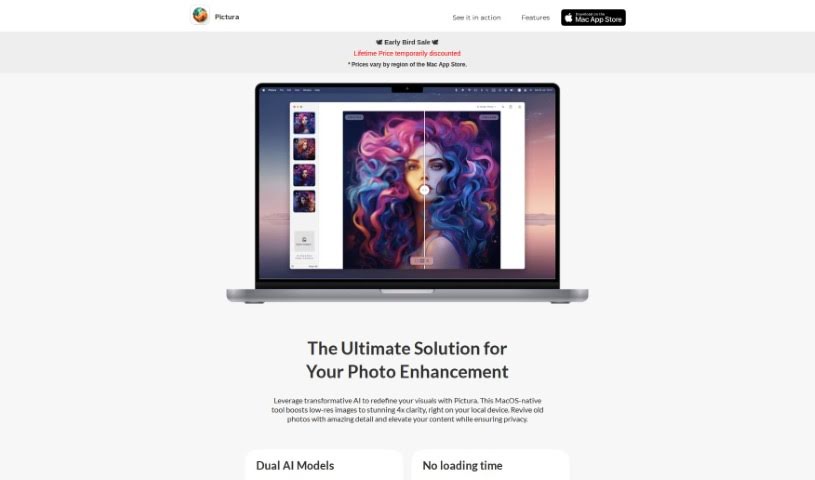
What is Pictura?
Pictura is a handy tool designed specifically for Mac users that uses AI to make your photos and anime visuals look sharper and clearer. It’s really easy to use – you can just drag and drop your images, and it loads them up quickly. Plus, it keeps your pictures safe with built-in encryption. Pictura can actually increase the resolution of your images by up to four times, bringing out finer details. It’s got special AI models that are fine-tuned for both regular photos and anime art, so you get the best results no matter what you’re working with.
Who created Pictura?
Pictura was developed by Jonathan Benavides Vallejo and Alba Macareno Alonso, and it first came out on July 28, 2023. As a photo enhancement tool built natively for macOS, Pictura really shines by using smart AI technology to boost image resolution, giving you up to 4x clearer visuals. It’s designed to work great with both photos and anime art, offering a super simple interface that includes drag-and-drop for uploading images. The tool is also optimized to take full advantage of your Mac’s Neural Engine and Apple Silicon, which means it runs smoothly and efficiently. And for your peace of mind, it includes built-in photo encryption to keep your images secure.
What is Pictura used for?
Pictura is great for a lot of things:
- It keeps your personal photos private.
- It’s really convenient and easy to access.
- Uploading images is quick and simple.
- It’s fantastic at bringing out the unique details in art, especially anime.
- It makes your images much clearer.
- It’s a versatile tool that can handle different kinds of images.
- You get an instant boost to high-resolution images.
- It really improves the quality of your visual content.
- It helps make your visuals look much better overall.
- Saving your enhanced images is a breeze, often just a single click.
- It’s a powerful application built specifically for Mac.
- It boosts image resolution by up to 4x.
- It can help bring old photos back to life with incredible detail.
- It’s excellent for enhancing the unique artistic elements found in anime.
- It significantly increases the clarity of your images.
- It improves the overall quality of your visual content.
- Uploading images is both convenient and efficient.
- It ensures your privacy with built-in photo encryption.
- It provides an instant high-resolution boost for all your visuals.
- It elevates your images using advanced AI technology.
- It simplifies the entire image enhancement process with its drag-and-drop feature.
- It boosts image resolution up to 4x using smart AI.
- It’s designed to enhance both regular photos and anime visuals.
- It ensures your images are secure thanks to built-in encryption on your Mac.
- It offers efficient ways to upload your images.
- It minimizes loading times so you can get to work faster.
- It uses your Mac’s Neural Engine for top performance.
- It’s optimized to work perfectly with Apple Silicon.
- It enhances your visuals using advanced technology.
- It improves image clarity and brings out finer details.
- It offers a straightforward, user-friendly interface with easy drag-and-drop functionality.
Who is Pictura for?
Pictura is a great tool for:
- Photographers
- Graphic designers
- Artists
- Anime creators
- Visual Content Creators
- Content creators in general
- Anime enthusiasts
How to use Pictura?
Using Pictura is pretty straightforward. Just follow these simple steps:
- Upload Images: You can quickly add your images to Pictura using the drag-and-drop feature. It’s a much easier way than going through complicated menus.
- Select Image Type: Pictura has two AI models, one for regular photos and another specifically for anime. So, just pick which type of image you’re enhancing.
- Enhancement Process: You’ll find Pictura is really quick to start enhancing your images. It’s optimized to run smoothly using your Mac’s Neural Engine and Apple Silicon.
- Security Measures: Your privacy is important, and Pictura helps with that by including built-in photo encryption right on your Mac.
- Resolution Enhancement: Get ready for a 4x resolution boost! Pictura’s AI technology really makes your images clearer and brings out details you might not have seen before.
- Download Pictura: You can easily get Pictura from the Mac App Store. It’s a native Mac app that offers impressive photo enhancements.
By following these steps, you’ll be able to take full advantage of Pictura’s advanced features and its easy-to-use interface to make your images look their absolute best.