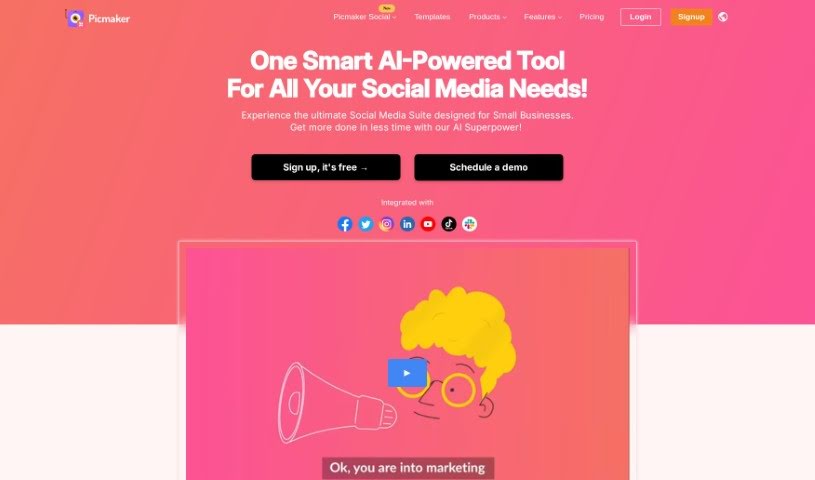
Screenshot of Picmaker

Picmaker

Discover what Picmaker is and how to use it effectively in 2025. We'll explore its features and see how it stacks up against other social media management tools.

Screenshot

What is Picmaker?

Picmaker is a handy platform that blends AI-powered graphic design with social media management. It is a combination of Canva and Hootsuite, designed to help you create eye-catching designs and then post them across your social media channels. It’s built for everyone, whether you’re an individual, a small team managing social media, or a larger business.

With Picmaker, you can use AI tools to whip up designs, schedule your posts on all your favorite social media sites, check out real-time analytics, and even keep an eye on what’s trending in your industry. It supports all the big players: Facebook, Instagram, Twitter, LinkedIn, TikTok, YouTube, and Pinterest. Plus, they offer flexible pricing and cool features like MAD Button for generating design variations with AI and AI-powered captions. Essentially, Picmaker aims to make your social media efforts smoother and boost your brand awareness using the power of AI.

Who created Picmaker?

Picmaker first launched back in 2018 with a simple goal: to make it easy for anyone to create unique designs, fast. It was started by one person, and over time, the company has built this platform that brings together graphic design and social media management. You can create designs using AI, schedule posts across different social media accounts, look at analytics as they happen, and even work with others in shared workspaces. It’s been a journey of growth; in August 2021, Picmaker got some great feedback on Product Hunt, and later it was available on AppSumo, which really shows how much people are liking it and supporting the community.

What is Picmaker used for?

Picmaker helps you in a bunch of ways:

  • Automate Content Creation: It makes creating content much faster.
  • Enhance Content Creation: It improves the whole process of making your social media posts.
  • Manage Social Media Activities: Keep all your social media tasks in one place.
  • Schedule Content Posting: Plan and schedule your posts ahead of time.
  • Analyze Engagement and Performance: See how your content is doing and what resonates with your audience.
  • Access Customizable Templates: Use a wide variety of templates that you can tweak to fit your brand.
  • Offer Link Shortening: Make your links cleaner and easier to share.
  • Facilitate Geotagging: Add location information to your posts.
  • Consolidate Conversations: Bring all your social media messages and comments together.
  • Generate Deep Insights: Get detailed analytics to understand your performance.
  • Create Various Content Types: Make social graphics, YouTube thumbnails, Instagram Stories, and more.
  • Access Free Photos and Templates: Use millions of free photos and templates to get started.
  • Advanced Scheduling: Features include link shortening, first-comment functions, content recycling, and geotagging.
  • In-depth Analytics: Understand your social engagement and performance better.
  • Improve Audience Interaction: Consolidate conversations and use analytics to connect more effectively.
  • Enhance Instagram Stories: Use AI design tools and templates for your Stories.
  • Link Shortening and Geotagging: Manage content and interact with your audience more easily.
  • Efficient Social Media Management: Create great-looking content, schedule posts, and track your success.
  • AI-Powered Features: Streamline creation and make smart, data-driven decisions.
  • Publish Diverse Content: Create content specifically for different social media platforms.
  • Boost Audience Engagement: Consolidate conversations and use analytics to connect better.
  • Automate and Schedule: Make content creation and scheduling for social media platforms automatic.
  • Visually Stunning Content: Create graphics, thumbnails, and Stories with AI tools.
  • Free Resources: Get millions of free photos and customizable templates.
  • Instant Edits: Remove backgrounds, generate captions, and resize designs instantly.
  • Data-Driven Decisions: Use in-depth analytics to understand social success.
  • Smart Scheduling: Includes link shortening, first comments, content recycling, and geotagging.
  • Better Audience Engagement: Consolidate conversations across channels.
  • Streamlined Management: An integrated solution for businesses.

Who is Picmaker for?

Picmaker is a great tool for:

  • Social media managers
  • Small social media teams
  • Enterprise businesses
  • Designers
  • YouTube artists
  • Individuals

How to use Picmaker?

To get the most out of Picmaker, here’s a simple guide:

  1. Create Your Content: Start by using Picmaker’s AI design tools. You can create all sorts of content, like social graphics, YouTube thumbnails, and Instagram Stories. They offer millions of free photos and tons of customizable templates, making it super easy to craft visually appealing posts.

  2. Explore Templates: You’ll find thousands of templates designed for different platforms – think Instagram posts, stories, flyers, and YouTube thumbnails. Pick one that fits your brand or campaign style, and you’ll be creating engaging content in no time.

  3. Go Multi-Platform: Picmaker works with all the major social media platforms you probably use, like Instagram, Facebook, LinkedIn, Pinterest, and Twitter. You can manage, schedule, analyze, and improve your content across all of them with Picmaker’s features.

  4. Schedule Smartly: Take advantage of Picmaker’s advanced scheduling tools. These include link shortening, first-comment functions, content recycling, and geotagging. You can schedule posts across multiple platforms efficiently, and the AI can even suggest the best times to post for maximum reach.

  5. Analyze and Decide: Use Picmaker’s detailed analytics to really understand how your content is performing. You can compare your social KPIs against competitors, create custom reports, and then tweak your social media strategy based on solid data to get better results.

By following these steps, you can really make the most of Picmaker’s AI features for smooth content creation, scheduling, and managing your social media across different platforms.

Related AI Tools

Discover more tools in similar categories that might interest you

Stay Updated with AI Tools

Get weekly updates on the latest AI tools, trends, and insights delivered to your inbox

Join 25,000+ AI enthusiasts. No spam, unsubscribe anytime.