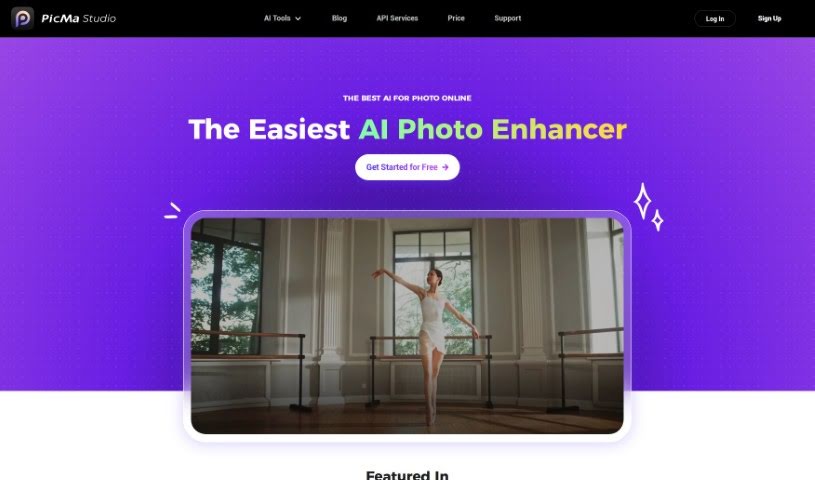
Screenshot of Picma Photo Enhancer

Picma Photo Enhancer

Discover what Picma Photo Enhancer is and learn how to use it effectively in 2025. We'll explore its features and see how it stacks up against other Image Enhancer & Upscaler tools.

Screenshot

What is Picma Photo Enhancer?

PicMa Photo Enhancer is a really neat AI tool designed to make your photos look their best. It’s great for boosting photo resolution, fixing blurry pictures, bringing old or damaged photos back to life, and even adding color to black and white shots. What’s cool is that it’s super easy to use, speaks multiple languages, and even has its own apps for both iOS and Android. Plus, if you’re a developer, you can integrate its power into your own projects with their API services. They’ve also packed it with helpful support features, are really serious about your privacy, and offer some nice membership perks. You can enhance photos with just one click, or even do a bunch at once. It also helps remove that grainy noise from photos and makes them sharper. Just a heads-up, though: you can’t process multiple photos at once in the same way as some other tools, it only supports a few file types, you need to be online to use it, there’s a limit to how big your uploaded images can be, and restoring really old photos has some limits.

They do offer a free trial so you can test it out, but to get the most out of it, you’ll need a subscription. PicMa Photo Enhancer is really committed to keeping your data private, and its API services make it easy to connect with other platforms.

Who created Picma Photo Enhancer?

Picma Studio is the team behind Picma Photo Enhancer. They first launched it on February 14, 2023, giving everyone a way to improve photo resolution, unblur images, restore old pictures, and add color to black and white photos, among other things. The tool is known for its user-friendly interface, has dedicated apps for iOS and Android, offers API services for developers, includes plenty of support, and strictly follows privacy policies.

What is Picma Photo Enhancer used for?

PicMa Photo Enhancer is a versatile tool that can help you with a variety of photo editing tasks:

  • Giving life to black and white photos by adding color.
  • Boosting the resolution of your images.
  • Making blurry photos clear again.
  • Restoring old or damaged pictures.
  • Getting rid of unwanted noise in photos.
  • Sharpening your images for a crisper look.
  • Removing scratches and creases from photos.
  • Using the AI Eraser to enhance images.
  • Colorizing black and white photos with the AI Color Master.
  • Fixing scratches and creases with AI Descratch.
  • It also enhances photo resolution and unblurs photos.
  • It’s great for restoring old images and colorizing black and white ones.
  • You can remove photo noise and sharpen photos too.
  • It can even de-scratch photos.
  • The tool supports enhancing photos in batches.
  • There are membership benefits available.
  • It’s useful for professional photo retouching.
  • It enhances image resolution and restores old or damaged images.
  • You can take advantage of bulk enhancement features.
  • It offers interactive image processing.
  • You get one-click enhancement for quick fixes.
  • And it supports bulk enhancement for efficiency.

Who is Picma Photo Enhancer for?

PicMa Photo Enhancer is a great tool for a wide range of users, including:

  • Photographers looking to improve their shots.
  • Designers who need high-quality images.
  • Entrepreneurs wanting professional-looking visuals for their business.
  • Families wanting to preserve and enhance cherished memories.
  • Anyone involved in marketing who needs eye-catching images.
  • E-Commerce businesses aiming to showcase products effectively.
  • Museums and archives working with historical photographs.

How to use Picma Photo Enhancer?

Using PicMa Photo Enhancer is pretty straightforward. Here’s a simple guide:

  1. Upload Your Image: First, just upload the photo you want to work on into the application. It accepts formats like BMP, JPEG, JPG, and PNG, and your image can be up to 20MB in size.
  2. Enhance Your Image: If your photo is a bit blurry, use the unblur feature. Upload it, and the AI will work its magic to reduce blur and improve the overall quality.
  3. Add Color: For those old black and white photos, upload them to the app to start the colorization process. The AI tool will add realistic colors, really bringing the photo back to life.
  4. Explore More Features: PicMa Photo Enhancer has other cool functions too. You can restore damaged photos using advanced AI, help preserve old pictures, and even integrate the tool into your own projects if you’re a developer.
  5. Use It on Mobile: You can easily use PicMa Photo Enhancer on the go with its dedicated apps for both iOS and Android, making it a super convenient mobile experience.
  6. Get Support and Feel Secure: The app offers great support, including a ‘Help Center,’ and they take your privacy seriously with a clear Privacy Policy and Cookie Policy.
  7. Try Before You Commit: You can test out PicMa’s features with a free trial. This lets you see everything it can do before you decide to subscribe and unlock its full potential.
  8. Works in Many Languages: PicMa Photo Enhancer supports multiple languages, so it’s accessible to users all around the world.

By following these steps, you’ll be able to use PicMa Photo Enhancer effectively to enhance and transform your images with great ease and quality.

Related AI Tools

Discover more tools in similar categories that might interest you

123RF AI Image Generator

Creative Image Generation
Learn More

Stay Updated with AI Tools

Get weekly updates on the latest AI tools, trends, and insights delivered to your inbox

Join 25,000+ AI enthusiasts. No spam, unsubscribe anytime.