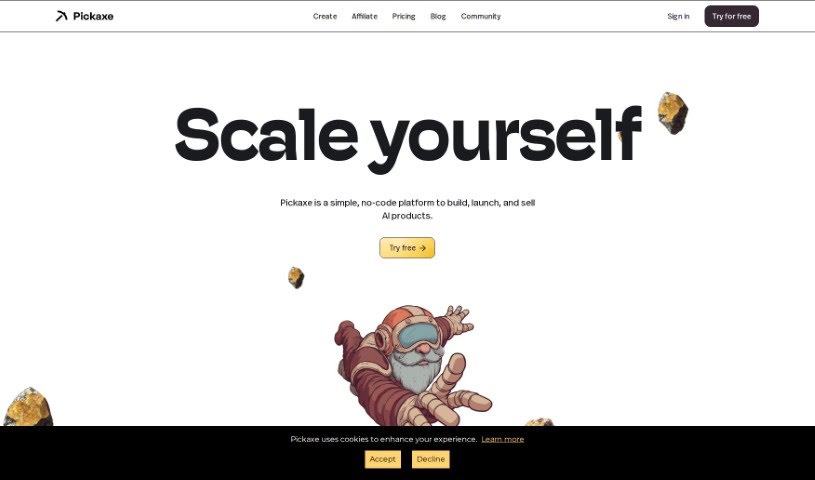
Screenshot of Pickaxe

Pickaxe

Discover what Pickaxe is and how to use it effectively in 2025. We'll explore its features and see how it stacks up against other tools for Software Engineers.

Screenshot

What is Pickaxe?

Pickaxe is a no-code platform that makes it super easy for engineers to bring generative AI applications into their company. You can build and embed GPT-4 apps right onto your website, and guess what? You don’t need to write a single line of code for any of it. This includes using a visual tool that helps you frame your prompts, essentially training AI models with your own documents, data, and specific instructions. Pickaxe also gives you a dashboard where you can keep an eye on your AI apps, make them better over time, see how they’re performing, get feedback, and tweak them based on new data.

Pickaxe has a few different pricing options. There’s a free plan for beginners that gives you 25 free credits each month. Then there’s the Gold plan, which offers 1,000 credits monthly, access to GPT-4, and the ability to white-label your embedded Pickaxes. For larger companies, they have a Partner plan with unlimited usage and custom solutions built around your specific data, documents, and internal tools.

Who created Pickaxe?

Mike Gioia, the Chief Operating Officer (COO) of the company, is the one who created Pickaxe. This no-code platform officially launched on May 29, 2023. Its main purpose is to let people integrate generative AI applications without needing any coding skills. You can create and embed GPT-4 apps directly onto your website. It features a visual prompt-framing builder, which is really handy for training AI models. Plus, there’s a dashboard that lets you monitor, refine, and improve your AI apps by looking at key statistics and data.

Pickaxe also offers ways to customize how your apps look and integrate them, provides ready-to-go templates, and has different pricing plans. You can start with a free beginner plan, move up to the Gold plan for more features like GPT-4 access, or opt for the Partner plan designed for enterprise-level users.

What is Pickaxe used for?

  • You can set up an AI studio for others to use, featuring your tools, your brand, and your specific knowledge.
  • Launch a whole set of GPTs that showcase your expertise, your brand, and your data – all under your own rules.
  • Build AI-powered tools and even start making money from them through paid subscriptions.
  • Offer paid access to your unique expertise.
  • Create a storefront for your GPTs, complete with your brand and your specific knowledge.
  • Develop AI tools by using prompts, documents, and other resources.
  • Launch a web app of your tools, completely white-labeled with your brand.
  • Sell access to your apps and generate income using AI.
  • Get started quickly with helpful templates.
  • Build AI tools that are centered around your personal brand.

Who is Pickaxe for?

  • Prompt engineers
  • Individual entrepreneurs
  • Developers

How to use Pickaxe?

Here’s a simple breakdown of how to get started with Pickaxe:

  1. Understanding Pickaxe: First off, Pickaxe is a no-code platform. This means you can integrate generative AI applications without needing to write any code. It lets you create and embed GPT-4 apps directly onto your website, using a visual prompt-framing builder.

  2. Creating and Embedding GPT-4 Apps:

    • Start by creating your Pickaxe app using the visual prompt-framing builder.
    • Once it’s ready, you can find it on your dashboard and click the ‘embed’ button.
    • You can then adjust the size and overall design of the app to make sure it fits perfectly.
    • After that, just copy the embed link that Pickaxe gives you and paste it onto your website. Good news – Pickaxe works with lots of different website platforms, like Wix, Squarespace, and WordPress.
  3. User Accessibility: Pickaxe is built for everyone, whether you’re super technical or not. It really empowers prompt engineers and anyone interested in AI to build, share, and manage AI-powered apps within their organization.

  4. Customization Options:

    • Pickaxe offers plenty of ways to customize your AI apps, both in how they look and how they integrate.
    • You can change the app’s size, its design, use white-labeling for embedded Pickaxes, and easily integrate them into your website or internal dashboards.
  5. Templates:

    • Pickaxe comes with helpful pre-built templates, like a Start-up Coach, a List Builder, and a Vacation Planner.
    • And if you want, you can even create and share your own templates with others.
  6. Price Plans: As mentioned, Pickaxe has a free beginner plan. There’s also a Gold plan that includes extra features like access to GPT-4, and a Partner plan specifically for enterprise users who might need customized solutions.

  7. Improvement and Monitoring:

    • You can use the dashboard to keep an eye on your AI tools and make them better over time.
    • This involves looking at the responses they generate, taking in feedback, and refining the apps based on how users interact with them and the data that comes in.
  8. Training AI Models:

    • You can train AI models using your own documents, data, and specific directions. The visual prompt-building tool provided by Pickaxe makes this process straightforward.
  9. Prompt Design:

    • To get even better AI responses, you can focus on designing effective prompts. Pickaxe’s website offers guidelines to help you with this.
    • You can find tips for basic prompt design right on Pickaxe’s website.

Related AI Tools

Discover more tools in similar categories that might interest you

Stay Updated with AI Tools

Get weekly updates on the latest AI tools, trends, and insights delivered to your inbox

Join 25,000+ AI enthusiasts. No spam, unsubscribe anytime.