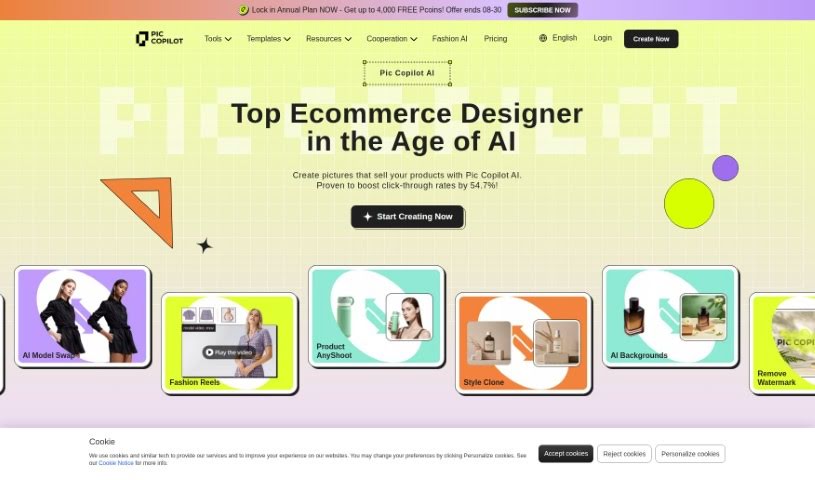
Screenshot of Pic Copilot

Pic Copilot

Discover what Pic Copilot is and how to use it to boost your e-commerce sales in 2025. We'll cover its features, compare it to other product photo generators, and show you how to get started.

Screenshot

What is Pic Copilot?

Pic Copilot is a smart AI tool specifically designed to create eye-catching product images for e-commerce businesses. It’s been shown to really help increase click-through rates, making your products stand out. It is a way to simplify your e-commerce design process, cut down on costs, and boost sales without a lot of hassle. This tool can generate product pictures for all sorts of situations, whether it’s for holidays or for specific product types like animals, people, cars, or even graphics. Plus, Pic Copilot is great at precisely removing backgrounds from images using its AI technology. It really uses AI to offer fresh solutions for e-commerce design, all with the goal of making your visual marketing more appealing. They recently released Pic Copilot 2.0, which comes with even more features to make e-commerce design simple, creative, and efficient.

Who created Pic Copilot?

Pic Copilot was developed by an organization that appears to be an official partner of AliExpress. While the specific founder isn’t detailed in the information I have, the company is clearly focused on using AI technology to provide innovative solutions for e-commerce. Their aim is to improve visual marketing strategies by offering features like the effortless generation of product images. This helps boost click-through rates and makes the design process much smoother for online stores.

What is Pic Copilot used for?

Pic Copilot is fantastic for generating product pictures for just about any scenario or occasion you can think of:

  • Seasonal Events:
    • Start of Spring
    • Valentine’s Day
    • Black Friday
    • Christmas
    • New Year
  • Product Categories:
    • Animals
    • People
    • Cars
    • Graphics

Who is Pic Copilot for?

  • Anyone working in e-commerce.

How to use Pic Copilot?

Getting the most out of Pic Copilot is pretty straightforward. Just follow these simple steps:

  1. Sign Up: First, create an account on the Pic Copilot platform to get access to all its services.
  2. Upload Images: Next, upload the product images you want to work with.
  3. Select Editing Options: Now, choose the editing features you need. This could be background removal, enhancing image quality, or other customizations.
  4. Customize: Use the easy-to-navigate tools Pic Copilot provides to tailor your images exactly how you like them.
  5. Preview and Finalize: Take a look at your edited images to make sure they look just right. You can make any final tweaks here.
  6. Download: Once you’re happy with everything, download your finished images. They’re ready to go for your e-commerce store or any marketing materials.
  7. Get Feedback: It can be helpful to share your edited images with colleagues or friends to get their thoughts before you launch them in your campaigns.
  8. Explore Advanced Features: Don’t forget to check out the more advanced options Pic Copilot offers, like processing multiple images at once (batch processing) or using special templates for different occasions.

By following these steps, you can really make the most of Pic Copilot’s AI tools. You’ll be able to create stunning product images that can make your online store look much more appealing and, importantly, help drive higher click-through rates.

Related AI Tools

Discover more tools in similar categories that might interest you

Stay Updated with AI Tools

Get weekly updates on the latest AI tools, trends, and insights delivered to your inbox

Join 25,000+ AI enthusiasts. No spam, unsubscribe anytime.