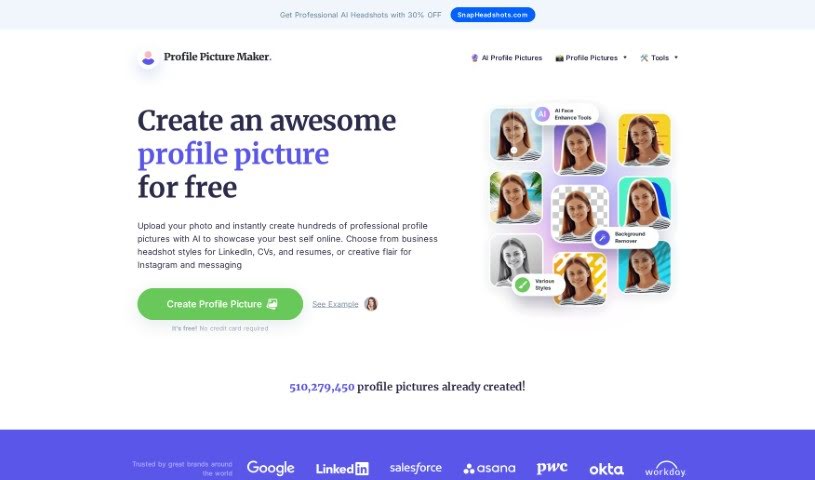
Screenshot of PFPMaker.com

PFPMaker.com

Discover what PFPMaker.com is and how to use it effectively in 2025. We'll explore its features and see how it stacks up against other AI Portrait Generators.

Screenshot

What is PFPMaker.com?

PFPMaker.com is a handy online tool that lets you create professional-looking profile pictures for all sorts of places – think LinkedIn, your CV, Instagram, or even just your messaging apps. It’s designed to be super easy to use, so you can whip up these profile pics in no time. The platform offers a bunch of templates and tools specifically for different needs, whether you’re updating your social media look, creating team photos, designing business cards, sprucing up your CV or resume, or making your email signature pop. With over 510 million profile pictures already made, it’s a go-to resource for anyone wanting to make their online presence shine with a great photo.

Who created PFPMaker.com?

The document doesn’t actually name the founder of PFPMaker.com. What we do know is that the website was created in 2024. If you’re curious about who’s behind it or want company details, you’d probably need to check other sources or reach out to PFPMaker.com directly.

What is PFPMaker.com used for?

PFPMaker.com is incredibly versatile! Here’s a breakdown of what you can do with it:

  • Social Media & Professional Profiles: Create perfect profile pictures for LinkedIn, your CV, resume, Instagram, or any messenger app.
  • Boost Your Online Presence: Make your profile picture look professional to improve how you come across online.
  • Increase Engagement: A polished profile picture can help grab attention, leading to more engagement and potential leads.
  • Fine-Tune Your Look: Use a variety of tools, including AI, filters, backgrounds, and templates, to get your profile picture just right.
  • AI Background Removal: Effortlessly remove backgrounds from any photo, no matter how complex, for a clean, professional look.
  • Coordinated Branding: Generate professional profile pictures that also come with matching background covers.
  • Versatile Applications: Use your custom profile pictures for social media, messengers, email signatures, resumes, CVs, dating apps, and much more.
  • Experiment with Styles: Play around with different portrait styles and settings to find the ideal look that represents you.
  • Diverse Portrait Options: Create classic, modern, or even futuristic profile pictures to accurately reflect your personal style.
  • Personal Branding: Craft a profile picture that truly represents your style, confidence, and approachability, helping to build a strong personal brand.
  • Multiple Image Options: Generate up to 100+ images showcasing different styles and settings to really enhance your online presence.
  • Networking & Job Opportunities: Create a great first impression for networking or when applying for jobs.
  • Get Noticed: Studies suggest professional profile pictures can lead to significantly more interactions.
  • Style Variety: Spruce up your social media with classic, modern, or futuristic profile picture styles.
  • Usage Compliance: Create profile pictures that meet usage agreements without any issues.

Who is PFPMaker.com for?

PFPMaker.com is a great tool for a wide range of people, including:

  • Corporate professionals
  • Job seekers
  • Freelancers
  • Entrepreneurs
  • Social media managers
  • Content creators
  • Influencers
  • Marketing professionals
  • Sales Representatives
  • Educators
  • Healthcare professionals
  • Real Estate Agents
  • Networkers
  • Public speakers
  • Team members

How to use PFPMaker.com?

Using PFPMaker.com is pretty straightforward! Just follow these simple steps:

  1. Head over to PFPMaker.com in your web browser.
  2. Decide what kind of profile picture you need – maybe for social media, a team photo, a business card, your CV/Resume, or an email signature.
  3. Click on the tab that matches your chosen profile picture type.
  4. You can either upload a photo you already have or snap a new one right there with your device’s camera.
  5. Now, make it yours! Adjust the size, crop it, and tweak other settings until you’re happy with how it looks.
  6. Once it’s perfect, just download the profile picture to your device.
  7. You’re all set! You can now use your new professional photo on LinkedIn, your CV, Instagram, or any messenger service you like.

See? It’s easy to create a professional profile picture for whatever you need with PFPMaker.com.

Related AI Tools

Discover more tools in similar categories that might interest you

123RF AI Image Generator

Creative Image Generation
Learn More

Stay Updated with AI Tools

Get weekly updates on the latest AI tools, trends, and insights delivered to your inbox

Join 25,000+ AI enthusiasts. No spam, unsubscribe anytime.