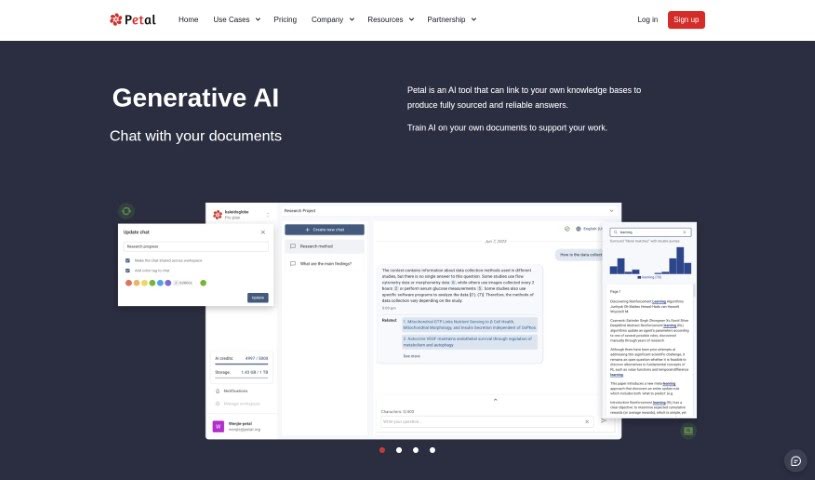
Screenshot of Petal

Petal

Discover what Petal is and learn how to use it effectively in 2025. We'll explore its features and see how it stacks up against other PDF Chat Tools.

Screenshot

What is Petal?

Petal is a really smart AI tool that turns your documents into expert insights. It uses what they call the world’s first context-aware generative AI, which means you can get answers that are fully sourced and reliable, super fast, without having to read through everything yourself. Think of it like having a digital expert ready to give you accurate, trustworthy information right when you need it. You can chat with Petal to pull out valuable insights from your own digital files, making it a fantastic way to boost your productivity and make better decisions. Plus, you can even train the AI on your specific documents, tailoring its abilities to exactly what you need for your work.

Who created Petal?

Petal wasn’t created by just one person; it’s the product of a whole team. It’s essentially an AI-powered platform for analyzing documents, letting you interact with them as if you were talking to a subject matter expert. The platform offers some neat features, like generative AI for dynamic conversations, a central cloud drive with smart functions, tools for annotating and collaborating with others, and the ability to analyze multiple documents at once. Petal also puts a big emphasis on security and trust, which makes it a great choice for people in academia, corporate R&D, and other expert fields.

What is Petal used for?

  • Business
  • Academia
  • Corporate R&D

Who is Petal for?

  • Researchers
  • Legal professionals
  • Healthcare providers
  • Business analysts
  • Educators
  • Data scientists
  • Journalists
  • Project managers
  • Financial Analysts
  • Technical Writers

How to use Petal?

Getting started with Petal is pretty straightforward. Here’s a simple guide to using it effectively:

  1. Sign Up: First, you’ll want to sign up for a free account on the Petal platform. This gets you access to a central cloud drive where you can store documents and start communicating with the AI.
  2. Document Interaction: Once your documents are stored, you can use Petal’s AI-powered analysis platform. It lets you engage with your documents like you’re chatting with an expert, helping you get accurate answers and insights directly from the content.
  3. Collaboration Features: Petal also has collaboration tools that are great for teamwork. You can easily share documents, add annotations, and leave comments for others using the platform.
  4. AI Capabilities: Take advantage of Petal’s AI features to do things like summarize long texts, translate languages, or even help generate new content based on the information you have.
  5. Multi-Document Analysis: If you need to compare or filter information across several documents, Petal lets you do that using everyday language. It makes analyzing multiple sources much simpler.
  6. Security and Trust: You can feel confident using Petal because it’s built with security and trust in mind. It ensures secure access and synchronization with your knowledge base, keeping your documents safe.

By following these steps, you’ll be able to get the most out of Petal for managing your documents, collaborating with others, and gaining AI-driven insights. Start exploring and interacting with your documents in a smarter, more efficient way with Petal.

Related AI Tools

Discover more tools in similar categories that might interest you

Academic Help Free Essay Generator

Education Academic Writing
Learn More

Stay Updated with AI Tools

Get weekly updates on the latest AI tools, trends, and insights delivered to your inbox

Join 25,000+ AI enthusiasts. No spam, unsubscribe anytime.