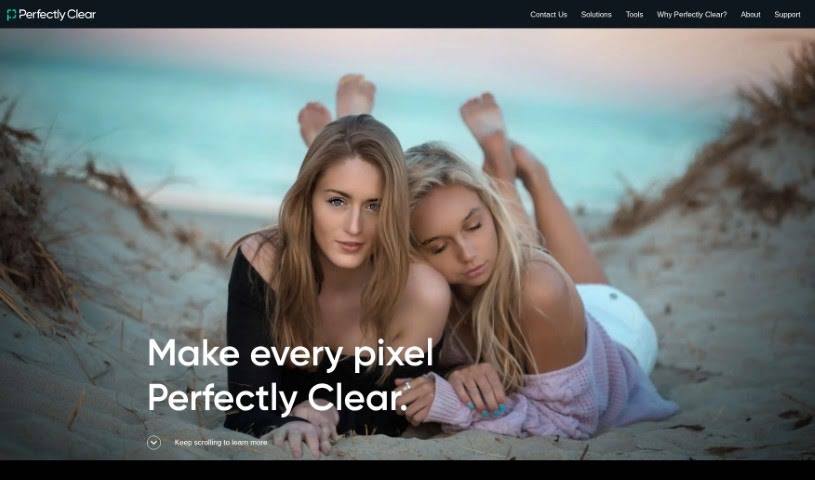
Screenshot of Perfectly Clear

Perfectly Clear

Discover what Perfectly Clear is and how to use it effectively in 2025. We'll dive into its features and see how it stacks up against other Image Enhancer & Upscalers.

Screenshot

What Exactly is Perfectly Clear?

Perfectly Clear is a really smart piece of software designed for making your photos look better. It uses some pretty advanced technology, kind of like a digital artist, to automatically fix all sorts of common photo problems. It is a quick way to make your pictures pop! It works by fine-tuning things like how bright the photo is, how vibrant the colors look, how sharp the details are, and even reducing any grainy or noisy bits. The result? You get photos that look professionally edited, and the best part is, it takes hardly any effort from you. People often mention how fast and efficient it is, making it a super convenient way to get your images ready for sharing online or printing. Plus, its interface is really easy to get the hang of, and it can even process a bunch of photos at once. Honestly, if you’re looking to improve your photos without a lot of fuss, Perfectly Clear is a fantastic tool to have in your kit.

So, Who’s Behind Perfectly Clear?

Athentech Imaging Inc. is the company that created Perfectly Clear. They’ve been around since the year 2000 and are based in Calgary, Alberta, Canada. While we don’t have specific details about who founded the company, we do know that Perfectly Clear itself first launched on October 30, 2020.

Who Would Find Perfectly Clear Useful?

This tool is a great fit for a wide range of people who work with images:

  • Photographers
  • Graphic designers
  • Social media managers
  • Marketing professionals
  • Real Estate Agents
  • Photo Editors
  • Event Planners
  • E-commerce sellers
  • Bloggers
  • Artists

How Do I Actually Use Perfectly Clear?

Getting started with Perfectly Clear is pretty straightforward. Here’s a simple breakdown of how you can make the most of it:

  1. Figure out your approach: First, you’ll want to decide if you’re looking to build photo correction directly into your own system or if you’d rather use a ready-made software for batch processing to speed things up.
  2. Building it in? If you’re going the route of integrating Perfectly Clear into your own system, just follow the guidelines they provide to get it set up.
  3. Ready to go? If you prefer a solution you can use right away, jump in and start using Perfectly Clear. It’s designed to make enhancing your photos and videos super easy.
  4. Explore the tools: Take some time to look through all the different features and tools Perfectly Clear offers. You can really fine-tune your images and videos to get them looking just right.
  5. Play around with settings: Don’t be afraid to experiment! Try out different settings and adjustments to see what kind of look you can achieve for your photos and videos.
  6. Save your work: Once you’re happy with your edits, save your images and videos. Make sure to choose the format and resolution that best suits what you need them for.
  7. Speed things up with batch processing: Remember, if you have a lot of photos to edit, use Perfectly Clear’s batch processing. It’s a real time-saver!

By following these steps, you’ll find it’s really easy to use Perfectly Clear to make your photos and videos look their absolute best.

Related AI Tools

Discover more tools in similar categories that might interest you

123RF AI Image Generator

Creative Image Generation
Learn More

Stay Updated with AI Tools

Get weekly updates on the latest AI tools, trends, and insights delivered to your inbox

Join 25,000+ AI enthusiasts. No spam, unsubscribe anytime.