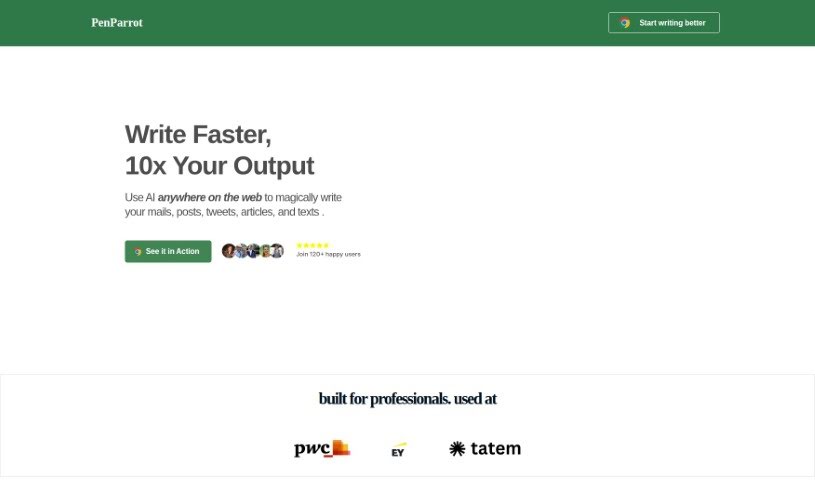
Screenshot of PenParrot

PenParrot

Discover PenParrot, an AI writing assistant that integrates ChatGPT into your workflow. Learn its features, how it helps with tasks like coding and content creation, and how it stacks up against other writing tools in 2025.

Screenshot

What is PenParrot?

PenParrot is an AI tool designed to really boost your writing productivity and make things more efficient. It is a smart assistant that brings ChatGPT right into the web apps you already use. This means you can easily generate new text, polish existing content, expand on ideas, translate languages, summarize long pieces, and even change the tone of your writing. PenParrot comes with helpful presets for different AI agents, like a Marketer, Programmer, Copywriter, Analyst, Researcher, Designer, and Sales expert. These presets offer specific, targeted help for each of those roles. Plus, you can create your own custom shortcuts for the writing tasks you do most often, making it super quick to navigate and get things done.

With PenParrot, you can set up custom shortcuts for things like rewriting, summarizing, or translating, letting you tap into AI power across all sorts of websites and applications. It can seriously improve how much you get done by giving you easy access to features like GPT 3.5 Turbo for everything from rephrasing and expanding text to translating and even helping with coding. Importantly, PenParrot is committed to your privacy; it doesn’t collect user data, as outlined in its Privacy Policy from 2023.

Who created PenParrot?

PenParrot was developed by its founder, and the company officially launched on June 18, 2024. At its heart, this platform is an AI-powered tool built to enhance your writing productivity and efficiency. It does this by seamlessly integrating ChatGPT into various web applications you use daily. You’ll find helpful AI agent presets ready to go, including Marketer, Programmer, Copywriter, Analyst, Researcher, Designer, and Sales, all designed to assist with specific queries. What really sets PenParrot apart, though, is its ability to let you design custom shortcuts for your most common writing tasks. This makes navigating and completing your work much more efficient. For those looking for a long-term solution, PenParrot also offers annual subscription plans, with prices starting at an affordable $24 per year.

What is PenParrot used for?

PenParrot is incredibly versatile and can help with a wide range of tasks:

  • Coding: Get assistance with writing and understanding code.
  • Rewriting: Easily rephrase text to improve clarity or change the style.
  • Summarizing: Quickly condense long documents or articles into key points.
  • Elaborating: Expand on existing text to add more detail or explanation.
  • Translating: Automatically translate text into different languages.
  • Tone Modification: Adjust the tone of your writing to be more friendly, professional, or any other style you need.
  • Affordable Plans: Offers budget-friendly options for various user needs.
  • Email Writing: Streamline the process of composing professional or casual emails.
  • Content Creation: Generate engaging content for blogs, social media, and more.
  • SEO Optimization: Craft articles and content that are optimized for search engines.
  • Coding Assistance: Get specific help with programming tasks.
  • Mail Writing: Efficiently draft and refine your emails.
  • Post Creation: Quickly create social media posts or blog entries.
  • Crafting Content: Develop well-written and engaging material.
  • SEO Articles: Write articles specifically designed to rank well in search results.
  • Marketing Solutions: Provide support for various marketing writing needs.
  • Rewriting Text: Easily rephrase existing content.
  • Elaborating Text: Add more detail and depth to your writing.

Who is PenParrot for?

PenParrot is designed to assist a variety of professionals, including:

  • Marketers
  • Programmers
  • Copywriters
  • Analysts
  • Researchers
  • Designers
  • Sales professionals

How to use PenParrot?

Using PenParrot effectively is straightforward. Here’s a breakdown of how to get the most out of it:

  1. General Task Assistance: PenParrot is a great helper for many writing needs. You can use it for drafting emails, creating posts, developing content, writing SEO-optimized articles, rewriting existing text, summarizing information, assisting with coding tasks, translating languages, and modifying the tone of your writing.
  2. Default Shortcuts: Make your workflow smoother with built-in shortcuts. For instance, you can use /AI to quickly bring up ChatGPT, /REWRITE to rephrase text, /SUMMARIZE to get a quick summary, /ELONGATE to expand on your writing, /TRANSLATE for language translation, /FRIENDLY to make your text sound more approachable, and /CODE for specific coding help.
  3. AI Agent Shortcuts: For even more targeted assistance, you can use specific AI agent shortcuts. These include commands like /ASK_MARKETER, /ASK_PROGRAMMER, /ASK_COPYWRITER, and so on. Using these allows you to get highly relevant productivity boosts in your specific professional areas.
  4. GPT 3.5 Turbo: PenParrot features the updated GPT 3.5 Turbo model, which offers advanced language processing capabilities, ensuring high-quality output for all your tasks.
  5. Enhanced Productivity: You can significantly boost your productivity by using these AI functions directly within your browser. PenParrot integrates with multiple sites and offers customizable shortcuts, allowing for much faster task completion.
  6. Free Trial: Want to try before you commit? PenParrot offers a risk-free 30-day trial, so you can explore all its functionalities without any obligation.
  7. User Reviews: Many users have shared positive feedback, praising PenParrot for saving them time, delivering high-quality results, and proving effective across a wide range of writing tasks.
  8. Data Privacy: Rest assured, PenParrot prioritizes your data privacy. It does not collect user data, adhering strictly to its Privacy Policy established in 2023.

Just remember, PenParrot provides an annual pass that gives you unlimited access to all GPT 3.5 Turbo features. It’s designed for customization and integrates with numerous sites and applications, helping with tasks like rewriting, translations, and coding. You’ll find pricing options that range from $24 to $299, with different tiers to suit various user needs.

Related AI Tools

Discover more tools in similar categories that might interest you

Stay Updated with AI Tools

Get weekly updates on the latest AI tools, trends, and insights delivered to your inbox

Join 25,000+ AI enthusiasts. No spam, unsubscribe anytime.