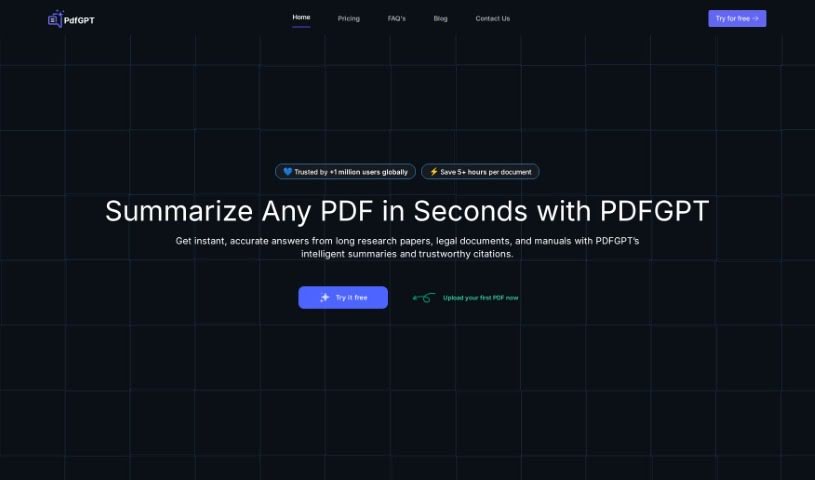
Screenshot of PDFgpt.io

PDFgpt.io

Discover what PDFgpt.io is and how to use it effectively in 2025. We'll explore its features and see how it stacks up against other PDF chat tools.

Screenshot

What is PDFgpt.io?

PDFGPT.io is a smart tool that helps you summarize PDF documents. You can upload your PDFs and then chat with the content. Think of it like having a conversation with your document! You can ask questions, pull out key information, and take advantage of features that help with research, managing your documents, improving customer support, and extracting data. Essentially, PDFGPT.io aims to make things easier for everyone, whether you’re studying, running a business, or just need to get through a lot of paperwork. It offers helpful study aids, acts like a personal assistant, saves you time, and helps streamline your work. Plus, they’ve built in security features to keep your data safe and compliant.

Who created PDFgpt.io?

PDFgpt.io was developed by a team, though the lead founder’s identity isn’t publicly shared. Their main focus is on creating an AI PDF summarizer that really helps people like researchers, teachers, and business folks get the most out of their PDF documents. By making it easier to pull out data and insights, they’re boosting efficiency in how we manage documents and conduct research.

What is PDFgpt.io used for?

PDFgpt.io is incredibly versatile. You can use it for:

  • Extracting Data: Pulling specific information out of documents.
  • Optimizing Workflows: Making your processes smoother and faster.
  • Integrations: Connecting with other tools you already use.
  • Personal Assistant: Getting quick answers to your questions.
  • Compliance: Making sure your data handling meets regulations.
  • Saving Time: Cutting down on manual tasks.
  • Customer Support: Helping your support team respond faster.
  • Study Aid: Making it easier to learn from lengthy texts.
  • Future-Proofing Technology: Keeping your tools up-to-date.
  • White Labeling: Customizing the tool for your brand.
  • Security Features: Keeping your information protected.
  • Education: Making learning more engaging and efficient.
  • Improving Efficiency: Finding smarter ways to work, especially with integrations.
  • Enhanced Security: Offering better protection for your PDF files.
  • Document Summarization: Condensing digital archives for quick review.
  • Market Research: Speeding up your analysis of market data.
  • Workflow Optimization: Using AI to improve how you manage documents.
  • Automated Forms: Filling out forms and signing documents digitally.
  • Customer Service: Providing AI-powered responses to customers.
  • Business Analytics: Quickly getting key data from reports and contracts.
  • Legal Processes: Simplifying legal work and case management.
  • Document Management: Making it easier to organize and handle documents.
  • Customer Service Improvement: Enhancing how you interact with customers.
  • Boosting Research: Using advanced tools and real-time analysis.
  • Streamlining Relationships: Improving how you connect with customers to drive growth.
  • Engaging Students: Facilitating personalized learning in education.
  • Simplifying Legal Work: Making legal processes easier.
  • Efficient Study Aid: Condensing long documents into easy-to-understand summaries.
  • Personal Assistant: Answering specific questions about your PDFs.
  • Saving Time: Automating form filling and digital signatures.
  • Optimizing Workflows: Integrating with document management systems.
  • Enhancing Support: Providing quick, AI-driven answers for customer service.
  • Empowering Analytics: Extracting critical data from reports and contracts rapidly.

Who is PDFgpt.io for?

PDFgpt.io is a great tool for a wide range of users:

  • Researchers: To quickly find and analyze information.
  • Businesses: To improve efficiency and customer service.
  • Education: For students and educators to learn and teach more effectively.
  • Lawyers: To simplify legal processes and manage cases.
  • Individuals: Anyone who needs to work with PDFs more efficiently.
  • Business Professionals: To streamline tasks and gain insights.
  • Educators: To create more engaging learning experiences.
  • Law Professionals: For better case management and legal document handling.

How to use PDFgpt.io?

Using PDFgpt.io is pretty straightforward. Here’s how you can get started:

  1. Upload Your PDF: First, log in using your email and then upload the PDF document you want to work with. It’s free to do this!
  2. AI Learns the Content: Give the AI system a few moments – it needs to read through and understand everything in your PDF.
  3. Chat with Your Document: Once it’s learned the content, you can start asking questions or pull out information by simply chatting with the tool.
  4. See the Benefits: PDFGPT offers a lot for researchers, businesses, educators, and individuals. It can help boost your research, make customer relationships smoother, and serve as a handy study aid.
  5. Explore Core Features: You’ll find features like integrations, APIs, white-label options, and strong security to keep your data safe and compliant.
  6. Navigate Easily: The interface is designed to be user-friendly, making it simple to manage your PDFs and interact with them through dynamic chat.
  7. Boost Your Productivity: This service is all about making your PDF-related tasks more efficient, offering quick help and versatile tools.
  8. Check Pricing: PDFGPT provides various features to help you manage documents, boost productivity, and get assistance with your PDFs.
  9. Need More Help?: If you’d like a personalized walkthrough, you can book a demo. Or, feel free to try the tool yourself for free by reaching out to [email protected].

By following these steps, you’ll be able to use PDFGPT to make handling documents much easier, get the data you need quickly, and generally improve how you work with PDFs.

Related AI Tools

Discover more tools in similar categories that might interest you

Academic Help Free Essay Generator

Education Academic Writing
Learn More

Stay Updated with AI Tools

Get weekly updates on the latest AI tools, trends, and insights delivered to your inbox

Join 25,000+ AI enthusiasts. No spam, unsubscribe anytime.