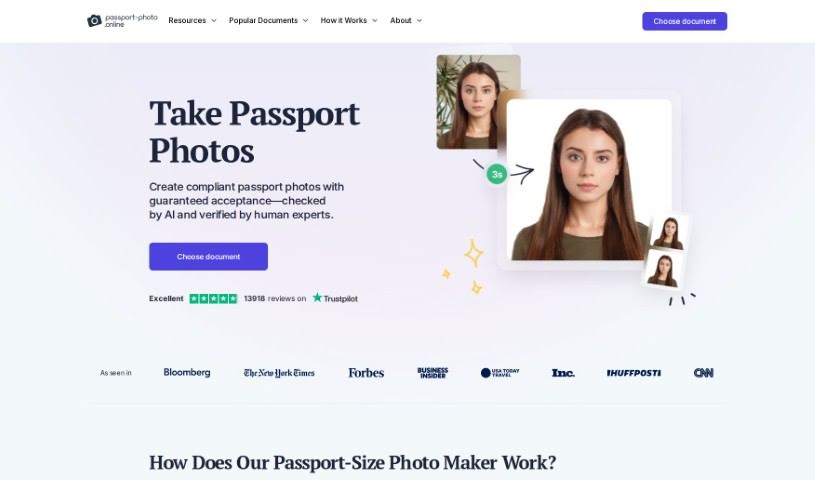
Screenshot of Passport Photo Online

Passport Photo Online

Discover what Passport Photo Online is and how to use it effectively in 2025. We'll explore its features and compare it to other photo editors.

Screenshot

What is Passport Photo Online?

Passport Photo Online is a really handy tool for making those official biometric photos you need for passports, visas, and ID cards. It is your personal photo studio, right at home! It makes the whole process super simple. You can snap a selfie or upload a picture you already have, and the tool uses smart AI to get it just right for official standards. Plus, experts double-check everything to make sure it’s 100% compliant with all the rules. Once it’s verified, you can download your digital photo right away or have printed copies sent to you. It’s a quick and easy way to get the job done.

Who created Passport Photo Online?

Passport Photo Online first opened its virtual doors on January 21, 2020, offering a straightforward way to get your passport photos. We don’t have details on who founded it, and specific company information isn’t available in the documents we have.

What is Passport Photo Online used for?

  • Speedy Processing: Get your photos done fast.
  • Biometric Photos: Create photos that meet strict requirements.
  • Document Support: Works for passports, visas, and various ID cards.
  • High-Quality Results: Ensures your photos look professional.
  • Expert Verification: Experts check your photo for compliance.
  • Download & Delivery: Get digital copies or printed photos.
  • Mistake Identification: Helps you spot common photo errors.
  • Neutral Expressions: Guides you to maintain a neutral face.
  • Background Adjustment: Automatically fixes your photo’s background.
  • Global Reach: Operates worldwide for different country requirements.
  • No Filters: Uses genuine photo standards, not social media effects.
  • Compliance Assurance: Ensures your photos meet all regulations.
  • Document Photo Help: Assists with all your official photo needs.
  • High Success Rate: Increases your chances of acceptance.
  • Refund Policy: Offers a refund if your photo isn’t accepted.
  • Convenient Delivery: Printed photos sent right to your home.
  • User-Friendly: Easy for anyone to use.
  • ICAO9303 Standards: Meets international photo guidelines.
  • Photo Retouching: Offers services to improve your photos.
  • 24/7 Assistance: Available around the clock for help.
  • Optimizing for Documents: Tailors photos for specific official needs.
  • Getting Verified: Lets you get expert checks on your photo’s compliance.
  • Digital or Printed: Choose how you want your photos.
  • AI Adjustments: Uses technology to fine-tune your images.
  • Preparation Tips: Gives you advice on how to take the best photo.
  • Correcting Mistakes: Helps fix common issues like lighting or positioning.
  • Neutral Faces: Ensures your expression is appropriate.
  • Global Operation: Supports various countries and document types.

Who is Passport Photo Online for?

  • Photographers: Looking for a quick way to process client photos.
  • Travel Agents: Helping clients with travel documentation.
  • Immigration Consultants: Assisting with visa and passport applications.
  • Freelancers: Needing professional ID photos for their work.
  • Business Professionals: Requiring corporate headshots or official documents.
  • Expats: Navigating international residency and work permits.
  • Students: Applying for visas or student IDs.
  • Human Resources: Preparing employee identification or travel documents.
  • Graphic Designers: Needing compliant images for various projects.
  • Visa and Passport Consultants: Streamlining the application process for clients.
  • Designers: Incorporating official photos into projects.
  • International Students: Securing necessary documentation for study abroad.
  • Digital Nomads: Managing travel and work permits globally.
  • Anyone needing Passport or ID Photos: A simple solution for everyone.
  • Business Professionals needing high-quality documents: Ensuring all official paperwork looks professional.

How to use Passport Photo Online?

Using Passport Photo Online is pretty straightforward. Just follow these simple steps:

  1. Head over to the Passport Photo Online website and find the tool.
  2. Tell it what kind of document you need the photo for – like a passport, visa, or ID card.
  3. Pick your country, or the country where your document will be issued.
  4. Upload a photo of yourself. Make sure it meets the basic requirements, like size and background color.
  5. Now, you’ll adjust the photo within the frame. You can crop it, zoom in or out, or move it around to get it just right.
  6. Double-check that your whole face is visible. There shouldn’t be any shadows, glare, or anything blocking your face or the background.
  7. Follow any extra tips the tool gives you to make sure your photo meets all the official standards.
  8. Once you’re happy with how the photo looks and it’s positioned correctly, move on.
  9. Take a final look at the preview to confirm everything is perfect.
  10. Download the finished passport photo to your computer or phone.
  11. If you need a physical copy, print it out on good quality photo paper.
  12. Trim the printed photo to the exact size required.
  13. And that’s it! Your passport photo is ready to go with your application.

Following these steps makes it super easy to create a professional and compliant photo for all your official documents.

Related AI Tools

Discover more tools in similar categories that might interest you

123RF AI Image Generator

Creative Image Generation
Learn More

Stay Updated with AI Tools

Get weekly updates on the latest AI tools, trends, and insights delivered to your inbox

Join 25,000+ AI enthusiasts. No spam, unsubscribe anytime.