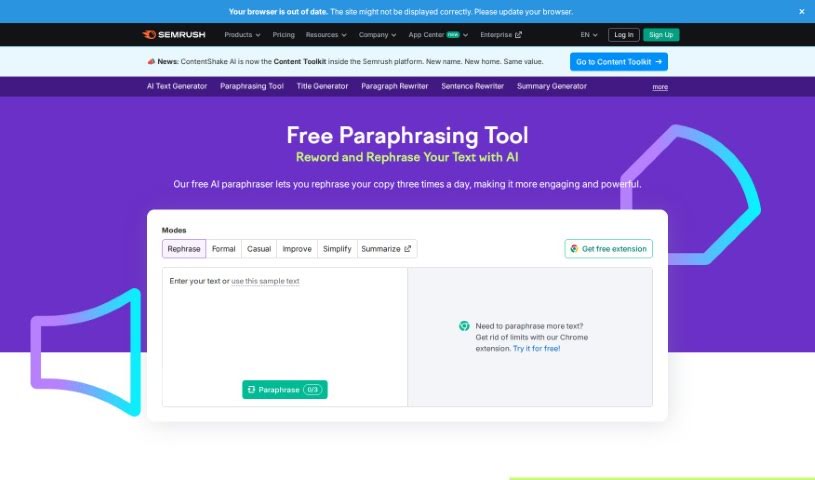
Screenshot of Paraphrasing Too l Semrush

Paraphrasing Too l Semrush

Discover Semrush's Paraphrasing Tool in 2025. Learn its features, how to use it for effective content rewriting, and how it stacks up against other paraphrasing tools.

Screenshot

What is Semrush’s Paraphrasing Tool?

The Paraphrasing Tool from Semrush is a straightforward platform designed to help you rewrite content while keeping the original meaning intact. It uses smart algorithms to offer accurate paraphrases that fit the context, which is super helpful for avoiding plagiarism and making your content even better. With features like synonym suggestions and ways to rephrase sentences, the Semrush Paraphrasing Tool really aims to make rewriting easier and save content creators valuable time. All in all, it’s a great resource if you need to rephrase text effectively, ensuring it stays clear and sounds natural.

Who Created Semrush’s Paraphrasing Tool?

The specific founder of Semrush’s Paraphrasing Tool isn’t mentioned in the information we have. However, Semrush itself is a major SaaS company that was started back in 2008 by Oleg Shchegolev and Dmitry Melnikov. They focus on tools for competitive research and analysis, mainly for people working in online marketing. Semrush offers a range of services, including keyword research, analyzing backlinks, and site audits, all designed to help businesses improve their online presence.

How Do I Use Semrush’s Paraphrasing Tool?

Using the Paraphrasing Tool within Semrush is pretty simple. Just follow these steps:

  1. Log in to your Semrush Account: First, head over to Semrush and log in using your username and password.
  2. Go to the Tools Section: Once you’re in your dashboard, look for the “Tools” section.
  3. Find the Paraphrasing Tool: In the Tools area, search for the specific Paraphrasing Tool that Semrush provides.
  4. Open the Tool: Click on the Paraphrasing Tool to open it up and get started.
  5. Add Your Text: You can either type or paste the text you want to rephrase directly into the tool’s text box.
  6. Pick Your Options: Semrush offers different ways to paraphrase, so choose the options that best suit your needs, like changing sentence structures or using different synonyms.
  7. Generate the Rewritten Text: Hit the “paraphrase” or “rephrase” button, and the tool will process your text and give you a new version.
  8. Check and Edit: It’s important to read through the paraphrased text carefully. Make any adjustments needed to ensure it’s exactly what you want and still says the same thing as the original.
  9. Download or Copy: When you’re happy with the result, you can either download the text as a file or just copy it directly from the tool.
  10. Save or Use It: Save your newly paraphrased text for later or put it straight into your work.

By following these steps, you can easily use Semrush’s Paraphrasing Tool to create unique, original content tailored to whatever you need.

Related AI Tools

Discover more tools in similar categories that might interest you

Academic Help Free Essay Generator

Education Academic Writing
Learn More

Stay Updated with AI Tools

Get weekly updates on the latest AI tools, trends, and insights delivered to your inbox

Join 25,000+ AI enthusiasts. No spam, unsubscribe anytime.