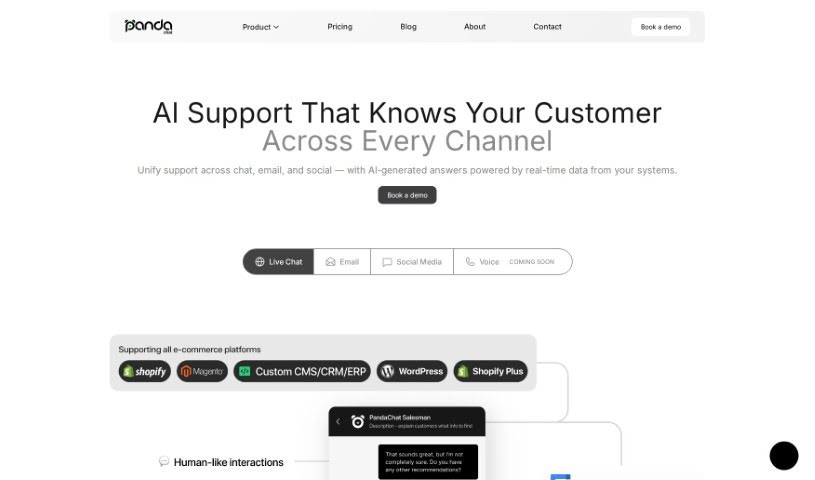
What is PandaChat?
PandaChat is an AI-powered tool designed to completely change how we find and understand information. It makes getting relevant answers fast and easy by looking at your documents and giving you quick, accurate responses to your questions. You can securely upload all sorts of data – think PowerPoints, Word docs, images, and even websites. PandaChat then uses this information to give you smart answers. The whole idea is to make your work smoother, boost your productivity, and help you find exactly what you need without a hassle.
Who created PandaChat?
PandaChat was actually started by Primož Cigoj. He began it as a weekend hobby project in Ljubljana, Slovenia. The company’s main goal is to simplify tasks and help people achieve more. They’re reimagining how everyone – from students and businesses to individuals – interacts with data, all through a really user-friendly application.
What is PandaChat used for?
- Chat with YouTube videos: Get insights from video content.
- Boost your business: Use the AI assistant with the PandaChat Enterprise package.
- Chat with articles: Improve your understanding with the PandaChat Assistant.
- AI on your phone: Access the PandaChat Mobile App for on-the-go help.
- Summarize content: Quickly get the gist of long articles using the PandaChat Chrome extension.
- Chat with any web content: Use the handy Hai Surf tool.
- Stay updated with news: Chat about current events using the Hai News tool.
- Scan and chat: Use the PandaChat Mobile App to scan documents with your phone and get instant answers.
- Embed chatbots on websites: Enhance your site with interactive chat features using PandaChat Live.
- Customer service: Power your customer support with chatbots via PandaChat Live.
- Improve team efficiency: Foster faster, more secure communication to boost team performance.
- Secure data uploads: Quickly and safely upload various data types for intelligent analysis.
- Instant answers: Get immediate responses by analyzing your accumulated documents.
- Targeted search: Access precise information through sophisticated search techniques.
- Business operations: Enhance your business with AI through PandaChat Enterprise.
- Personal use: Great for students or researchers needing quick information access.
- Article interaction: Chat about articles and get summaries with the PandaChat Assistant.
- Browser assistant: Use the PandaChat Chrome extension for AI assistance right in your browser.
- Team communication: Improve how teams communicate and make decisions with real-time messaging.
- Data analysis: Efficiently upload and analyze different file types for quick insights.
- Tailored solutions: Get solutions customized for specific user needs and industries.
- Website support: Integrate chatbots on your website for personalized customer support.
- Data safety: Keep your information secure with the PandaChat Enterprise package.
Who is PandaChat for?
PandaChat is a great tool for a wide range of users:
- Students: Get help with research and understanding complex topics.
- Researchers: Quickly analyze data and find relevant information.
- Innovators: Explore new ideas and gain insights from various sources.
- Leaders: Make informed decisions with quick access to key data.
- AI Enthusiasts: Anyone interested in using AI assistants on their phone or directly in their browser.
- Website Owners: Looking to add interactive chatbots for better user engagement or customer service.
- Professionals: Those who regularly work with articles, news, or need to summarize content.
- Customer Service Teams: Seeking efficient ways to handle inquiries.
- Business Professionals: To improve operations, efficiency, and data analysis.
How to use PandaChat?
Using PandaChat effectively is pretty straightforward. Just follow these steps:
- Upload Your Data: Start by securely and efficiently uploading various types of data. This can include PowerPoints, Word Documents, images, websites, and more.
- Get Smart Answers: PandaChat will then analyze everything you’ve uploaded. It provides instant, accurate answers to your questions, so you won’t have to dig through manuals or long documents.
- Search with Ease: You can search through your uploaded data seamlessly. This makes finding specific information or relevant documents quick and simple.
- Work Smarter: Automate your data analysis and get prompt responses. This really helps boost your efficiency and productivity.
- Integrate Data: Bring in different types of data for a more complete analysis and deeper insights.
For personalized experiences, consider these options:
- For Businesses: If you handle confidential information, the PandaChat Enterprise package is tailored for your needs, ensuring secure handling.
- For Students & Researchers: PandaChat offers products like the Assistant, Hai News, and Hai Surf for enhanced learning and research.
- For Specific Needs: Need chatbots on your website? PandaChat Live is perfect for that. Want to summarize articles or chat with web content? The PandaChat Assistant is your go-to.
- For Mobile Users: Download the PandaChat Mobile App, available for both iOS and Android, for easy access and chat capabilities right on your phone.
By following these steps and exploring PandaChat’s many features and products, you’ll find your efficiency, productivity, and data analysis capabilities greatly improved, all tailored to what you need.