What is PaceAI?
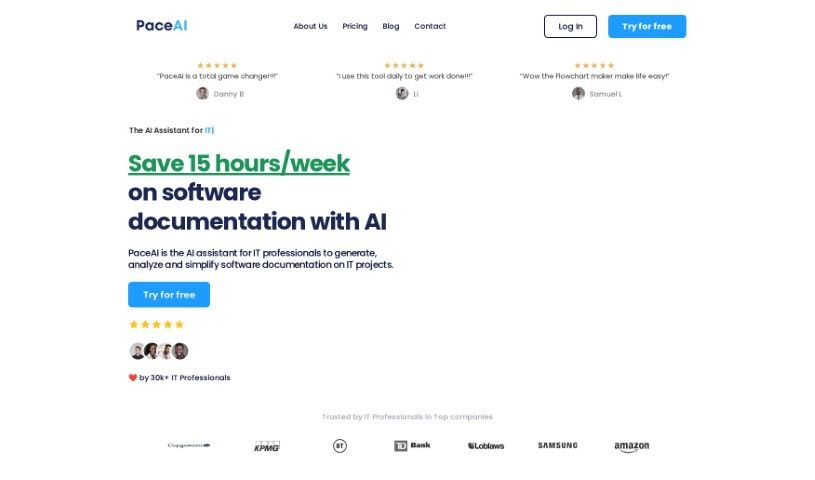
PaceAI is an AI tool built specifically for IT professionals who aren’t necessarily tech experts themselves. It’s designed to help them create, analyze, and simplify all sorts of technical documents. It is a smart assistant for your documentation tasks. It actually offers over 35 different AI tools, each fine-tuned for specific jobs like writing user stories, outlining product visions, or even creating flowcharts. The main goal here is to make the whole technical documentation process much smoother, freeing up IT pros to concentrate on more strategic work and teamwork. The team behind PaceAI are IT professionals themselves, and their mission is to give non-technical IT folks the power of the latest AI models to really boost how much they can get done and how efficiently they can do it.
Who created PaceAI?
PaceAI was actually started by IT pros Patrick G (who has a PhD) and Nelson U. They launched it on August 19, 2023, with a clear mission: to help IT professionals do their jobs better using AI tools that are made just for them, especially if they’re not deep into the technical coding side of things. The platform comes with more than 35 tools all rolled into one, including handy ones like PaceChat, a Business Analysis Plan generator, and a User Story Generator. These are all aimed at making IT professionals more productive and simplifying their day-to-day tasks.
What is PaceAI used for?
PaceAI can help you with a wide range of tasks:
- Drafting & Outlining: You can generate outlines and initial drafts for all sorts of technical documents.
- User Stories: It’s great for creating multiple user stories for your products or projects.
- Requirements: Need product or business requirements? PaceAI can generate those too.
- Visuals: You can create process maps or flowcharts easily.
- Product Visions: It even helps you create product visions inspired by Roman Pichler’s methods.
- Analysis: PaceAI can analyze your existing project documentation.
- Simulations: Get insights or even simulate conversations with different IT role personas.
- Tool Variety: Access over 35 AI tools specifically designed for IT work.
- Content Optimization: Improve your technical documentation content.
- Clear Docs: Automatically generate technical documentation that’s both clear and concise.
- Content Generation & Analysis: Handle both creating and analyzing content for technical documents.
- Product Vision Creation: Develop a clear product vision for your projects.
- Tailored Results: Upload your project documentation to get results that are specifically suited to your needs.
- Persona Chats: Engage in conversations with IT role personas to better understand different perspectives.
- Effective Communication: Understand and communicate technical concepts more effectively.
- Time Savings: Save valuable time on documentation so you can focus more on strategic tasks and collaboration.
- Process Maps: Instantly create various process maps, including sequence diagrams, Gantt charts, user journeys, ER diagrams, flowcharts, and mind maps, often from simple prompts.
- Team Communication: Use AI chat personas to help articulate your vision and communicate smoothly with team members.
- Product & Business Requirements: Generate detailed product and business requirements for your projects.
- Roman Pichler Visions: Create product visions that follow Roman Pichler’s influential framework.
- Documentation Upload: Easily upload your project documentation for customized analysis and generation.
- Persona Insights: Gain insights or simulate conversations with various IT roles, like developers, Product Managers, and other team members.
- Bulk User Stories: Generate numerous user stories for your product or project with just a single click.
- Streamlined Documentation: Save time on technical documentation by generating, analyzing, and simplifying it all in one place.
- Any Technical Document: Generate outlines and drafts for any type of technical document you need.
- Data Insights: Provide valuable insights through data analysis.
- Customization: Tailor functionalities to fit specific needs or industries.
- Prompt-Based Maps: Create a process map or flowchart from a simple prompt.
Who is PaceAI for?
PaceAI is a fantastic tool for a variety of IT and product-focused roles, including:
- IT Business Analysts
- Product Managers
- Product Owners
- Business Analysts
- Product Consultants
- Product Mentors
- Trainers
- IT Consultants
(Note: Some roles were listed multiple times in the original content, so they are consolidated here for clarity.)
How to use PaceAI?
Using PaceAI is pretty straightforward. Just follow these simple steps:
- Pick the Right Tool: Start by choosing from over 35 AI tools specifically made for IT tasks. You’ll find options like the User Story Generator, Product Vision Generator, Interview Analyzer, SQL Generator, and many more.
- Tell PaceAI About Your Project: You can either upload any existing project documentation or simply describe your project to PaceAI. This step is really important because it helps PaceAI understand your project better and fine-tune its AI to give you the most relevant results.
- Get Your Custom Results: Once you’ve provided the information, just hit the “Generate” button. You’ll receive results that are super tailored to your specific project or organization, which is a big difference compared to general-purpose AI tools.
PaceAI is really built to help IT professionals boost their productivity, come up with new ideas, and get tasks done quickly using the latest AI models. It offers tools like Pace Editor, PaceChat, and Process Map to make your work smoother, improve how you communicate, and increase your overall efficiency. With an easy-to-use interface, features you can customize, and special AI chat personas, PaceAI aims to supercharge your work processes and help IT professionals create their best work without the usual hassle.
When it comes to pricing, you can pick a plan that suits you best. There’s the Starter plan for $9/month if you just want to try things out, the Pro plan at $19/month for efficient IT professionals, or the Power User plan for $49/month if you need more advanced capabilities. No matter which plan you choose, PaceAI is designed to really change how technical documentation is done and help IT professionals shine in their roles.
Join the more than 20,000 IT professionals who are already using PaceAI to make their work more effective. See for yourself how powerful AI can be for your technical documentation tasks!