04-X
Text Generation Chatbots
Learn more
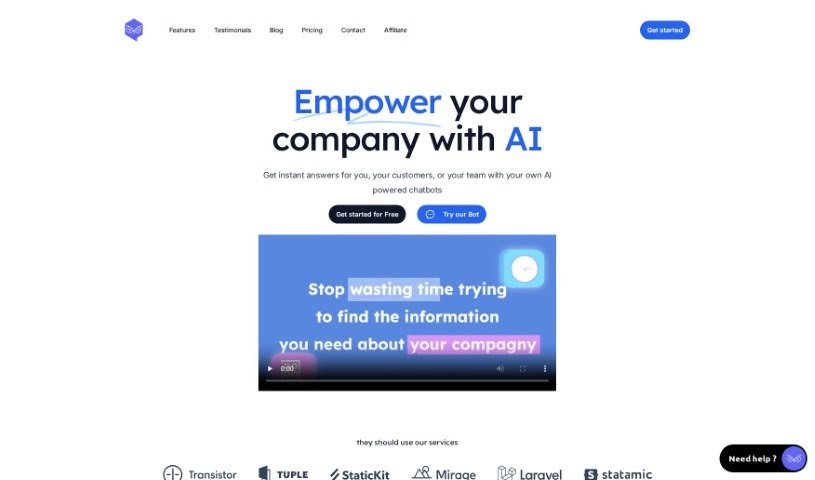
Discover what Owlbot is, an AI chatbot that pulls answers from your data sources and automates customer support in 95 languages. Learn about its features
Owlbot is an AI-powered chatbot tool designed to help you get more value from your data. It includes its own chatbot assistant, can pull information from a variety of sources, and helps analyze that data. You can chat with it to get quick answers drawn from multiple sources at once.
Owlbot was created by Peter Renolds, who also founded West Inc. The product focuses on AI-powered chatbot solutions that simplify data analysis and insight discovery. It offers a straightforward chatbot interface, easy integration of different data sources, and tools for monitoring conversations — with the goal of making data analysis accessible regardless of technical background.
Data integration: Owlbot pulls and analyzes data from sources such as websites, PDFs, Word documents, and databases, making it straightforward to extract insights from your information.
Deployment: You can create your own chatbot and embed it on your website via an iframe or as a chat bubble in the bottom right corner. The chatbot is also accessible directly through its API.
Ease of use: The tool is designed to be user-friendly, so you don’t need to be a data expert to run complex data analysis.
Security: Owlbot uses encryption and privacy measures to keep your data secure and confidential.
Customization: You can change the main prompt, name the chatbot, define its personality traits, and specify how it answers questions.
Languages: Owlbot supports around 95 languages, so you and your users can interact with it in a variety of languages.
Pricing: Plans are available for businesses of different sizes, with options covering multiple chatbots, message limits, database sizes, and more.
Related
Discover more tools in similar categories
Weekly picks of the best AI tools we've researched and added — no spam, unsubscribe anytime.
Join 25,000+ AI enthusiasts. No spam, unsubscribe anytime.