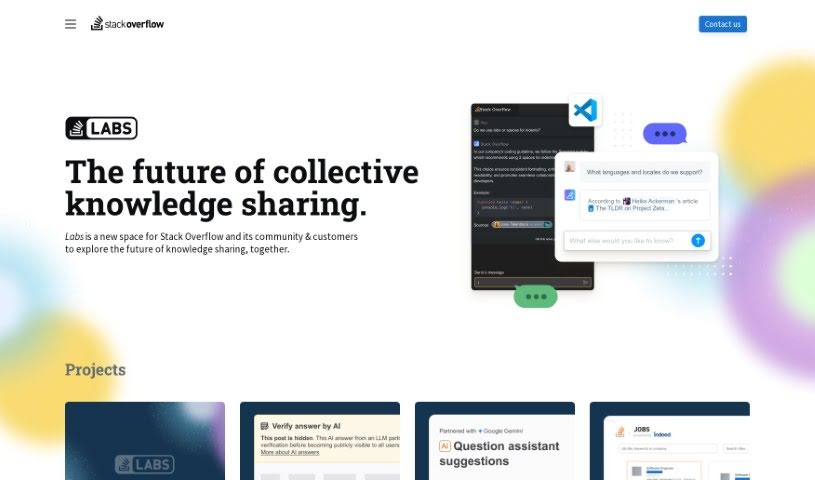
Screenshot of Overflowai

Overflowai

Discover OverflowAI in 2025! Learn about its features, how to use it effectively, and how it stacks up against other chatbots. Get the details on enhancing your developer experience.

Screenshot

What is OverflowAI?

OverflowAI is a new suite of AI-powered tools and features rolling out across Stack Overflow’s public platform and its Stack Overflow for Teams offering. The big idea here is to use AI, like semantic search and natural language processing, to make the developer experience even better. And importantly, they’re keeping the Stack Overflow community right at the heart of it all. Some of the key things OverflowAI brings to the table include smarter semantic search on the public site, more powerful search for Teams customers that blends both internal and public knowledge, ways for businesses to quickly build their own knowledge bases for Teams by ingesting their enterprise knowledge, a Visual Studio Code extension to bring answers right into developers’ daily workflows, a Slack chatbot that can offer solutions directly within Slack conversations, and new discussion features designed to connect the AI community and let people share their thoughts and perspectives.

Who created OverflowAI?

OverflowAI represents a new collection of AI-driven products and features being integrated into both Stack Overflow’s public platform and Stack Overflow for Teams. The core aim is to employ AI technologies, such as semantic search and natural language processing, to improve the overall developer experience, all while ensuring the Stack Overflow community remains central to its development and use. The provided information doesn’t explicitly name a founder for OverflowAI.

Who is OverflowAI for?

  • Developers
  • Members of the AI community

How to use OverflowAI?

Here’s a simple guide to getting the most out of OverflowAI:

  1. Explore the Features: You’ll find OverflowAI integrated directly into Stack Overflow’s public platform and Stack Overflow for Teams. It offers improved semantic search on the public site, and for Teams users, it provides enhanced search capabilities by combining your internal knowledge with public information. It also includes tools for enterprise knowledge ingestion, letting you quickly build a knowledge base for your team. Plus, there’s a Visual Studio Code extension to bring answers right into your workflow, a Slack chatbot that delivers solutions directly in Slack, and discussion features to help you connect with the AI community and share your insights.
  2. Stay Informed: Keep an eye out for the official launch of OverflowAI. We’ll share updates as soon as the release date is announced, so you’ll know exactly when you can start using it.
  3. Make Use of Available Tools: You can also explore tools similar to OverflowAI on Stack Overflow Labs. These can help you improve your knowledge sharing and collaboration experiences right now.
  4. Understand the Guiding Principles: OverflowAI is built on some core ideas: helping technologists create amazing things, ensuring accuracy by relying on peer-reviewed sources, making coding accessible for everyone regardless of their skill level, and always emphasizing the importance of human involvement when applying new technologies.

By following these steps, you can really make OverflowAI work for you, improving your developer experience and how you share knowledge on both the Stack Overflow platform and within Stack Overflow for Teams.

Related AI Tools

Discover more tools in similar categories that might interest you

Stay Updated with AI Tools

Get weekly updates on the latest AI tools, trends, and insights delivered to your inbox

Join 25,000+ AI enthusiasts. No spam, unsubscribe anytime.