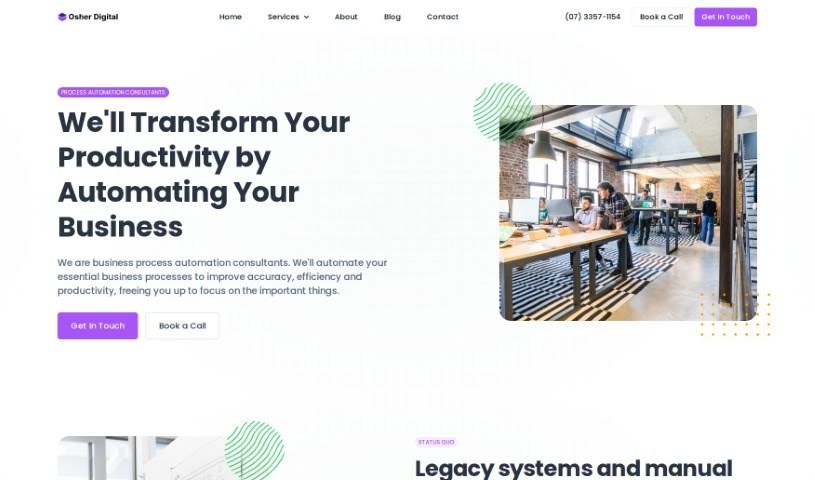
Screenshot of Osher.ai

Osher.ai

Discover Osher.ai in 2025! Learn what this platform is, how to build and deploy your own custom AIs for business, and explore its features. We'll also compare it to other startup tools.

Screenshot

What Exactly is Osher.ai?

Osher.ai is your go-to platform for creating and launching your very own custom AIs. Whether it’s for your business, a community group, your team, or even a club, you can build an AI that works specifically for you. What’s really neat is that you can train these AIs using all sorts of your own content – like your company’s internal knowledge bases, important process documents, or even spreadsheets. The platform lets you create several different AIs, each with its own set of access rules. You also get to personalize them, choosing their name, personality, and even their color scheme, plus you have full control over who can access them. For pricing, it starts at a very reasonable $29 a month, and if you opt for the Enterprise plan, you’ll get API access included. Osher.ai is designed to be a great fit for businesses of any size and across any industry that are looking to boost their efficiency, cut down on mistakes, and scale up their operations by using smart automation.

Who’s Behind Osher.ai?

Osher.ai was actually built by a team of seasoned entrepreneurs who are really passionate about helping businesses grow by using automation and AI strategically. These founders have a solid background in automating business processes, all with the goal of making things more efficient and driving growth. Their company focuses specifically on digital business process automation, offering services that help uncover those hidden efficiencies, reduce errors, and create a path for scalable growth for businesses, no matter their size or the industry they’re in.

What Can You Actually Do with Osher.ai?

Here’s a rundown of what Osher.ai lets you accomplish:

  • Build & Deploy Custom AIs: Create and launch personalized AIs for your business, organization, team, or club.
  • Train Your AI: Feed your AI content like internal knowledge bases, process documents, or spreadsheets.
  • Manage Multiple AIs: Set up different AIs, each with unique access permissions to specific content.
  • Personalize Your AI: Give your AI a custom name, personality, purpose, and even a specific color to match your brand.
  • Control Access: Decide who can interact with your AI and even restrict access by domain.
  • Website Integration: Easily embed a chat widget on your website for public-facing interactions.
  • Intranet Integration: Place your AI directly within your intranet for internal employee access.
  • Flexible Pricing: Plans begin at $29 per month, with the Enterprise plan offering valuable API access.
  • AI Availability: Choose between private AIs for internal use or public AIs for broader access.
  • Enterprise-Ready: Benefit from secure features designed for business-level needs.

Who Benefits Most from Osher.ai?

Osher.ai is a fantastic tool for a variety of sectors, including:

  • Retail
  • Healthcare
  • Finance
  • Manufacturing

Getting Started with Osher.ai: A Simple Guide

To really make the most of Osher.ai, here’s a straightforward way to get going:

  1. Create Your AI: Start by building and deploying custom AIs that are perfectly suited to what your business needs. You do this by training them on your own internal knowledge base, process documents, or spreadsheets.
  2. Make it Yours: Customize your AIs! You can give them different personalities, names, colors, and define their purpose to really match your brand’s image.
  3. Manage Access: Decide how people will interact with your AIs. You can embed a chat widget right onto your website for public questions, or place the AI within your intranet so your internal team can use it.
  4. Understand Pricing: Plans start at $29 per month. If you need more advanced features, the Enterprise plan includes API access.
  5. Key Features to Note: You’ll find options for both private and public AIs, extensive customization capabilities, easy chat-based interactions, the ability to upload documents, website integration, secure operations, and features that make it ready for enterprise use.
  6. AI Training: Connect your AI to websites or helpdesks. You can also upload a wide range of document types, including PDFs, Word docs, Excel files, PowerPoints, CSVs, HTML, and plain text files.
  7. Tailor Everything: Go ahead and customize your AI’s look, color, personality, purpose, and even its welcome message to fit exactly what you prefer.
  8. Set Restrictions: You have control over who accesses your AI. You can create separate AIs for specific documents and even limit access based on IP addresses.
  9. AI Memory: Your AI has short-term memory, meaning it can remember past conversations within a single session and even across different website visits.
  10. Support & Training: You’ll receive comprehensive training sessions, access to detailed documentation, and ongoing support to help your team use and manage these automated processes efficiently.

Related AI Tools

Discover more tools in similar categories that might interest you

Stay Updated with AI Tools

Get weekly updates on the latest AI tools, trends, and insights delivered to your inbox

Join 25,000+ AI enthusiasts. No spam, unsubscribe anytime.