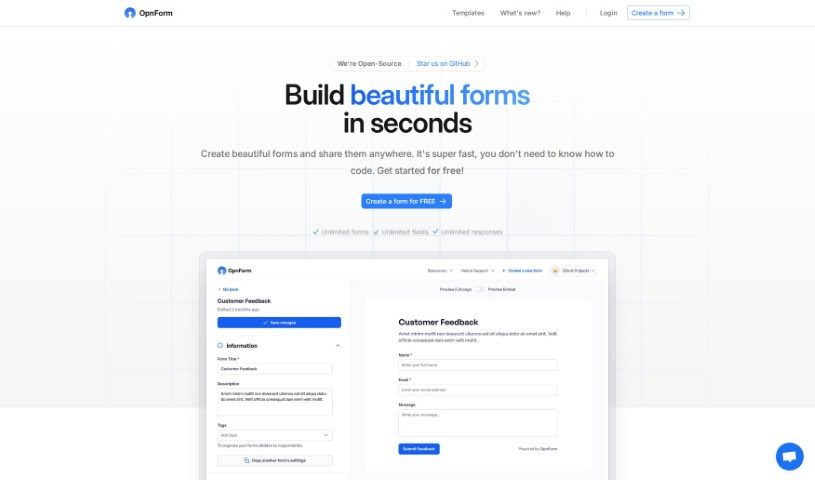
OpnForm is a really neat open-source tool that lets you build custom electronic forms pretty quickly. The best part? You don’t need to be a coding wizard to use it. You can create forms with as many fields and submissions as you need, tweak the look and feel – like themes, text, and colors – and then share them easily with a unique link. It also handles things like file uploads, gives you insights with form analytics, and offers handy features such as form logic, pre-filling URLs, hidden fields, and webhooks. There’s a free version to get you started, and you can unlock even more powerful features with the Pro plan. This includes things like sending confirmation emails after a form is submitted, handling bigger file uploads, using your own custom domain, and getting rid of the OpnForm branding. If you decide to go with the Pro plan, you can even get discounts if you pay annually, and there are special deals for nonprofits and students. OpnForm also gives you the freedom to change your plan – upgrade, downgrade, or cancel whenever you need to.
Jhuman J is the creator behind Opnform, launching it on January 12, 2024. As an open-source project, it’s designed to make creating electronic forms simple and quick, even if you’re not a coder. You can have unlimited fields and submissions, share your forms with unique links, and take advantage of features like analytics and customizable themes. For those who need a bit more, the Pro version adds things like confirmation emails, larger file uploads, custom domains, and lets you remove the branding.
OpnForm is incredibly versatile! You can use it to:
- Create forms for all sorts of IT requests.
- Build HR surveys to gather employee feedback.
- Design forms for policy acknowledgements.
- Support nonprofit organizations with their data collection needs.
- Help students by providing easy ways to submit assignments or gather information.
- Completely customize the look of your forms with different themes.
- Add images to make your forms more engaging.
- Generate forms rapidly without needing to write any code.
- Share your forms easily using unique links.
- Keep track of how your forms are performing with analytics.
- Design detailed HR surveys.
- Manage policy acknowledgements efficiently.
- Collect valuable feedback from your customers.
- Gather registrations for events.
- Conduct market research surveys to understand your audience.
- Create simple and effective contact forms.
- Build order forms for products or services.
- Collect volunteer sign-ups.
- Manage job application submissions.
- Analyze form views and submission rates.
- Take advantage of enhanced features in OpnForm Pro, like confirmation emails and the ability to edit submissions.
- Handle larger file uploads, up to 50MB, with the Pro version.
- Tailor form themes, texts, and colors to match your brand.
- Use special features like form logic, pre-filling URLs, hidden fields, and webhooks.
- Choose from a wide variety of pre-built templates for different business needs.
- Build functional forms without needing advanced coding skills.
- Get notifications directly via Slack and email.
- Enjoy unlimited fields and submissions with OpnForm.
- Securely handle file uploads.
- Quickly create customizable electronic forms without coding.
- Support an unlimited number of fields and submissions.
- Build forms in just minutes and share them with unique links.
- Benefit from various enhancement features like notifications and analytics.
- Customize themes, texts, and colors.
- Add images and design custom thank-you pages.
- Use the AI Form Builder to automatically generate forms.
- Securely store uploaded files.
- Share forms easily through unique links or by embedding them on your website.
- Access analytics for form views and submissions.
OpnForm is a great tool for:
- IT professionals who need to create request or tracking forms.
- HR Professionals looking to conduct surveys or manage acknowledgements.
- Anyone else who needs to create forms for various purposes across different fields.
- IT specialists who want a quick and easy way to build forms.
Using OpnForm is pretty straightforward. Here’s a simple guide:
- Create Your Form: Start by building your form on OpnForm. You can choose from over 10 input types, add logic, and have a form ready in just minutes. You can pick a template or customize it with your preferred themes, colors, and images.
- Share It Easily: Every form you create comes with a unique link, making it super simple to share. You can send this link directly to people or embed the form right onto your website to reach your audience without any hassle.
- Manage Submissions: When people fill out your forms, you’ll get submissions. You can set up notifications, like alerts to Slack or your email, so you always know when a new submission comes in. This makes managing confirmations and responses much easier.
- Analyze Performance: OpnForm includes an analytics feature that helps you understand how your forms are doing. You can see how many people viewed them, how many completed them, and get a general sense of engagement.
- Unlock More with OpnForm Pro: If you need more advanced capabilities, upgrading to OpnForm Pro is a great option. It gives you features like confirmation emails for submissions, the ability to edit submissions, support for larger file uploads (up to 50MB), custom domain options, and the ability to remove OpnForm’s branding.
- Customize Everything: You have a lot of control over how your form looks. You can customize themes, texts, thank-you pages, and more. OpnForm makes this easy, so you don’t need to know any code.
- Stay Notified and Upload Files: Get notifications for new submissions to stay in the loop. The basic plan lets you securely upload files up to 5MB, and the Pro plan increases this to 50MB.
- Flexible Plan Options: With OpnForm Pro, you have the freedom to upgrade, downgrade, or cancel your plan whenever you wish. Any changes you make will take effect right away.
Basically, OpnForm is a user-friendly tool designed to make creating and managing forms simple for all sorts of tasks. It offers a smooth experience from the moment you start building to when you’re analyzing the results. Why not give OpnForm a try today and start creating forms with ease?