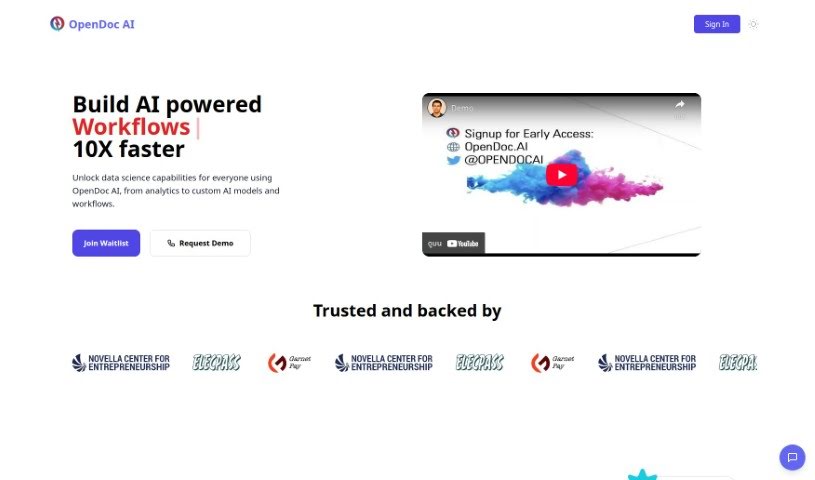
Screenshot of OpenDoc AI

OpenDoc AI

Discover OpenDoc AI in 2025! Learn what this chat-based analytics platform is, how to use its features, and how it stacks up against other data analytics tools.

Screenshot

What is OpenDoc AI?

OpenDoc AI is a chat-based analytics platform designed to help you interact with your data and uncover insights, even if you don’t have a technical background. It is a smart assistant for your data. It offers features like easy data access, clear visualizations, helpful AI insights, and tools for working together with others, all wrapped up in a simple chat interface. Whether you’re a data whiz or just starting out, OpenDoc AI makes it easy to analyze and understand your information, share what you find, and make smarter decisions based on AI-powered suggestions. Plus, you can get direct access to your raw data whenever you need it. The platform really encourages teamwork, boosting how much you can get done and making it simple to share knowledge.

Who created OpenDoc AI?

OpenDoc Overview:

OpenDoc AI, Inc. created OpenDoc, which is a chat-based analytics platform. It first launched on May 9, 2023. Emily Johnson, who leads Product Research & Development, is at the helm of the company. OpenDoc AI is changing the game for how we handle data by providing a super user-friendly interface, analytics through chat, ways to visualize data, tools for team collaboration, and insights powered by AI. It’s built for everyone, no matter their technical skill level, making it easier to make decisions based on data and share what you learn.

What is OpenDoc AI used for?

OpenDoc AI is incredibly versatile! Here’s a look at what you can do with it:

  • Collaboration: Work together with your team on data projects.
  • Recommendations: Get smart suggestions based on your data.
  • Facilitating Team Collaboration: Make teamwork smoother and more effective.
  • Automate Data Workflows: Use simple prompts and generative AI to handle repetitive data tasks.
  • Intuitive User Interface: Customize how you work with the platform to fit your preferences.
  • Streamline Repetitive Tasks: Create custom automation solutions to save time.
  • Clear AI Instructions: Set up straightforward AI guidance for everyone in your company.
  • Ready-Made Workflows: Access a library of pre-built workflows to speed up development.
  • Instant Insights: Turn your data into actionable insights using plain English questions.
  • Build ML Solutions: Ask for custom analytics, ML libraries, and visualizations to create machine learning models.
  • Connect Databases: Easily link up with databases like PostgreSQL, MySQL, SnowFlake, and Amazon Redshift, or BIG QUERY.
  • Work with Any Data Type: Handle files like CSV, IMG, PDF, XLSX, HTML, and more.
  • Promotes Team Collaboration: Share findings and work together on them easily.
  • Promoting Knowledge Sharing: Help your team learn from each other.
  • Visualizations: Create and view charts and graphs to understand your data better.
  • Connect and Extract Insights: Get valuable insights from your data without needing technical skills.
  • Data Access: Directly connect to and work with your raw data.
  • AI Insights: Discover hidden patterns and trends with artificial intelligence.
  • Facilitates Data Analysis: Analyze data easily using a chat-based interface.
  • Enhances Data Analysis: Improve your analysis with smart AI suggestions.
  • Share Findings: Easily share what you discover with colleagues.
  • Predictions: Get forecasts and recommendations based on your data.
  • Enhancing Team Productivity: Help your team get more done.
  • Tailoring Steps: Adjust the platform’s steps to match how you like to work.
  • Share and Collaborate on Workflows: Make sharing and working on workflows effortless.
  • Transform Data: Turn your data into actionable insights instantly.
  • Custom Analytics: Build ML solutions by requesting specific analytics, libraries, and visualizations.
  • Connect to Various Data Sources: Link up with databases like PostgreSQL, MySQL, SnowFlake, Amazon Redshift, and BIG QUERY.
  • Work with Varied Data Types: Handle data in formats such as CSV, IMG, PDF, XLSX, HTML, and others.
  • Revolutionize Data Handling: Change how you manage data with a user-friendly, non-technical approach.
  • Making Data-Driven Decisions: Use insights to guide your choices.
  • Automated Suggestions: Receive helpful hints and recommendations automatically.
  • Understanding Patterns: Identify trends and patterns through clear visualizations.
  • Connecting with Raw Data: Access and analyze your raw data directly.
  • Receiving Automated Suggestions: Get AI-driven hints and recommendations.
  • Promoting Collaboration: Encourage users to work together.
  • Facilitating Team Productivity: Help teams be more efficient.
  • User-Friendly Interface: Designed for people with all levels of technical skill.
  • Automated Suggestions: Get AI-powered tips and recommendations.

Who is OpenDoc AI for?

OpenDoc AI is a great tool for a wide range of professionals who work with data:

  • Data Analysts
  • Business Analysts
  • Marketers
  • Sales Professionals
  • Financial Analysts
  • Product Managers
  • Researchers
  • Consultants
  • Project Managers
  • Product Research & Development Teams
  • Data Science Professionals
  • Data Analysis Specialists
  • Data Visualization Experts
  • Artificial Intelligence Practitioners
  • Market Researchers
  • Research Scientists

How to use OpenDoc AI?

Using OpenDoc AI is straightforward. Just follow these simple steps:

  1. Connect Your Data: Start by linking your data sources through the chat interface. It’s designed to be easy, so you don’t need to be a tech expert.
  2. Explore Features: Dive into the core features like data visualizations, AI insights, and collaboration tools. These will help you understand your data much better.
  3. Chat with Your Data: Use the chat interface to ask questions about your data. You’ll get insights and answers directly back.
  4. Share and Collaborate: Found something interesting? Share your findings easily with others. This makes data analysis a team effort.
  5. Make Data-Driven Decisions: Let the AI insights and automated suggestions guide you. This helps you make smarter, data-backed decisions.
  6. No Technical Skills Needed: Don’t worry about technical requirements. OpenDoc AI is built for everyone, regardless of their tech background.
  7. Direct Data Access: Need to dig deeper? You can access your raw data directly within the platform for more in-depth analysis.
  8. Benefit from AI: The platform uses AI algorithms to make your data analysis more powerful and insightful.
  • Team and Individual Use: Whether you’re working alone or with a team, OpenDoc AI supports collaboration and boosts productivity.

By following these steps, you can really make the most of OpenDoc AI for all your data analysis and decision-making needs.

Related AI Tools

Discover more tools in similar categories that might interest you

Stay Updated with AI Tools

Get weekly updates on the latest AI tools, trends, and insights delivered to your inbox

Join 25,000+ AI enthusiasts. No spam, unsubscribe anytime.