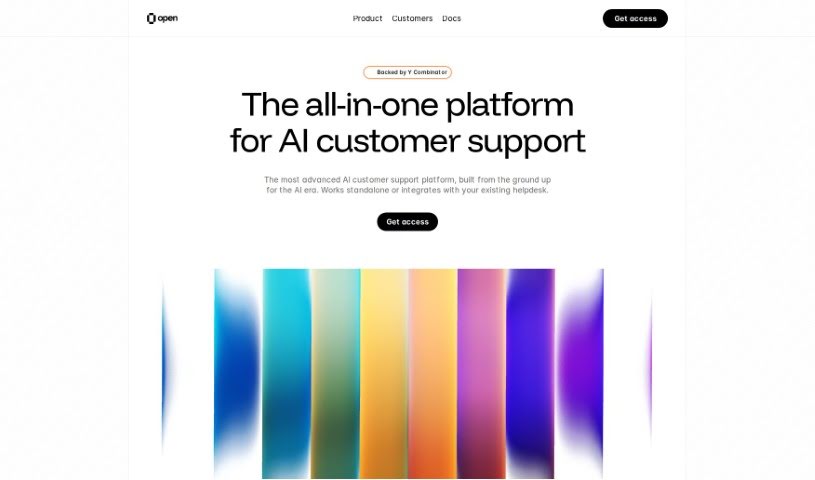
Screenshot of Opencopilot

Opencopilot

Discover what Opencopilot is and how to use it effectively in 2025. We'll explore its features and see how it stacks up against other customer service tools.

Screenshot

What is Opencopilot?

Opencopilot is an AI-powered customer support platform designed to really boost your customer service. It’s packed with features that help you achieve incredibly fast response times, handle even the trickiest support issues, and communicate in over 100 languages. Plus, it knows when to hand things over to a human agent if needed. For developers, it’s a dream, offering easy customization options and robust data security with features like encryption and an AI debug mode. You can use it across phone, web, WhatsApp, and email, and it can handle the workload of about 100 human agents. On top of all that, OpenCopilot itself is a free, open-source tool under the MIT license. It’s built to help you create AI copilots for your SaaS products, and it fully supports OpenAPI standards.

Who created Opencopilot?

Opencopilot was co-founded by Adriaan Mol, who also founded Mollie and MessageBird, and Dafeng Guo from Strikingly. This company is really making waves with its AI customer support platform. They’re known for setting new records in response times, supporting over 100 languages, and tackling complex problems just like a human would. Opencopilot also strongly believes in open-source practices; it’s already got over 10,000 stars on GitHub. Their commitment is to delivering high-quality support and tools that developers will love.

What is Opencopilot used for?

Opencopilot is incredibly versatile for customer support:

  • AI-Powered Email Support: Get your support emails answered lightning-fast with AI.
  • Record-Breaking Response Times: Seriously, AI helps you respond to support emails much faster than usual.
  • Human-Like Issue Resolution: It can solve complex problems on any system, just like a person would.
  • Multi-Language Support: It speaks over 100 languages, so you can help customers worldwide.
  • Seamless Human Handoff: When a critical issue comes up, it smoothly passes it to your human agents.
  • Unified Inbox: Manage all your support interactions from one place – web, phone, and email.
  • No More Waiting: Customers get 24/7 support without any waiting times.
  • Developer-Friendly Control: You get full control over style, APIs, debug mode, and documentation.
  • Built for Safety: Features like AI debug mode, audit logs, and secrets encryption keep your data secure.
  • Open Source Power: With over 10K GitHub stars, it supports more than 25 information sources.

Who is Opencopilot for?

  • Customer Support Agents
  • Developers

How to use Opencopilot?

Here’s a simple guide to getting started with Opencopilot:

  1. Get to Know Opencopilot: Think of Opencopilot as your AI customer support assistant. It can handle support requests through phone, web, WhatsApp, and email, doing the work of roughly 100 human agents.

  2. Introducing OpenCopilot: OpenCopilot is a fantastic free and open-source tool that lets you build your own AI copilots for your SaaS products. These copilots can talk to your existing APIs and make calls as needed, all while supporting OpenAPI standards.

  3. Key Features to Explore:

    • Super-Fast Responses: Get your support emails answered incredibly quickly thanks to AI.
    • Support in Any Language: It’s ready to help in over 100 languages.
    • Smart Human Handoff: Important issues are automatically passed to your real support team.
    • Manage Everything in One Inbox: Keep track of support across all channels easily.
    • Great for Developers: You have complete control over how it looks, its APIs, and debugging.
    • Always Available Support: Customers get help 24/7, with no delays.
    • AI Debug Mode: This feature lets you easily debug what the AI is doing.
    • Audit Logs: Every action the AI takes is logged, making auditing straightforward.
    • Customize Your AI: You can control AI themes and even its personality using prompts.
    • BYOK (Bring Your Own Keys): Use your own LLM keys to maintain control over your data.
    • Topic Customization: You can define specific topics where you don’t want the AI to step in.
  4. What’s New Recently:

    • Cmdk with AI: Now you can create a custom AI widget for your product using CmdK to automate tasks.
    • OpenCopilot v2: This latest version integrates Text/Voice AI Assistants and Workflow Automation.
    • More Updates: You can find more details about other recent launches within the OpenCopilot ecosystem.

By following these steps, you’ll be well on your way to using Opencopilot effectively for both AI-powered customer support and automating your products.

Related AI Tools

Discover more tools in similar categories that might interest you

Stay Updated with AI Tools

Get weekly updates on the latest AI tools, trends, and insights delivered to your inbox

Join 25,000+ AI enthusiasts. No spam, unsubscribe anytime.